We're excited to announce a few updates that we've recently made to Tend. Read on, and as always, please let us know how Tend is working for you.
—
Crop Planner/Planting
Quick Planting-Location Assignments: Save Time
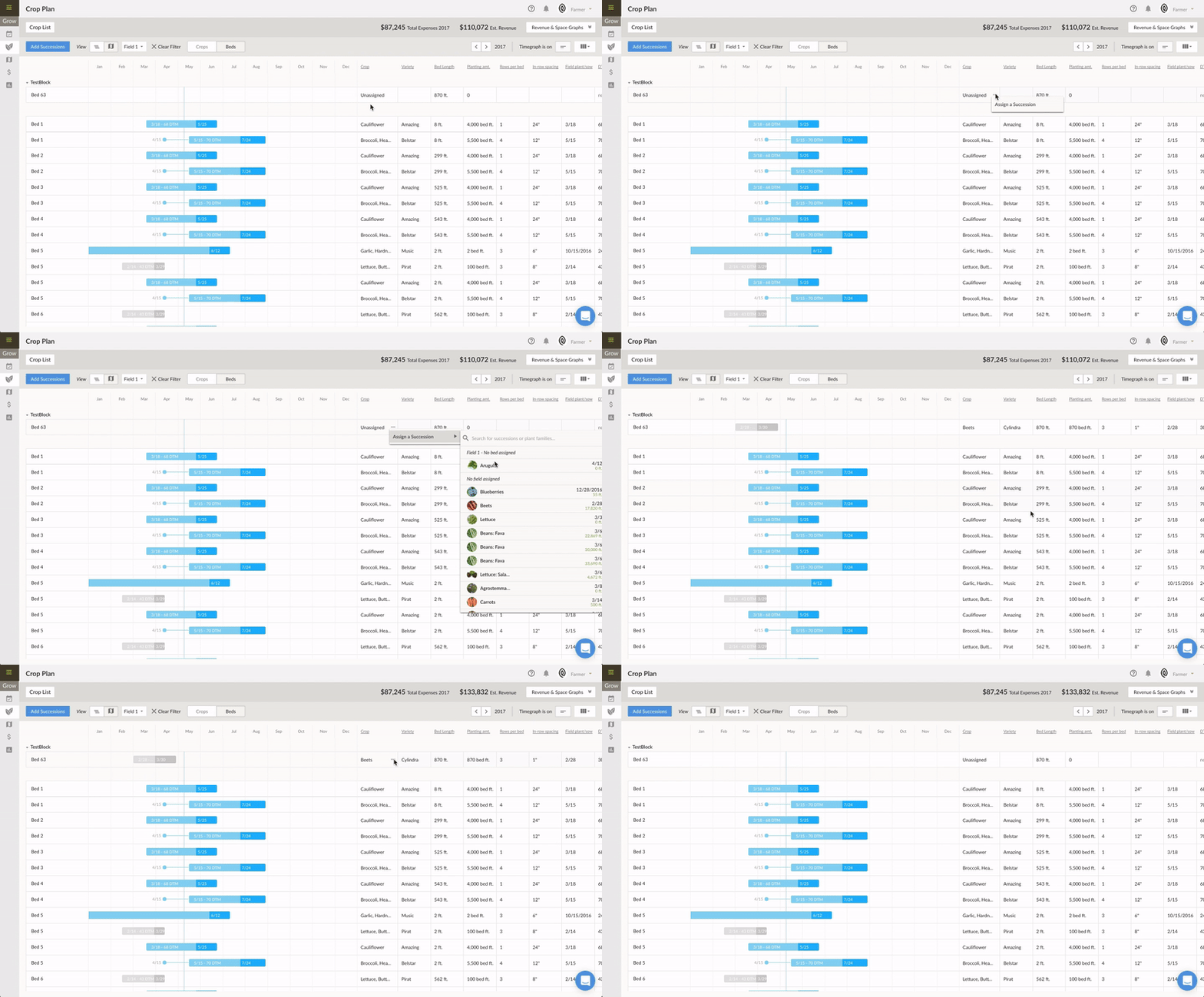
Previously, assigning and unassigning plantings to and from beds or fields took several clicks and excessive loading time. We've made an update that allows you to manage the location of plantings without ever leaving the crop planner. Just click the '•••' icon in the Crop column to get started (hover your mouse over the crop or location column to see it).
In Crop planner, you can assign plantings to, or unassign plantings from a field.
In Crop planner > Field > Beds view, you can assign plantings to, or unassign plantings from specific beds. (For example, see Bed 63 below)
Select row ft. or bed ft.: Planting amount
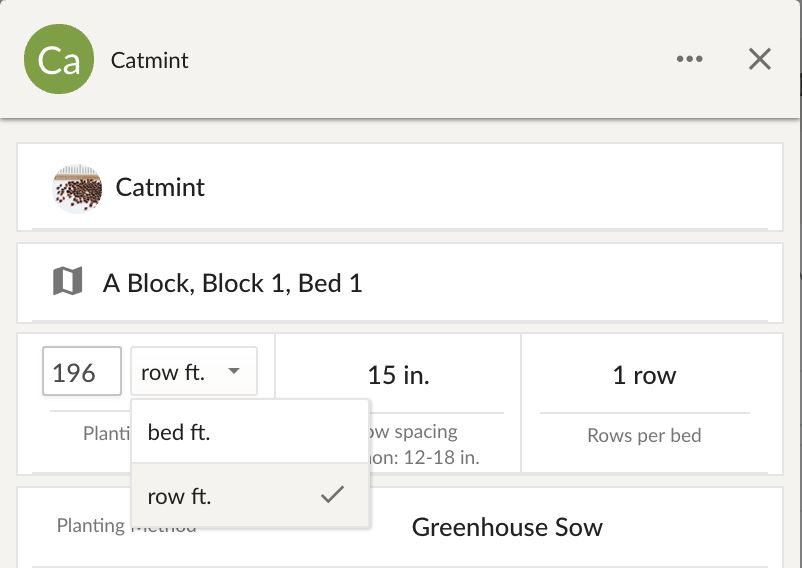
Pick your favorite flavor: you can now select row ft. or bed ft. for plantings in Tend.
Tend will remember which option you selected
Tend will automatically convert row ft. to bed ft. based on the number of rows per bed you have entered – even if you have some plantings in row ft. and others in bed ft., the data will be stored consistently, so you can switch between both seamlessly.
Yield Rate updated to row ft., 10 row ft., or 100 row ft.
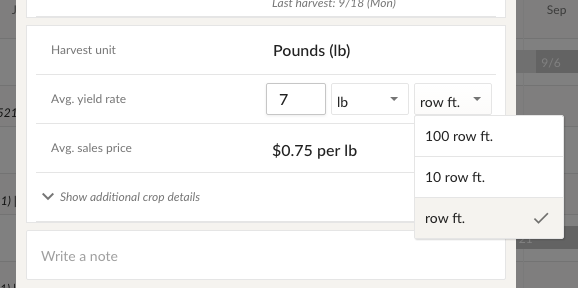
We've updated the average yield rate units to be displayed in yield per row ft. – this is because common agronomic yield data is captured by row ft.
Tend will make estimated yield calculations for you based on the planting amount. When the planting amount is in bed ft., Tend will automatically convert to row ft. in order to determine the estimated yield based on the number of rows per bed.
Sort your CSV export
In case you want to export to CSV, we’ve added the crop category to your greenhouse sowing list CSV, so now, for example, you can sort your sowings by vegetables or flowers. (In the meantime, don't forget that all of your greenhouse and field sowing tasks are available via our mobile app for convenience in the greenhouse. Stay tuned for mobile task enhancements.)
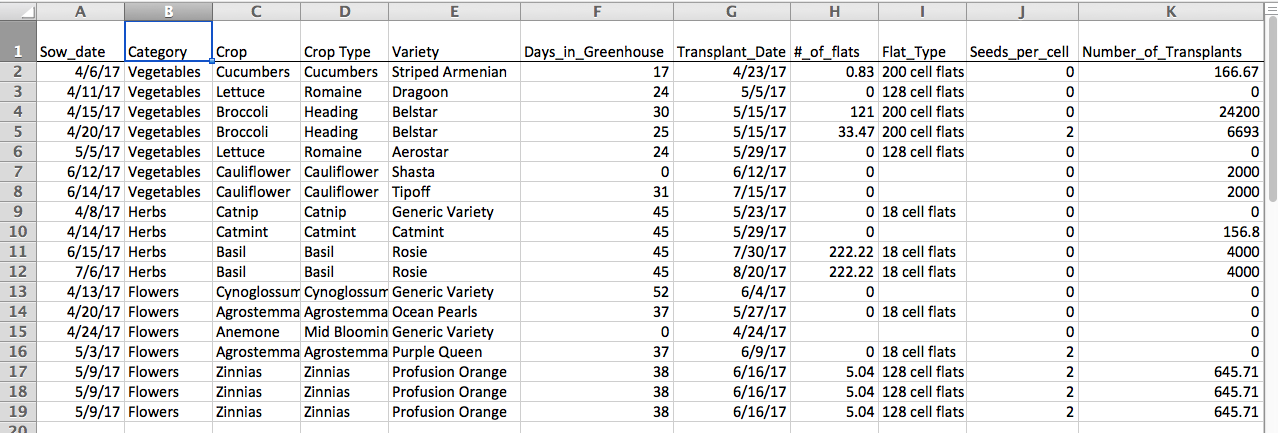
Adding a planting: Variety search
To help you find your varieties when you add plantings to your plan, we've added variety to the search results.
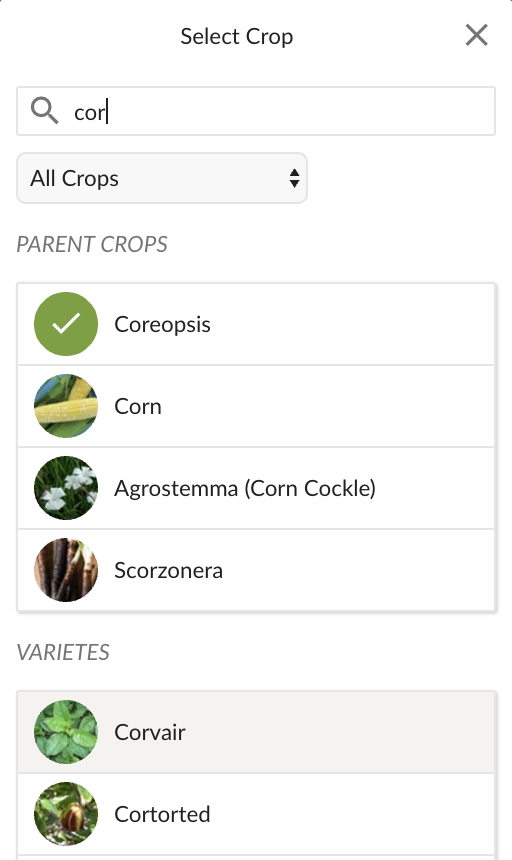
Crop Plan Columns
Newly-added rows per bed and In-row spacing columns in the crop planner give you more crop information at-a-glance with zero clicks.

Locations
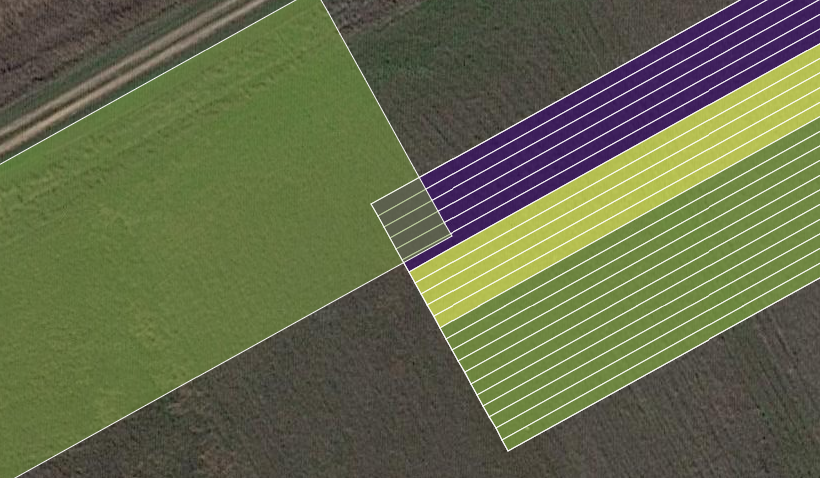
It's now easier to update your field information in Tend. Edit individual bed lengths for fields that you added by inputing field dimensions, duplicate fields with one click, and if your fields overlap – no problem, we've got you covered.
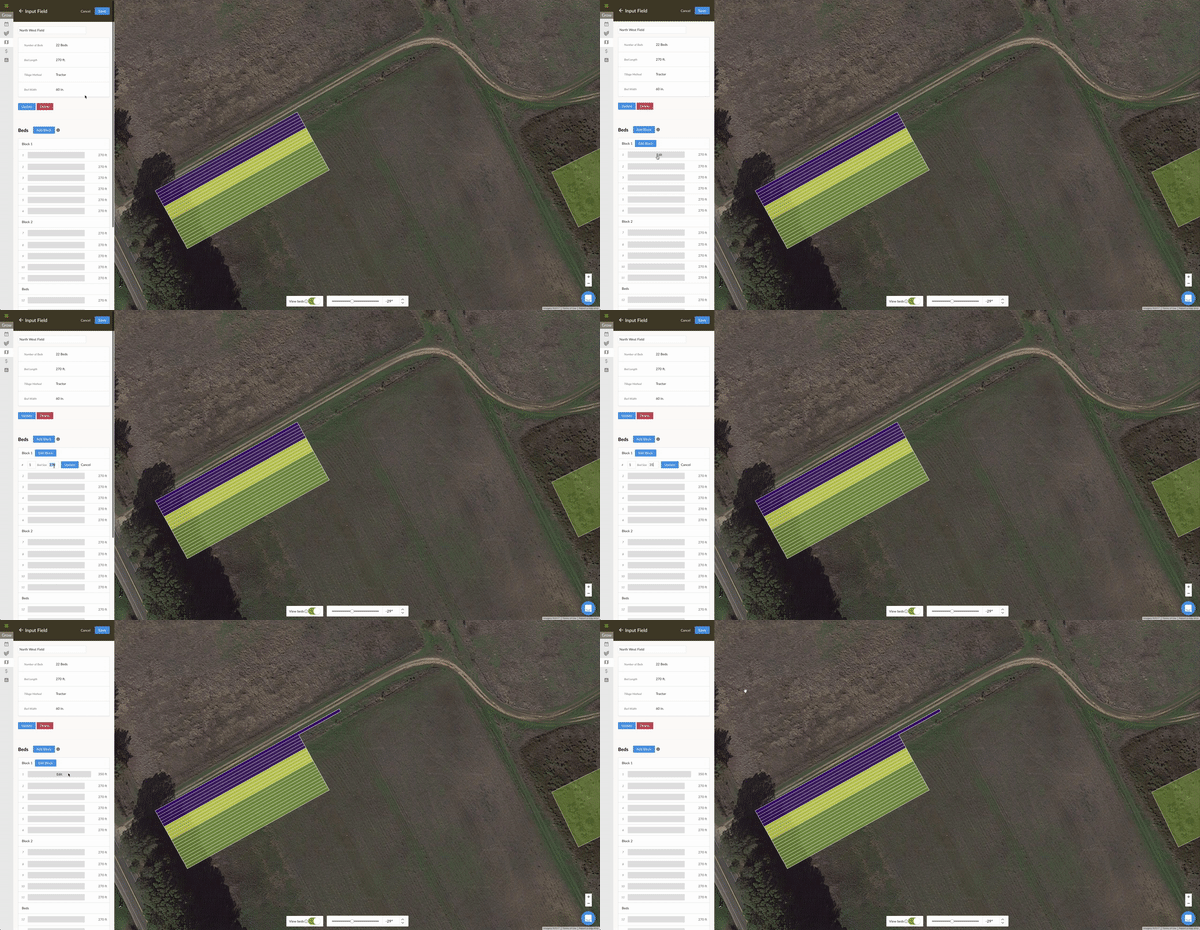
Adjusting individual bed lengths for fields with inputted dimensions
Click on a field that you added by inputting field dimensions and select "edit". You can now click on any bed and adjust its length. Read more
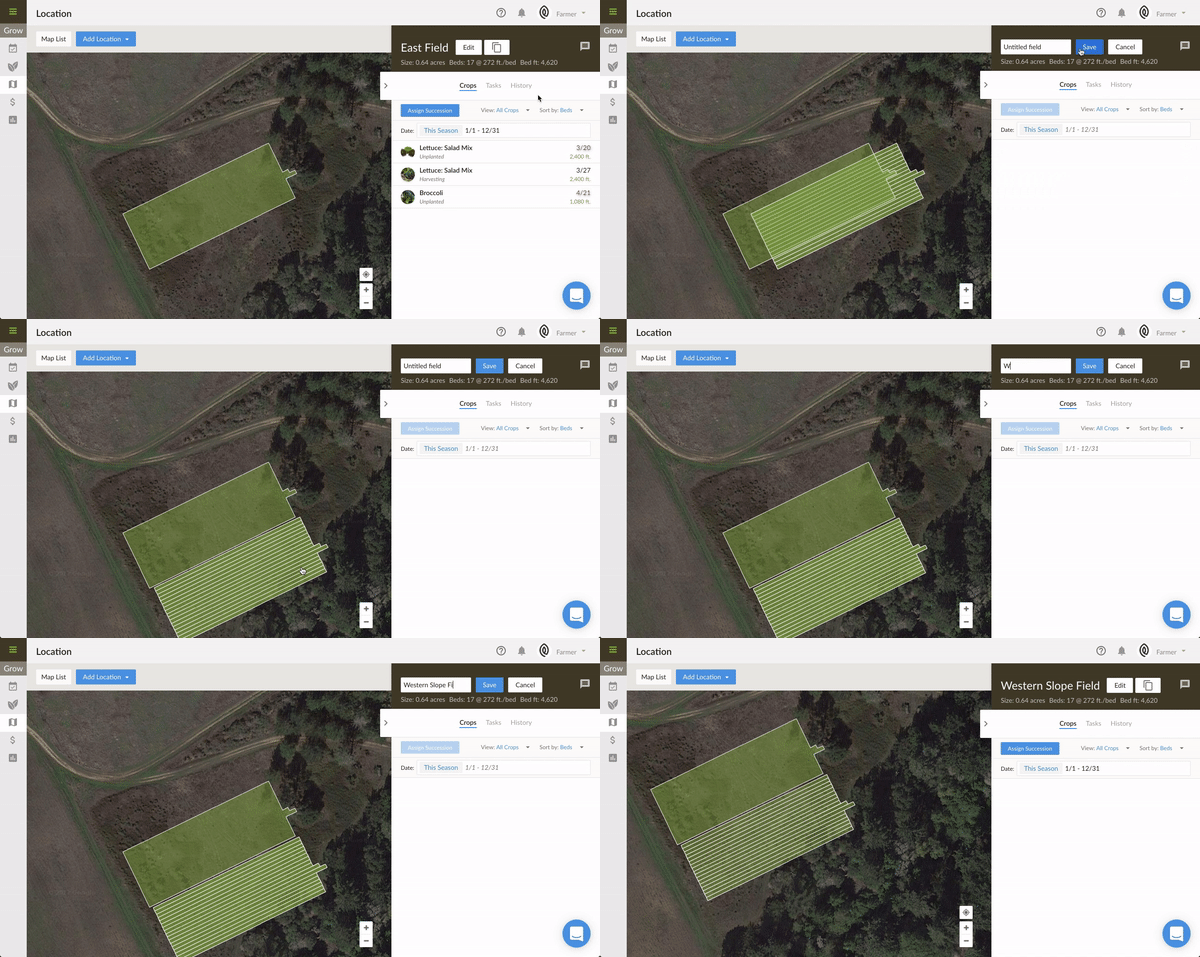
Duplicate a field with one click
Click on a field that you added by inputting its dimensions and select the "duplicate" button. Click and drag to move this field around your map, rename it, and click save.
Read more
Overlapping fields
You can now have your fields overlap when you add a field by either inputting its dimensions or drawing its perimeter, giving you more flexibility when mapping your farm.
Harvest
Select any planting for your harvest list, no matter the harvest window
Previously, if your planting's harvest window dates didn't align with the harvest list date, the planting wouldn't appear in the harvest list. You may have found yourself updating the planting's harvest window in order to make it appear in your list. Now you can add any planting from this season to your harvest list. If the harvest list date extends beyond your planting's current harvest window, the planting's harvest window record will automatically be updated when you check off the harvest task in the harvest list.
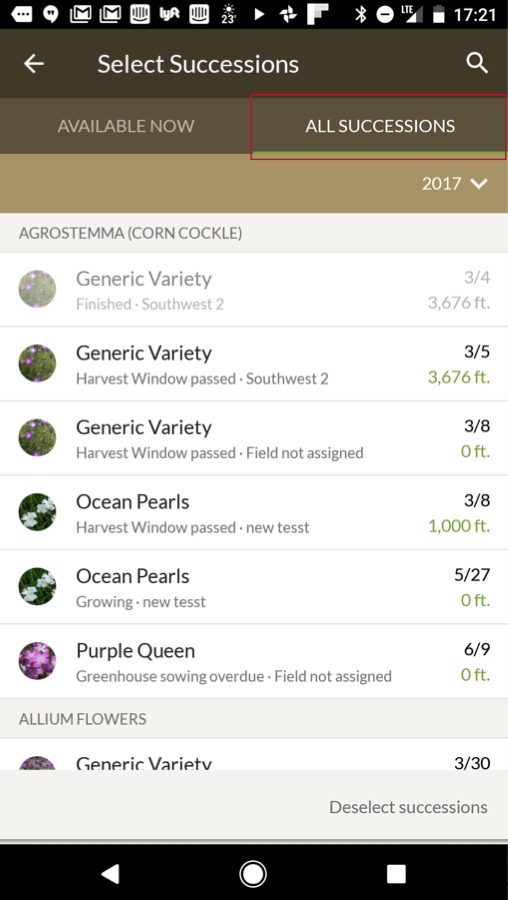
Tap the green "+" button in the harvest list to select from all of your crop plan's plantings.