Instructions
Go to Locations
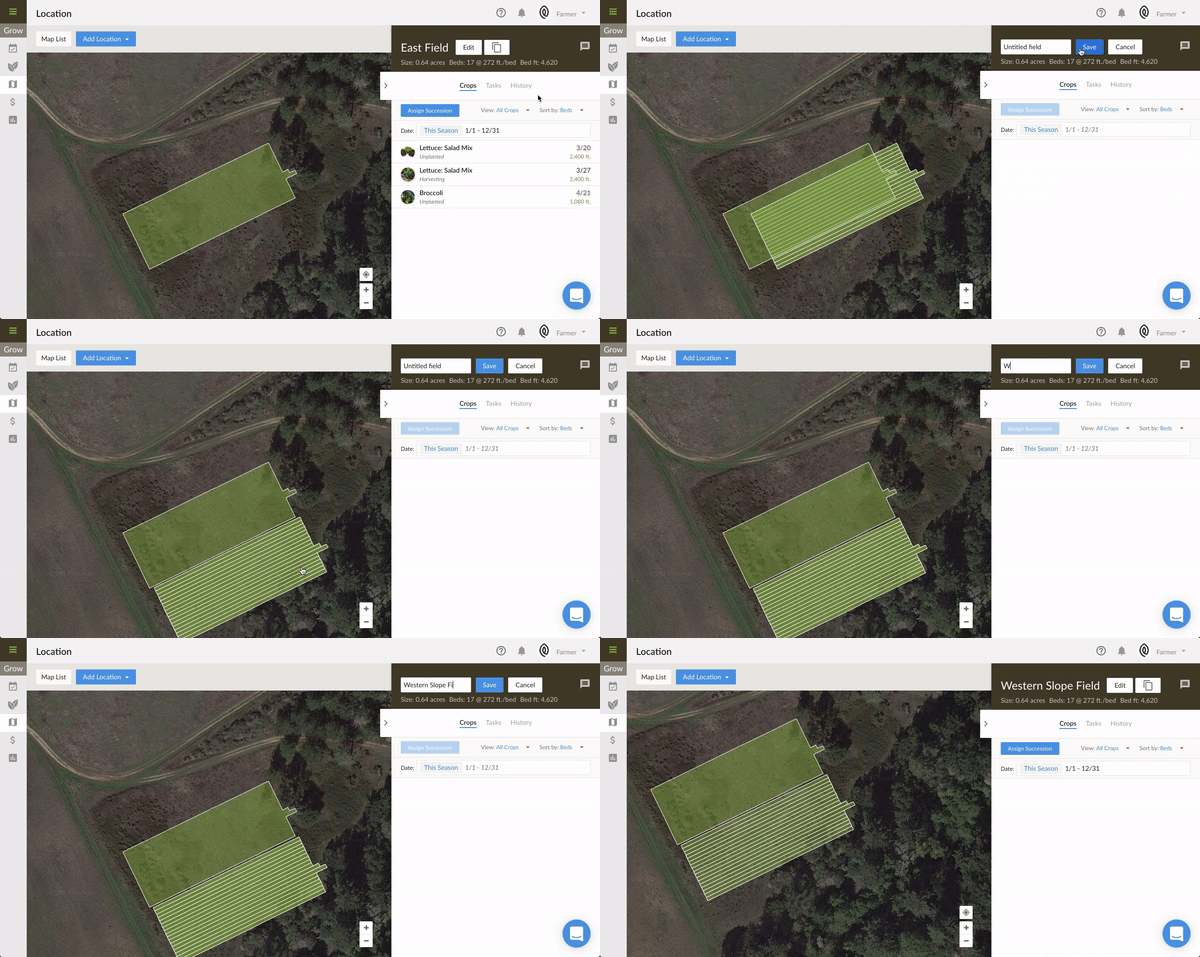
Click on a field that you've added by inputting field dimensions
Click the "duplicate" button in the right-hand screen
A new field will appear. Click and drag it to where you want it in the map.
Enter a new field name for this field
Click the "Save" button
All done!
Note: Tend only duplicates your field and does not duplicate any plantings that might be assigned to your original field.