Description
Availability Lists, also know as "Fresh Sheets", are an up to date price sheet for a group of customers. In Tend you can share your availability lists via email and from a web page that gets created on your Tend website.
Sales Channels - Organize how you communicate to your customers
Sales channels are used to organize the customers you sell to, based on price and products.
If you have not already, create the sales channel you are selling to. For each group of customers where you want to offer different prices or different products (or both), create a sales channel.
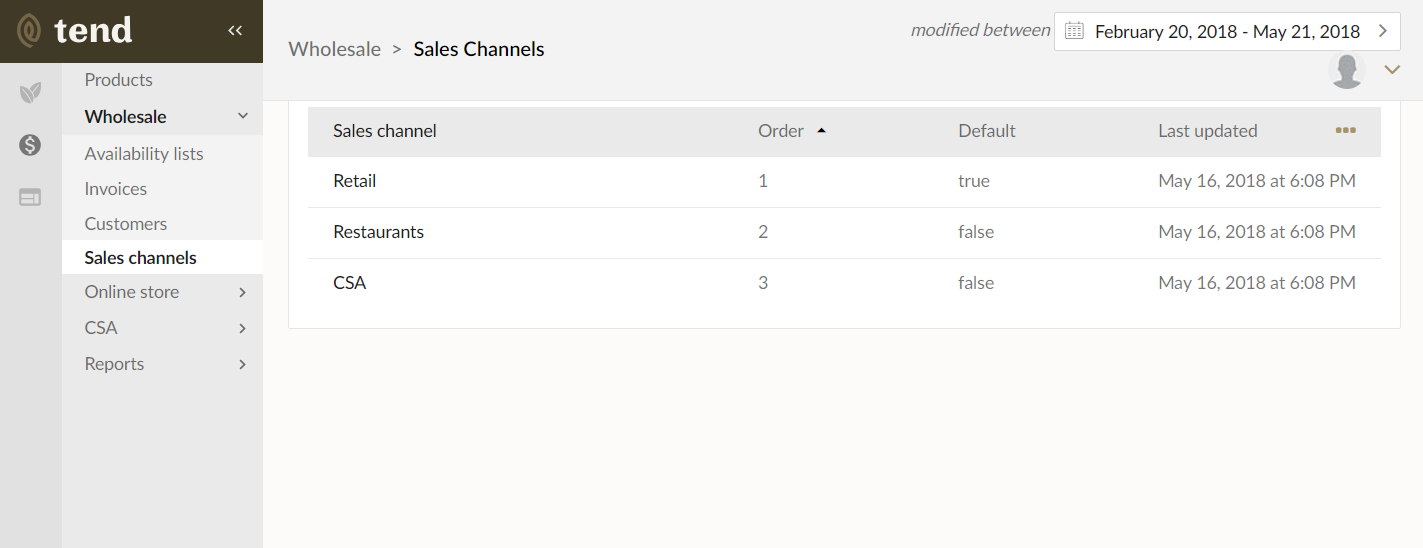
For example, if you have a retail price but also offer discounts to restaurants, you may set up two sales channels, "Retail" and "Restaurants." You can also use sales channels to show and hide sales units. For example hiding the price by case to your farm stand customers.
Price and Inventory
Next check that your products have both a price for the sales channel you want to use and have available inventory.
Example: Single price, do not manage inventory
This is the simplest way to set up.
Say for example, this year you had a bumper crop in potatoes. You don't expect to sell out for a while so you aren't limiting inventory. You also don't offer any special pricing to restaurants. So you have selected "Any" as the sales channel and a blank inventory.
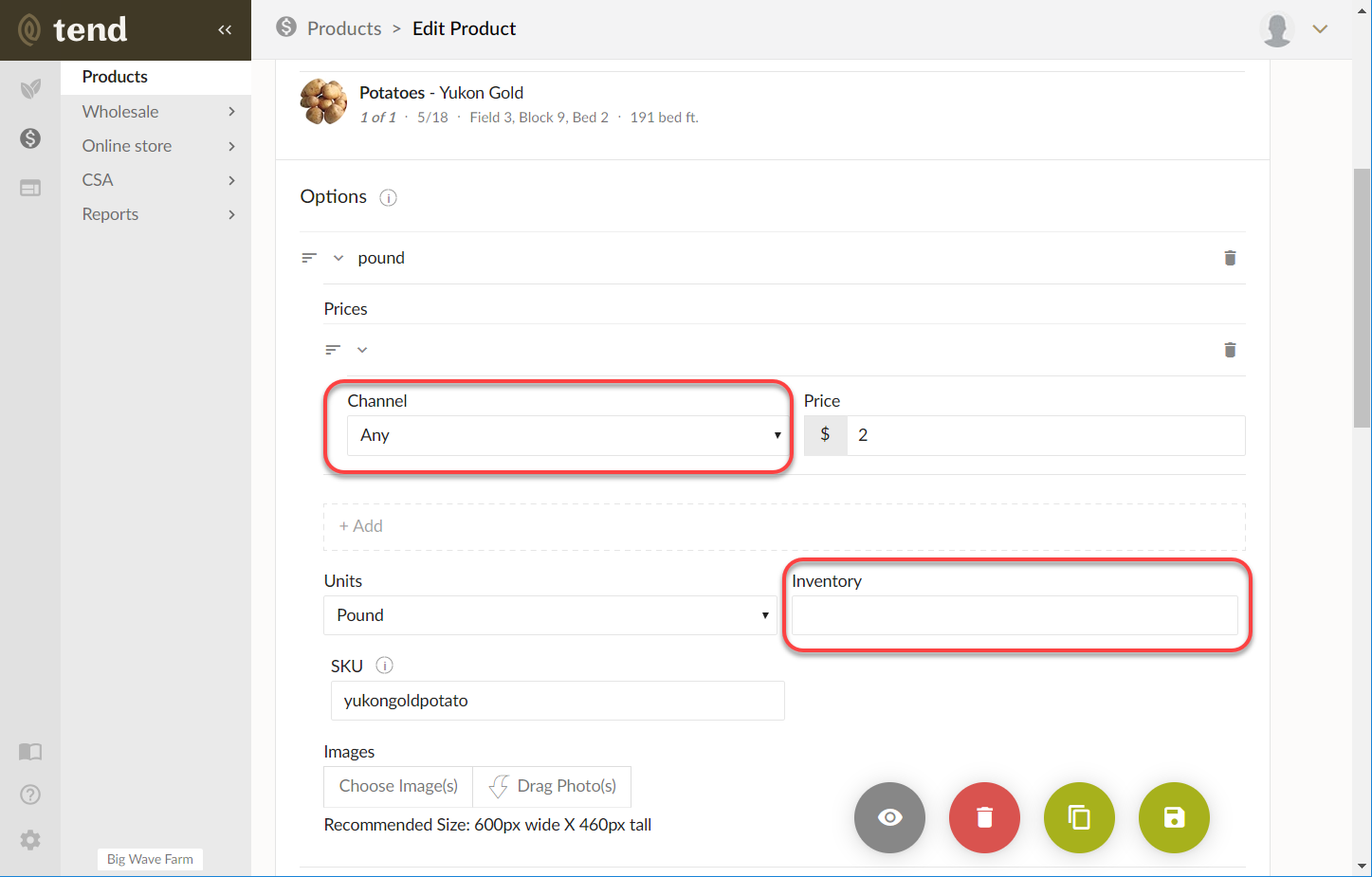
"Any" means this product can show up on any of your sales channels, and blank inventory means your customers will never see "Sold Out" no matter how many orders you get.
Example: Multiple prices, manage inventory
You are also selling Radishes. You have a farm stand price of $4/bunch and a restaurant price $25/case. Your restaurants don't normally order by the bunch and your farm stand customers don't order cases.
Create an option for the $4/bunch price for the sales channel "Retail"
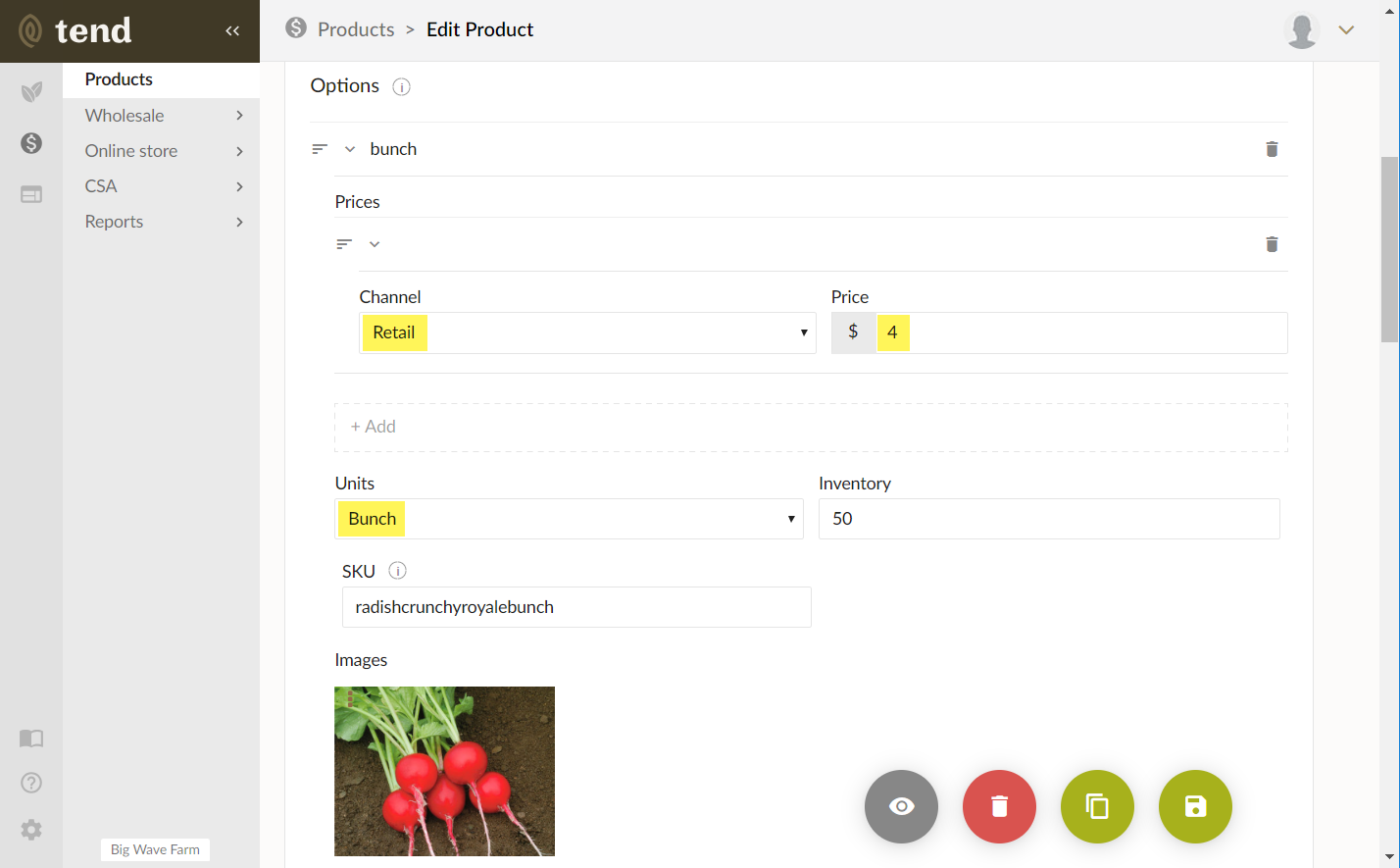
Then lower down on the product page click the "+ Add an Option" button to add the $25/case price for the sales channel "Restaurant."
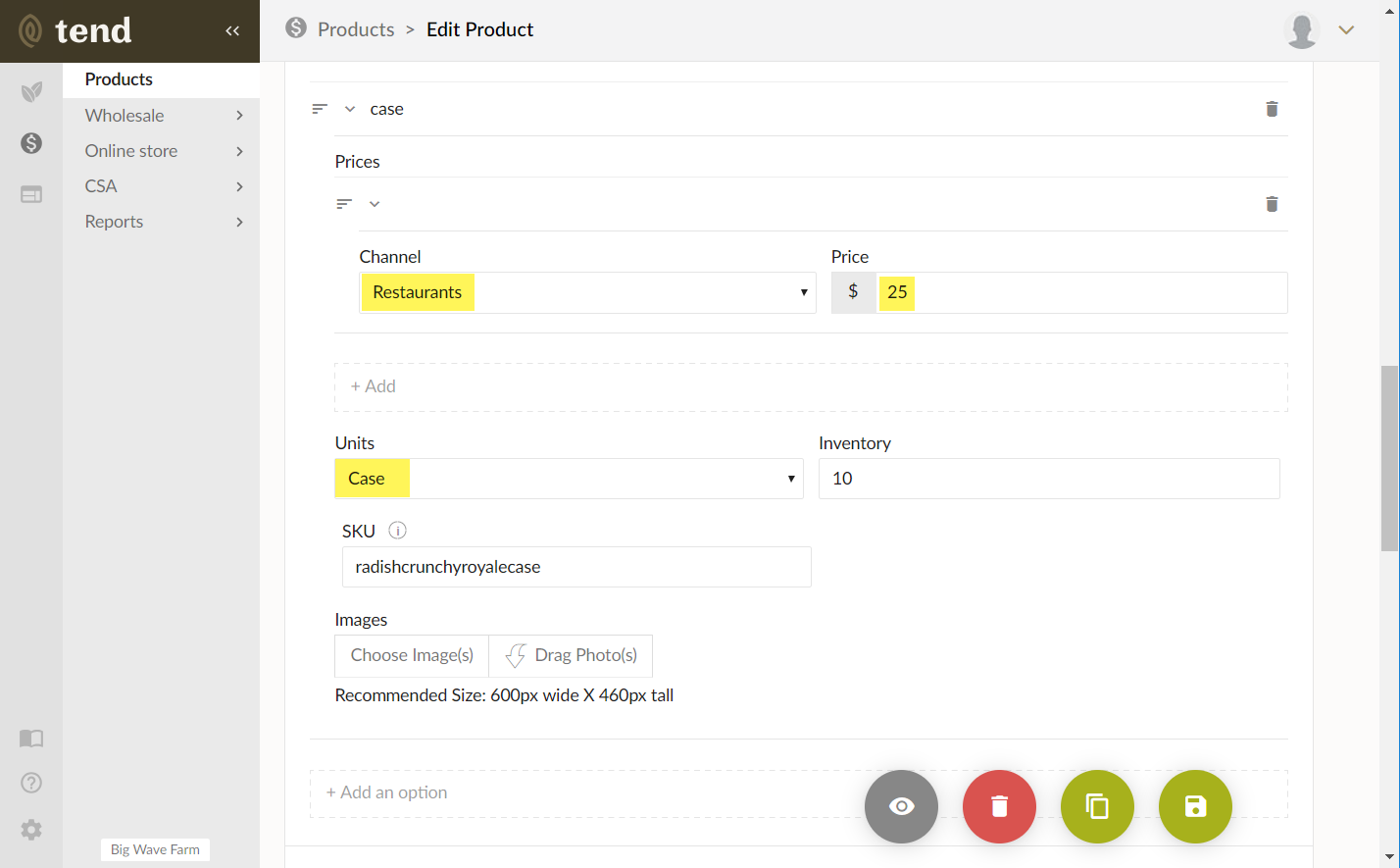
Because this item is highly perishable, you update the inventory based on your latest field walks. You can review all of your inventory under Sell - Reports - Inventory to verify everything is correct.
Preview
You can preview your availability list with the "test" button, which sends a copy of the email to yourself.
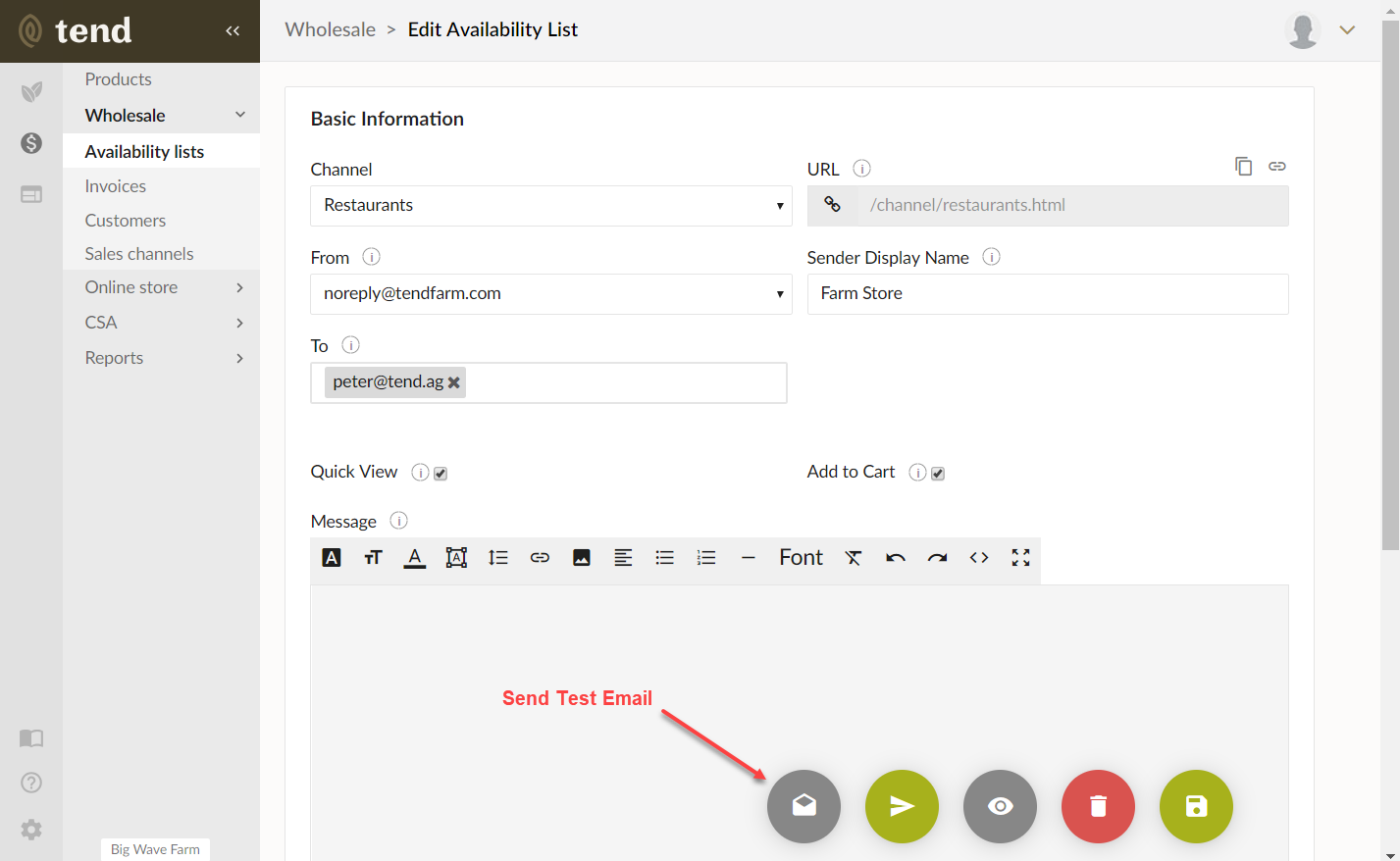
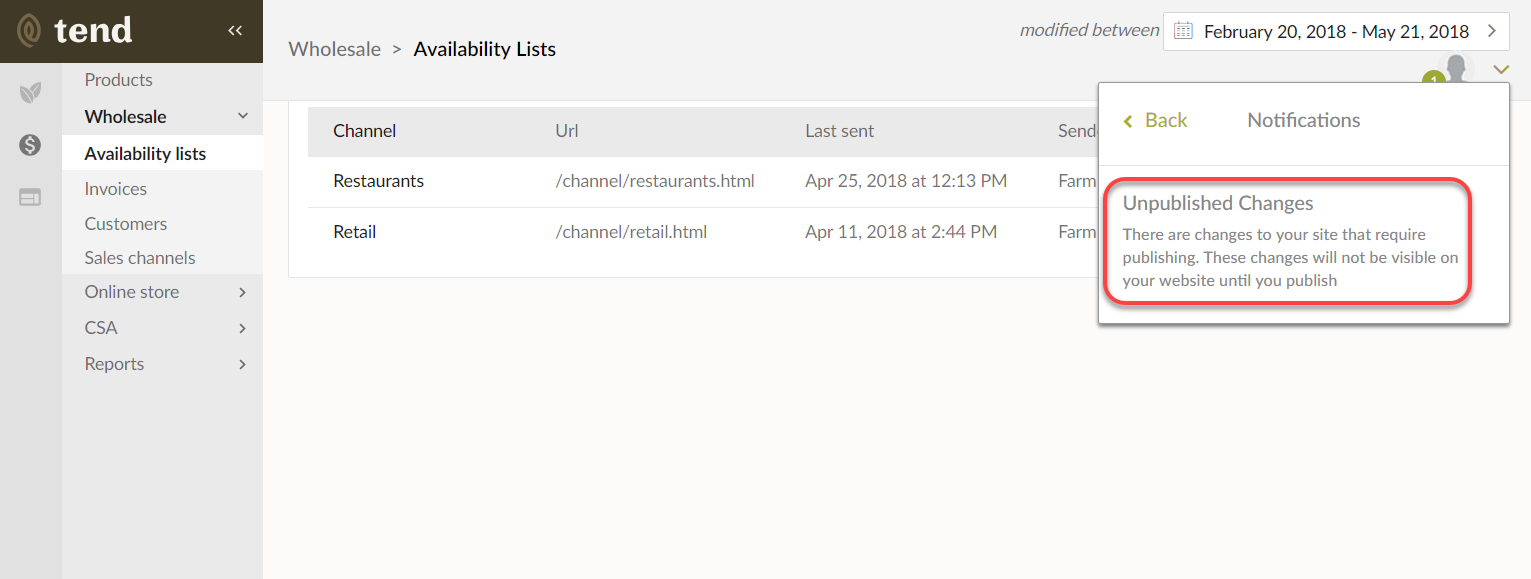
Note: The "Order Online" button may be out of date until you publish your website.
If you are done reviewing, publish any changes to your website. This will make the online web page of your availability list update.
Share via URL
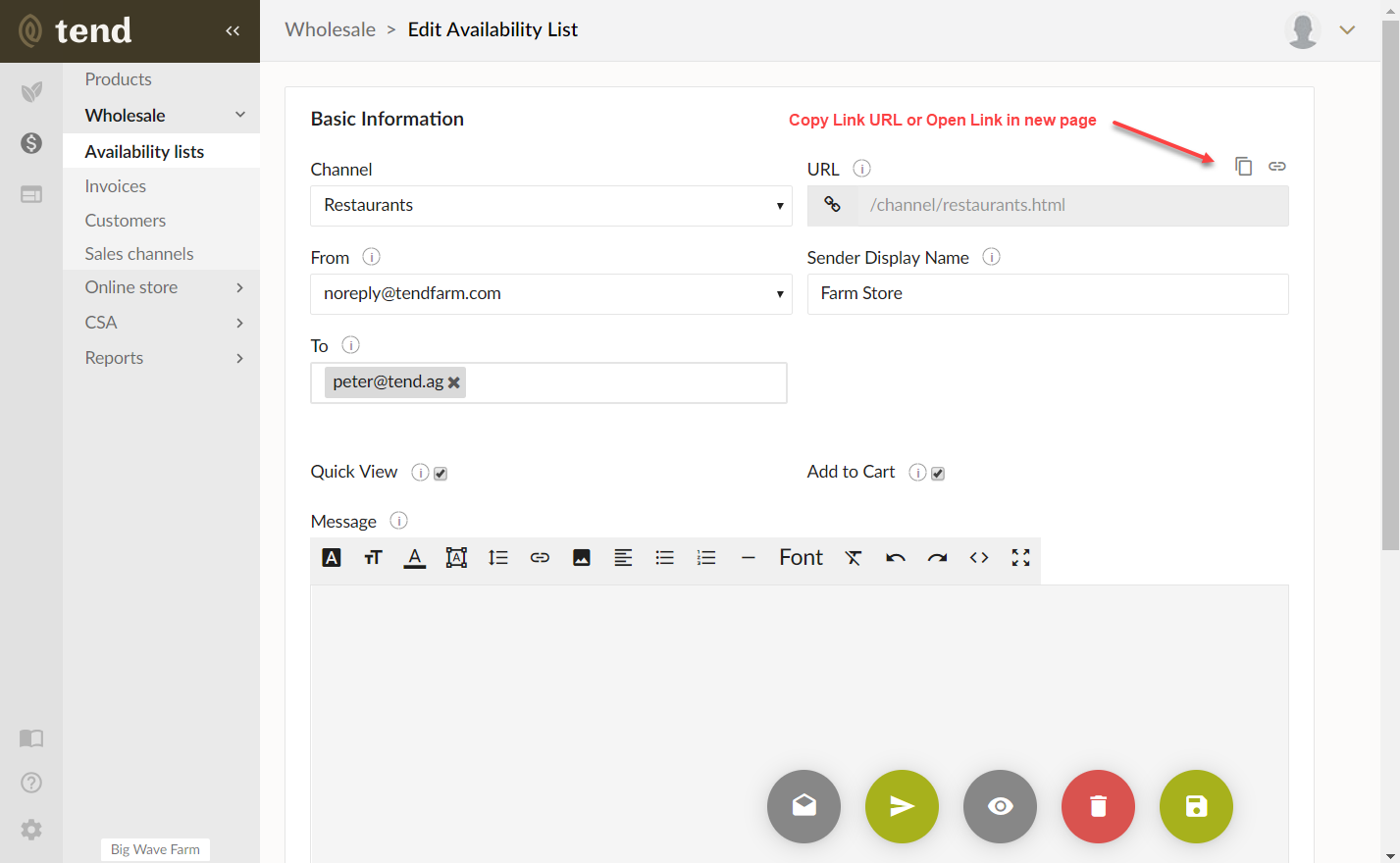
If you'd like to link to your availability list or want to share on social media, you can get the URL from the availability list detail page.
Share via Email
To send out your availability list to customers, change the "To" field to any list that you have created, directly to email addresses, any combination of both. Press the "Send" (or "Re-Send") button to send it out.
Check out this article for setting up email lists.