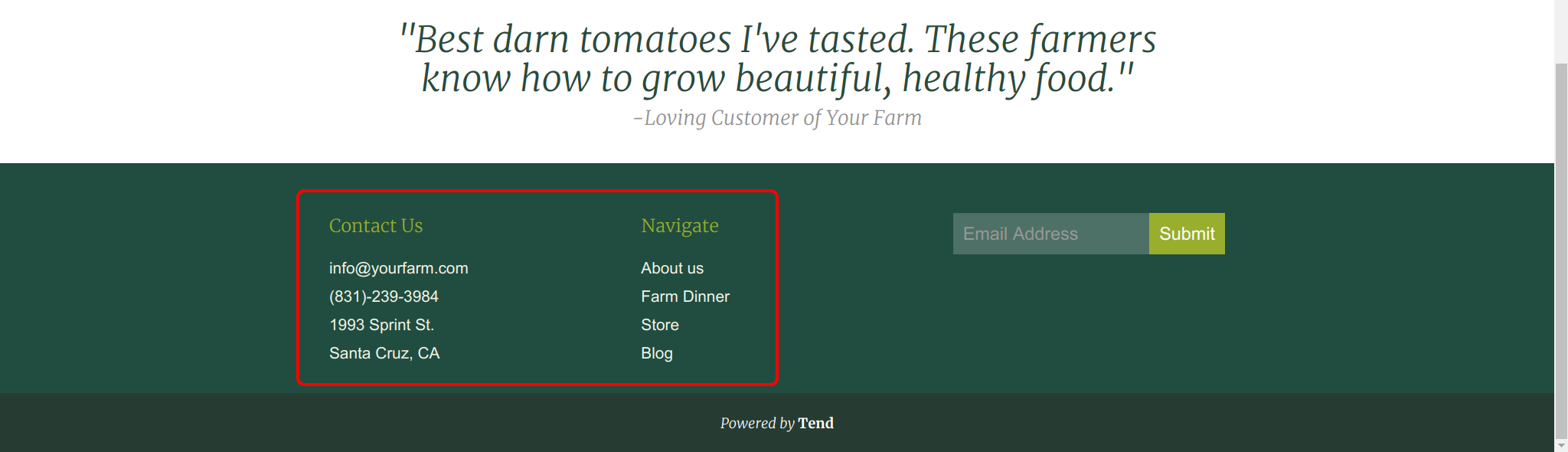
Your header and footer are sections of your website that are fixed at the bottom and top of every page you create. Example headers and footers are shown here:
Header:

Footer:
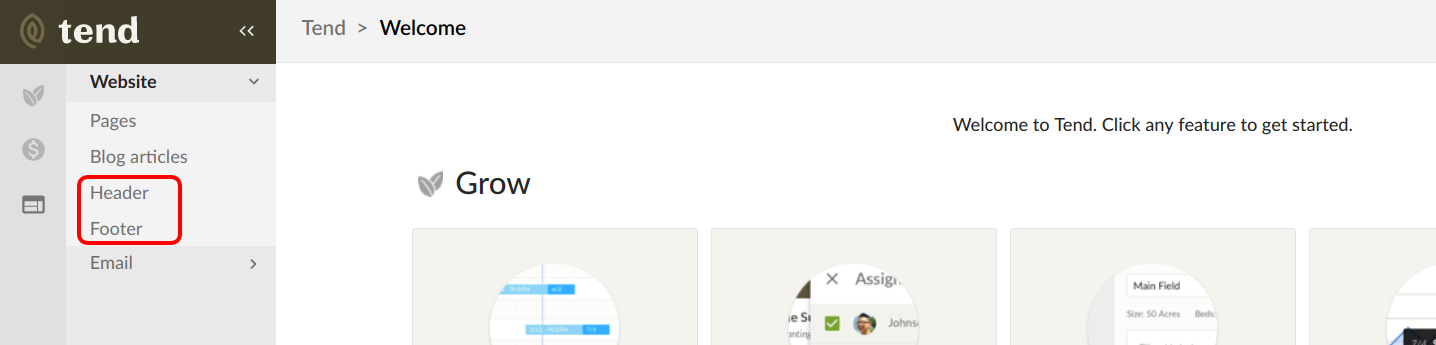
In order to edit your header or footer, go to "Website & Email" - "Website" - and select either "Header" to edit the top content or "Footer" to edit the bottom content.
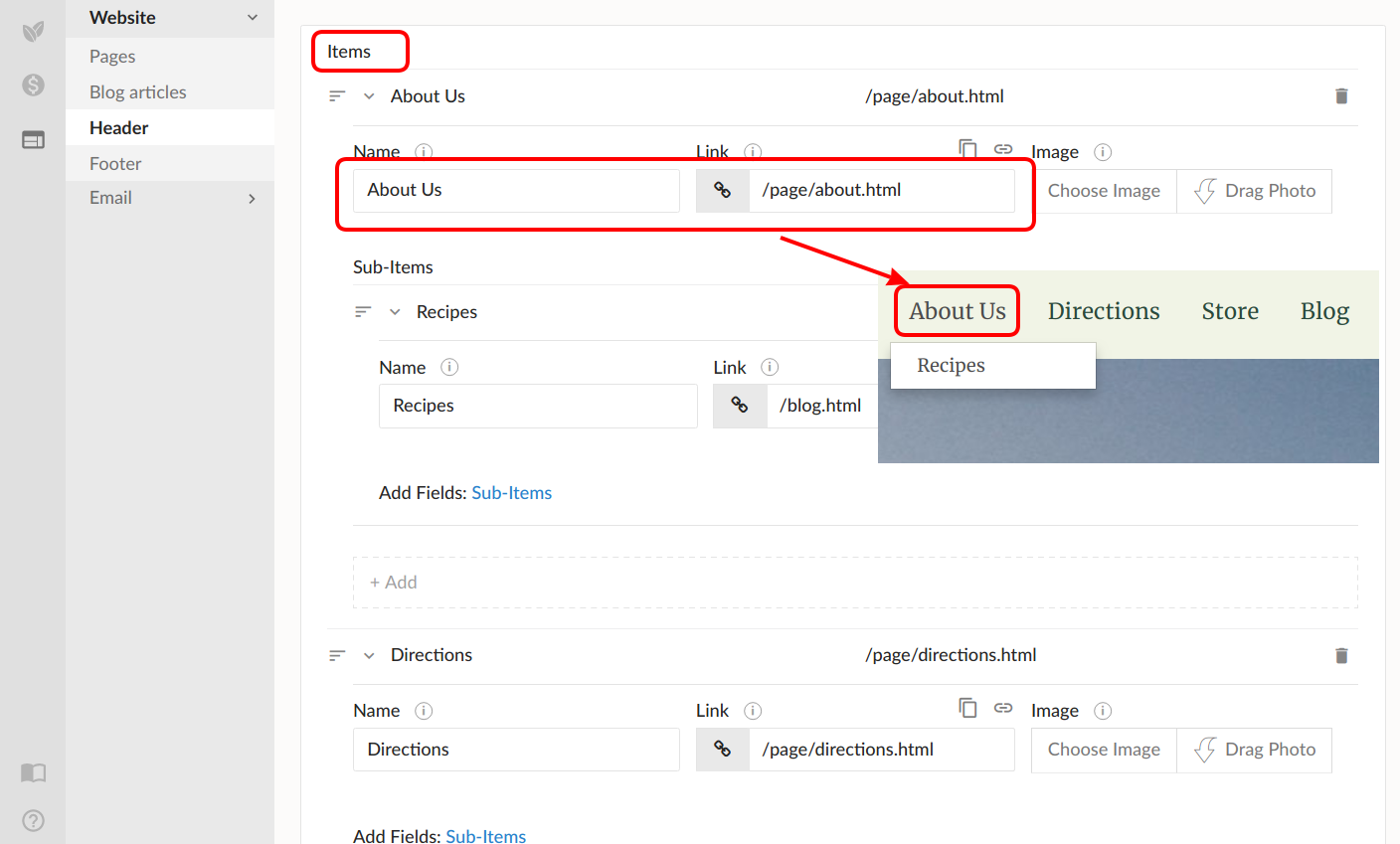
Items
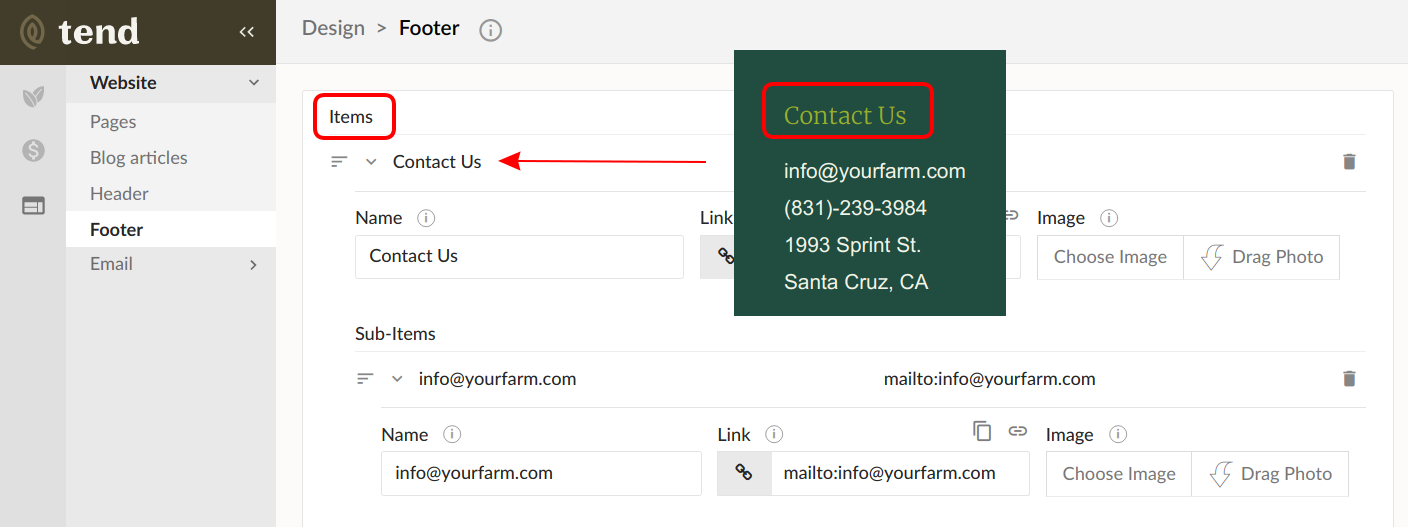
Create "Items" to create a new section in your footer, or a new menu in your header.
Here's what it looks like for your header:
Here's what it looks like for your footer:
Sub-Items
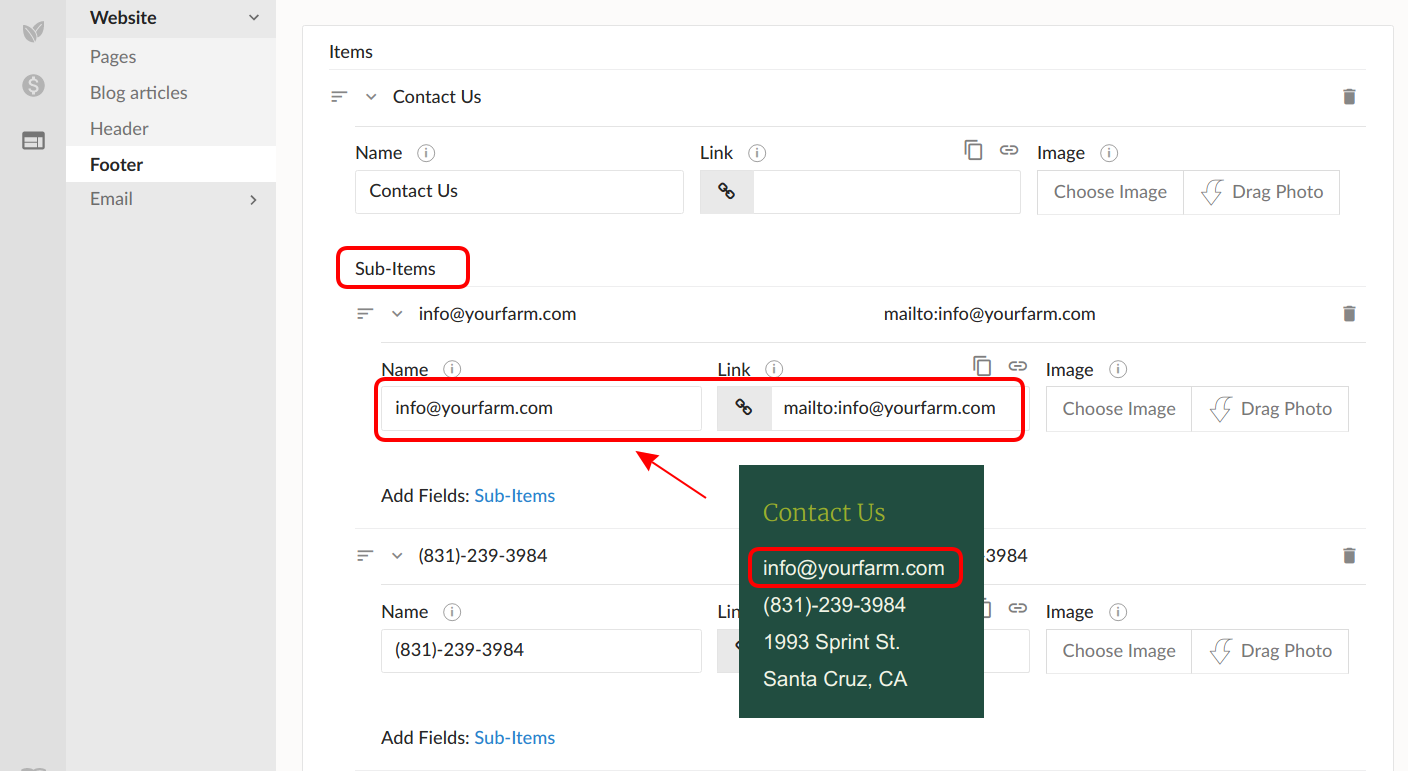
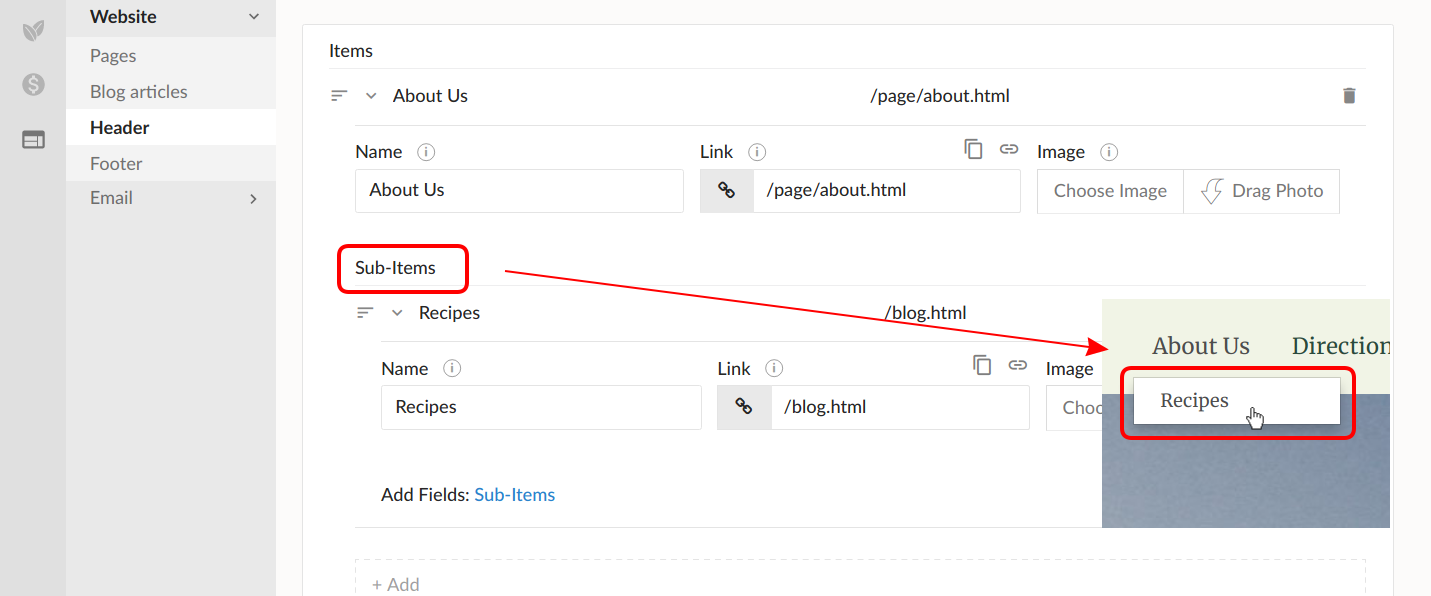
Add "Sub-Items" to a footer to display content in the section, or menu items in the header.
Here's what happens for sub-items in your footer:
Here's what happens for sub-items in your header:
Save and Publish
When you've finished editing, click "Save" in the bottom right-hand corner. Please note that for changes to appear live on your site, you'll need to publish your page.