Steps
Add a task or click into an existing task
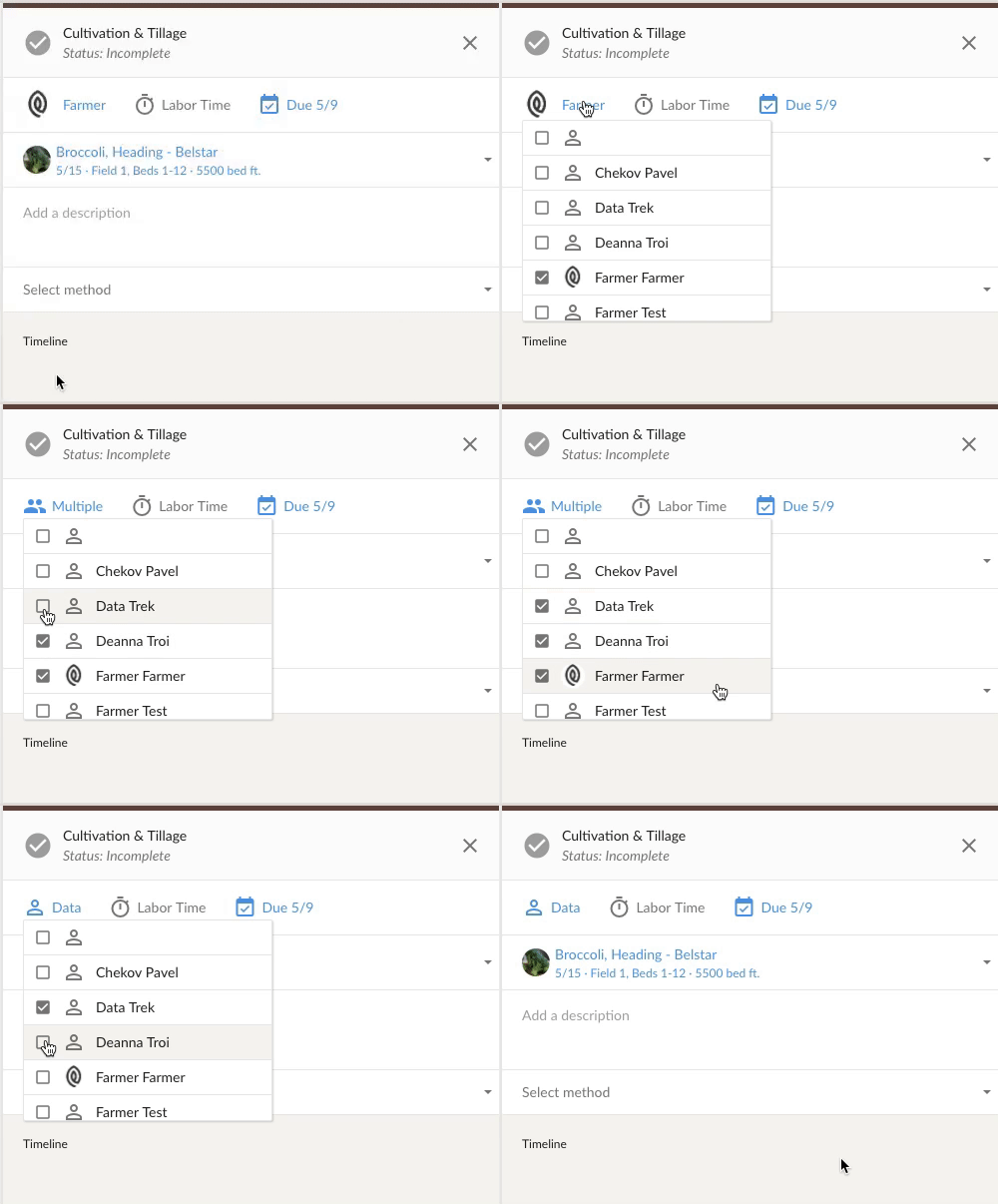
Click on the person icon in the top left corner of the task details screen
Select one or many people that you want to assign this task to
If this is a new task, click "Save" button. If this is an existing task, your changes are automatically saved when you exit this task: click the "X" in the top right corner (if you're in the Task Calendar) or click outside of the task details screen to exit.