What is a Task Template?
A Task Template is a set of tasks that are linked to the Field Planting Date of a Planting. You create the template once, and it can be applied again and again to the plantings you create in Tend.
Here's an example for Tomatoes:
till the field 10 days before transplanting
shape the beds 5 days before transplanting
transplant the tomatoes
irrigate the crops 3 days after transplanting
cultivate the beds 10 days after transplanting
If you need to change the Transplant date of your Tomatoes, the Due Date of the associated Tasks will automatically update. For example, if you have to push your Transplant date out one week because of wet soil, you don't have to worry about updating the due date of each task that needs to get done for that planting – it's already done for you!
In the example above, your Field Planting Date 4/1, but the field is too wet. In response you push your planting date out one week to 4/8. That means your Irrigation task will retain its 3-day distance from the planting date, automatically updating from 4/4 to 4/11.
How do I create a Task Template?
Task Templates can be created in two ways:
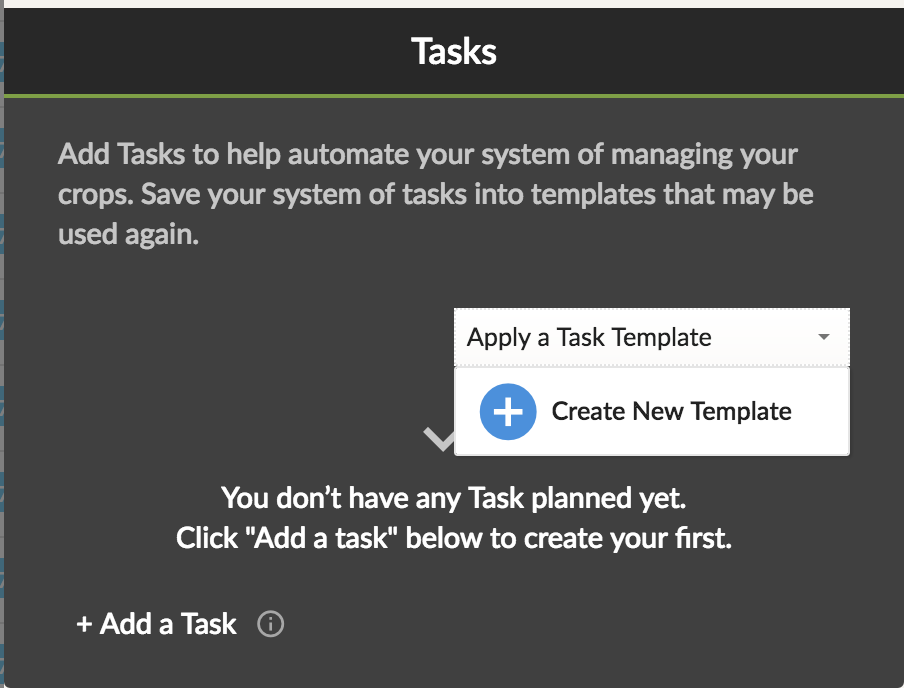
When adding or editing a Planting in the Crop Planner
2. Click the "Task Templates" button in the Task Calendar
How do I apply a Task Template?
A Task Template can be applied to a Planting in the individual Planting screen (pictured above). This can be applied to multiple Plantings if you are creating more than one planting at a time, or it can be applied to a single Plantings while creating or editing it.