Go to the Crop Planner.
2. Add a planting or click on an already added planting.
3. A pop-up will appear with planting information. Click on the "variety" field. Note: if you've already added a planting for this crop, Tend will automatically display this variety when adding a new planting of the same crop.
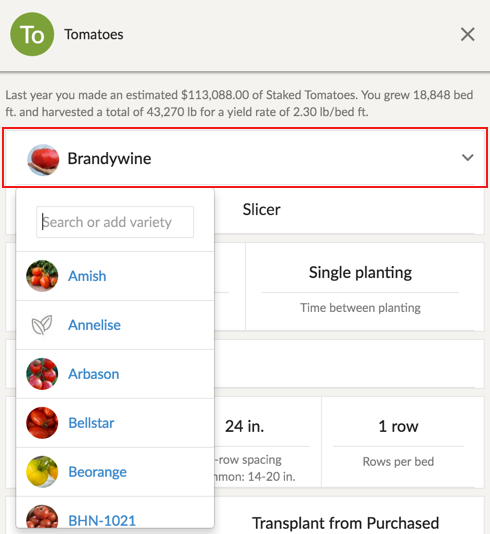
4. Type in the name of the custom variety you would like to add in the "search" area.
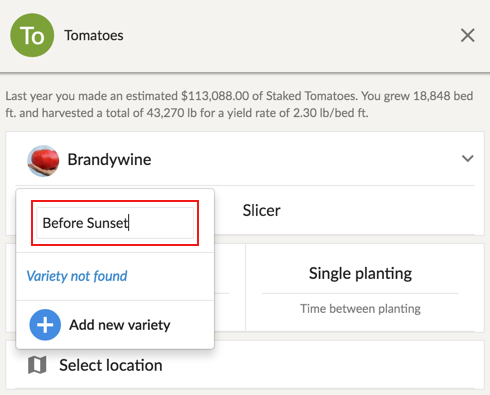
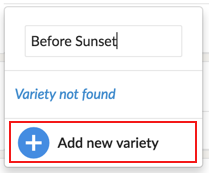
5. Select "Add new variety" in the drop-down.
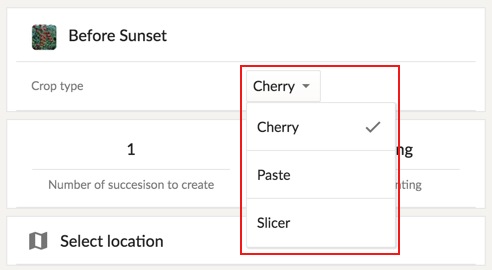
6. If the crop you're adding has a "Crop Type", make sure the selected "Crop Type" is correct. For example, if you're adding a new variety of tomatoes, this "Crop Type" could be "Cherry", "Paste", or "Slicer".
7a. If you're adding a new planting, scroll down and select the "Create" button at the bottom of the pop-up window.

7b. If you're updating the variety for a previously added planting, select the "exit" button at the top right-hand corner of the pop-up window.
