1. Go to any "Grow" feature (e.g. Tasks, Crop Planner, Locations, etc.).
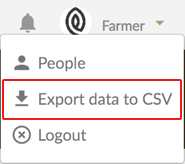
2. Click on your name in the top right hand corner.

3. Click on the "Export to CSV" option.
4. Tend will automatically format and download your growing data. This may take a minute or two depending on how much information there is in Tend.
5. Go to your "Downloads" folder and look for a zipped folder called "csv_export" to access your downloaded CSV files.