Sometimes plantings appear slowly in the Crop Planner, especially if you've just added multiple plantings at one time.
If you see a message prompting you to refresh the page, here's what you can do:
Hit the "Refresh" button in your browser. This is typically located on the right or left of where you enter a website's url:

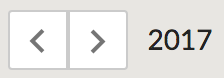
2. If you still don't see your plantings, check your date filters – make sure the date filters in the Crop Planner, Tasks, or the Locations sections match the same year you added your plantings to.


3. Still no plantings? Try holding down "Shift" while clicking the "Refresh" button.
4. Send us a message anytime if you'd like some help walking through any of these steps or if you're still having issues seeing your plantings in Tend.