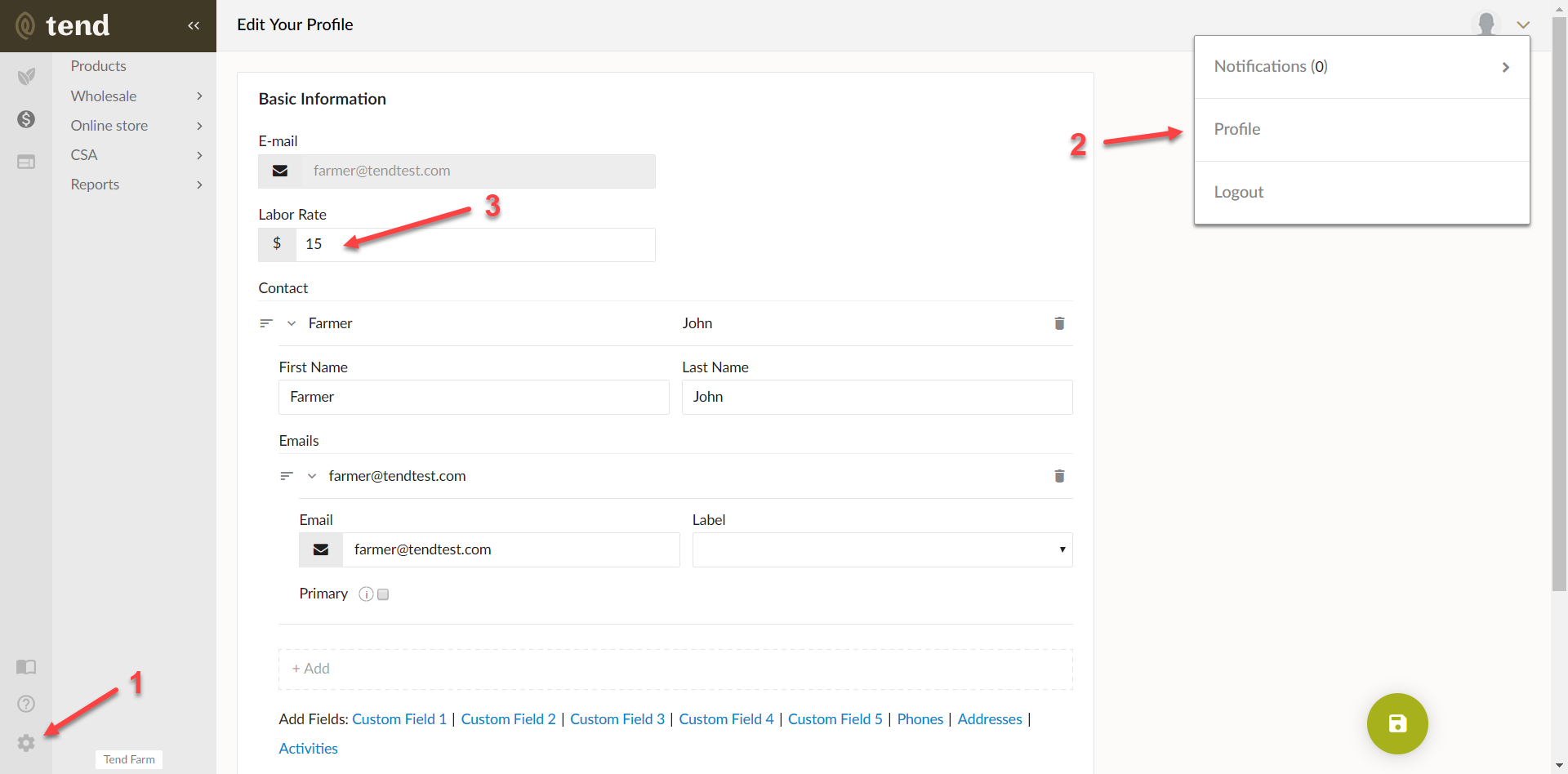
To set the Labor Rate for your user:
Click on Settings (cogwheel icon in lower left corner)
Click on your username in the top right hand corner of Tend and select Profile
Beneath the E-mail field you'll see the Labor Rate which is used to automatically calculate labor expenses for completed tasks.