Here's how you can add a link to your CSA shares so that customers can purchase a share via the online store:
1. Copy Link
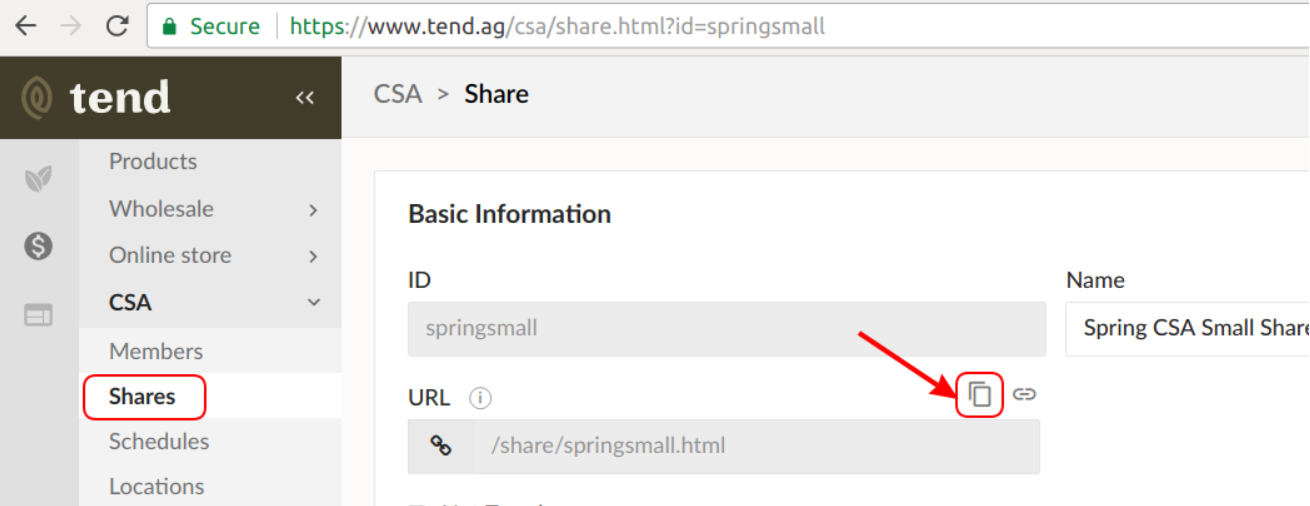
Navigate to to your share (Sell>CSA>Shares) and click the "copy" icon to copy the link or click the link icon to open it as a new tab. This is the link that will allow customers to purchase the share via your online store.
2. Create Link in CSA Page
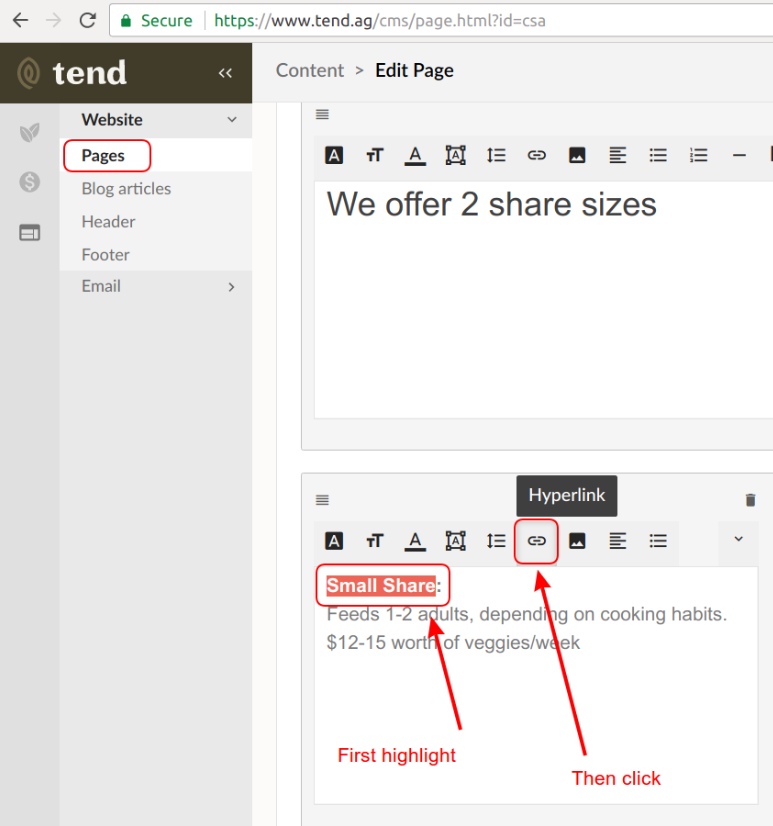
To link the share in the text of your CSA page of your Tend website, go to Website>Pages>CSA page. In the text box of your page, highlight the text you want to create the link for (Small Share for example) Then click on the Hyperlink icon.
Then paste the URL of your CSA share and Save.
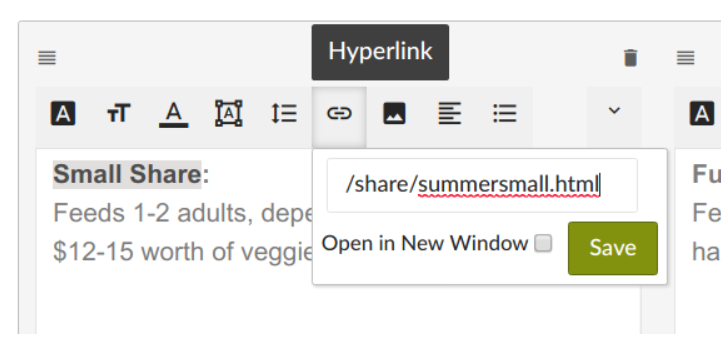
Now when you hover over the text (Small Share) you can see that the cursor changes to a finger, indicating that there is a hyperlink.
3. Create Sub-Header Link
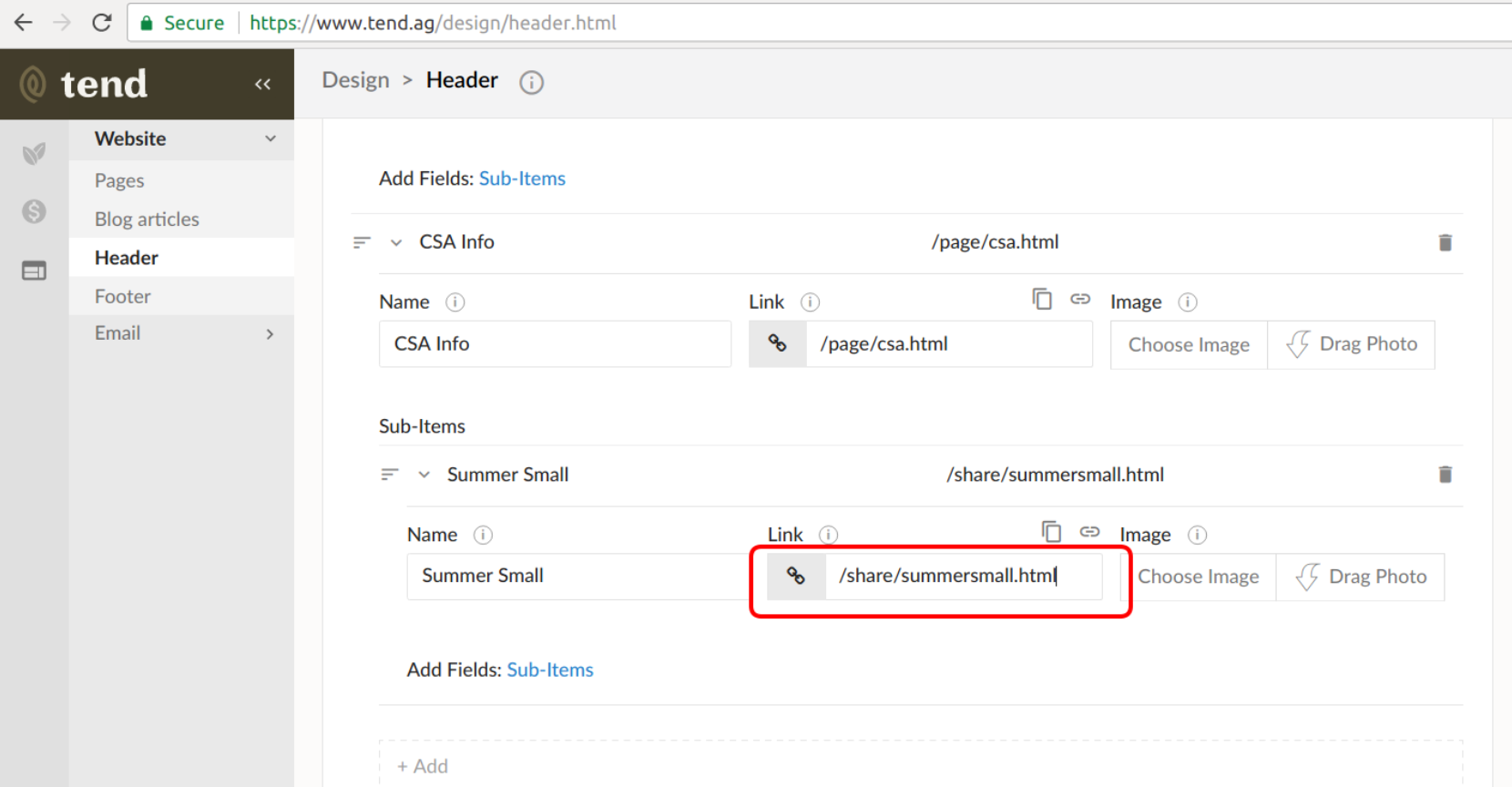
You can also add the CSA share to a sub-header in your website. Navigate to Website>Header and click "+ Add" under the CSA header to create a sub-header.
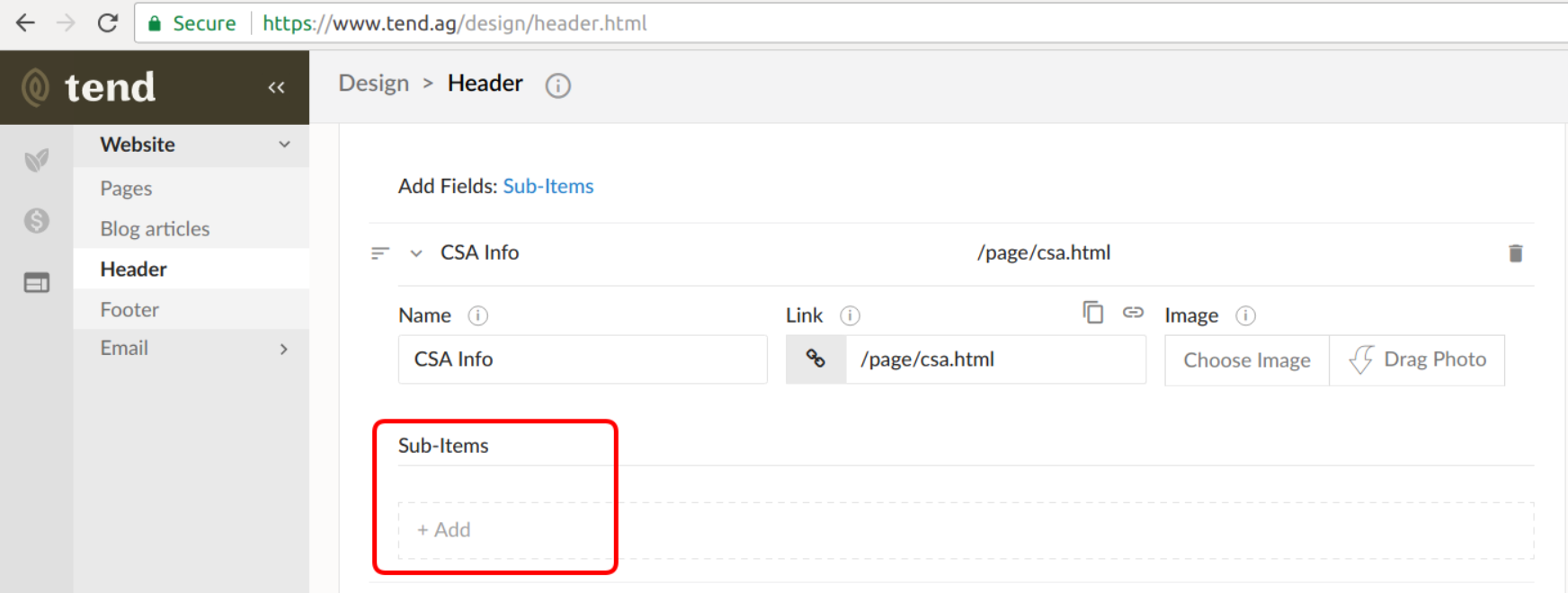
Then enter a name for the sub-header and past the URL for the CSA share