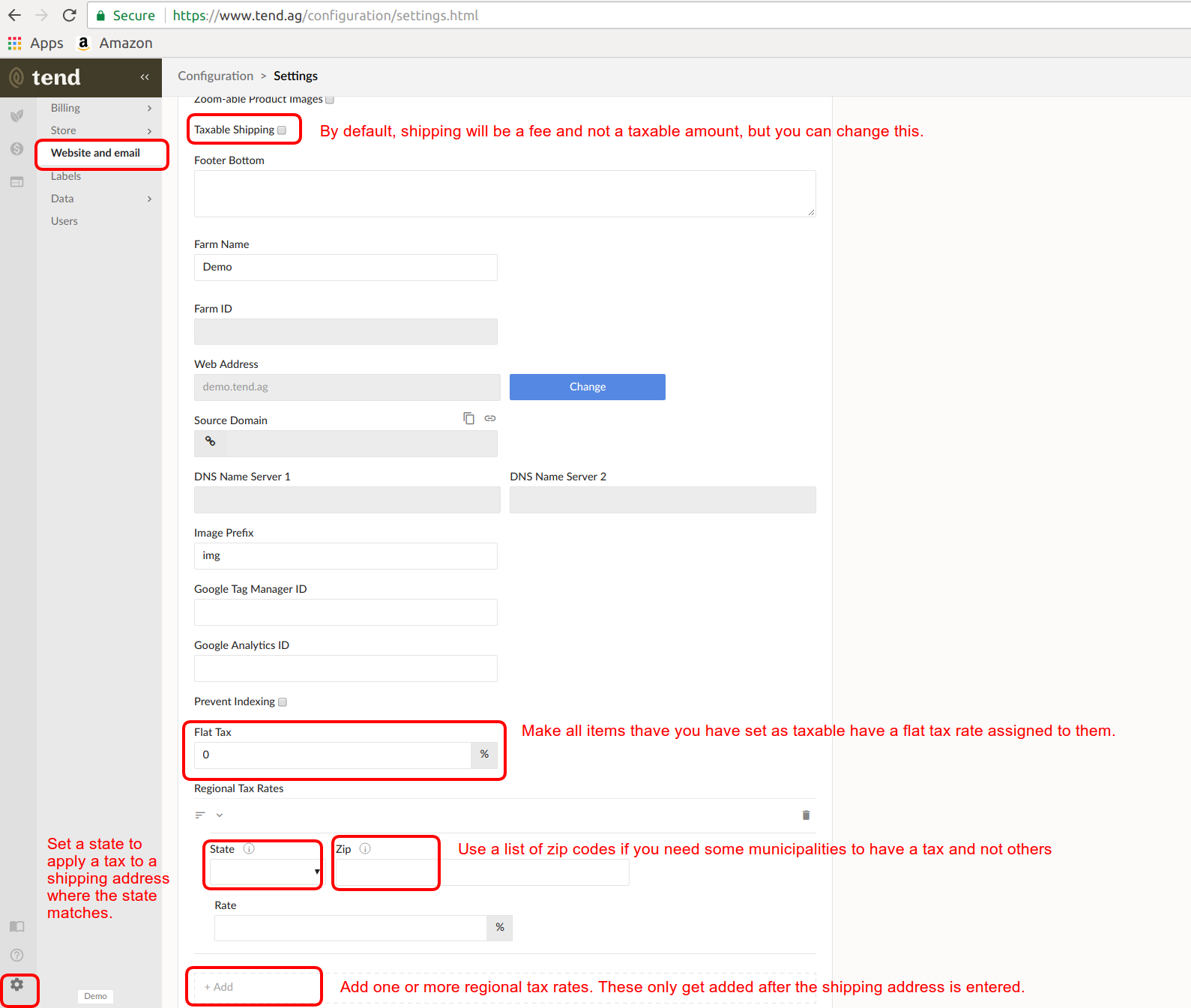
Tend allows you to configure the following taxes for your shopping cart, applied once a shipping address is supplied:
Flat tax % applied to all taxable products
Tax % applied by state
Tax % applied to a locality (by zipcode)
Allow shipping fees to be taxable
When you first sign up, no taxes will be configured for any item for sale in your catalog.
To configure taxes, go to Settings (the cog wheel icon) - Website and email.
Also make sure your taxable products do not have taxes disabled:

As always, be sure to publish your changes to see them live on your website.