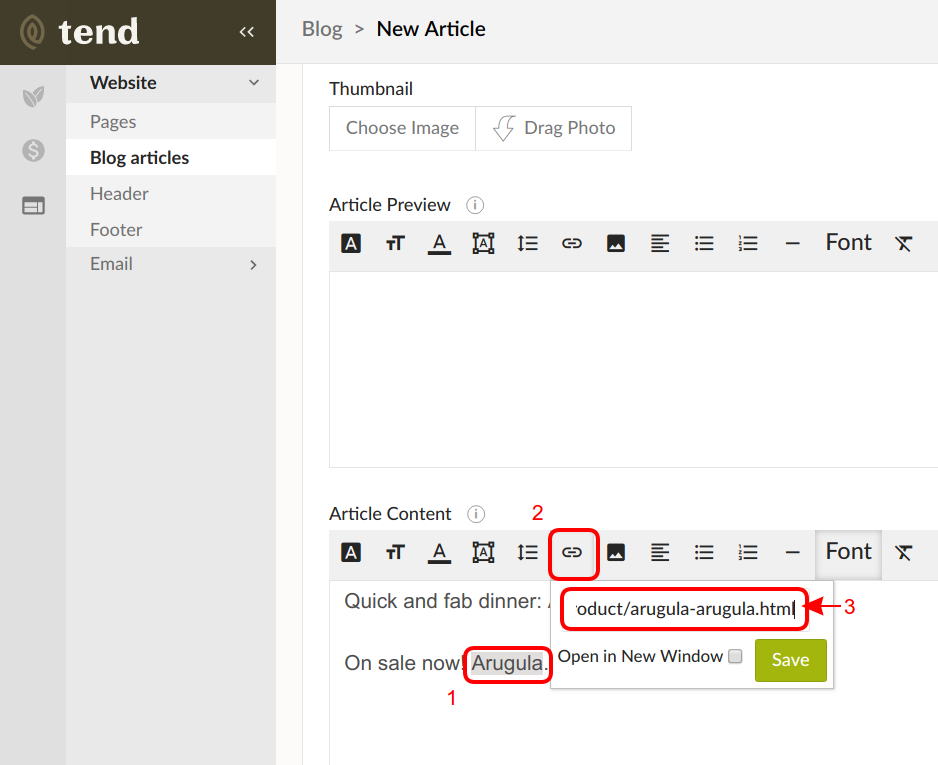
Need a URL for a product for sale?
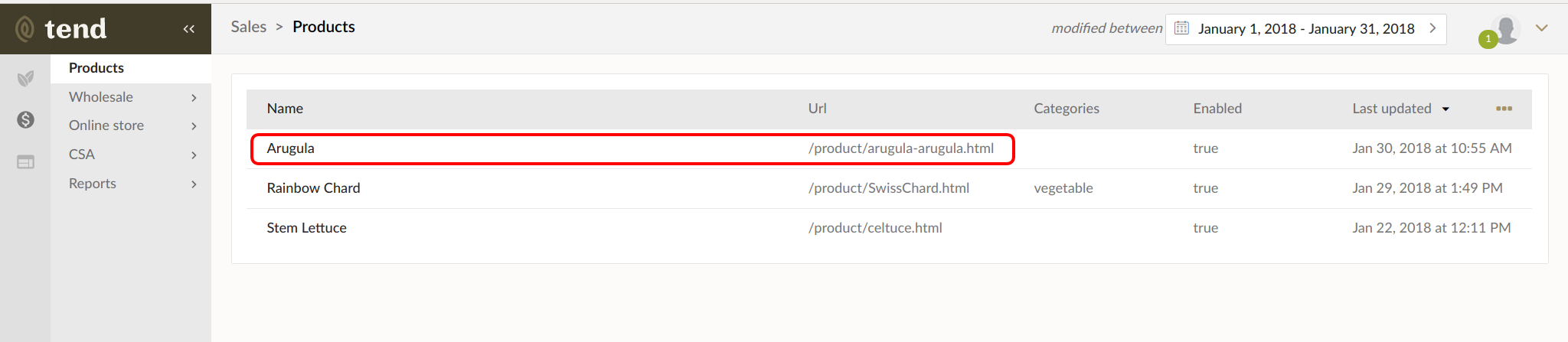
Navigate to the product by going to Sell - Products, and clicking on product you need to link.
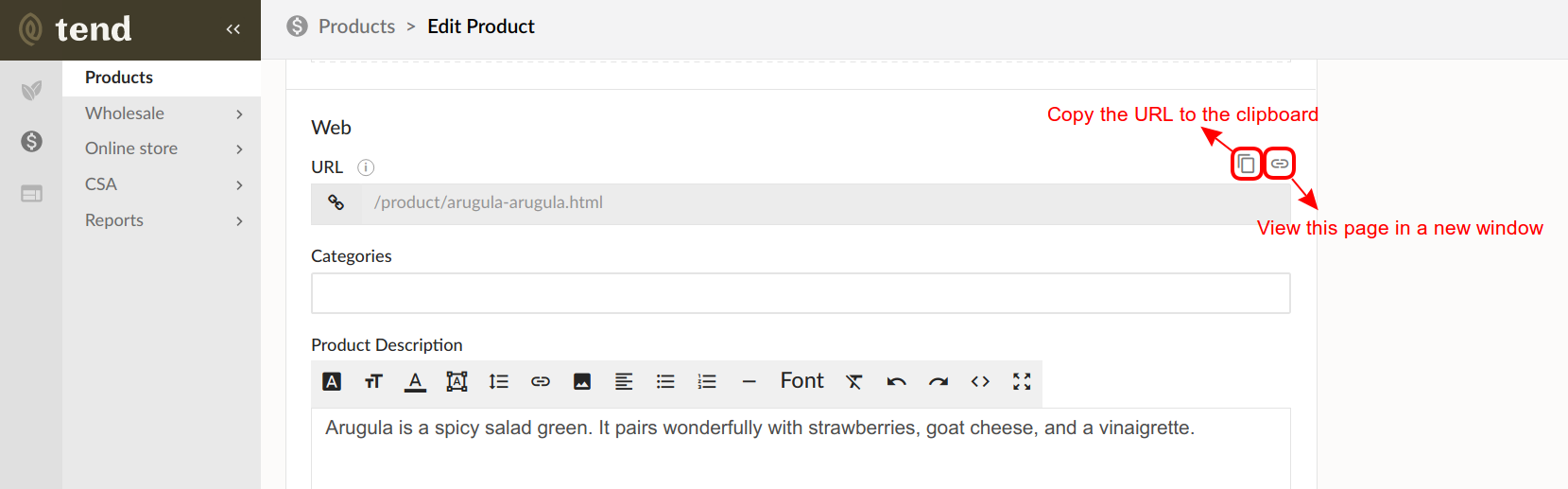
Scroll down to the "URL" field.

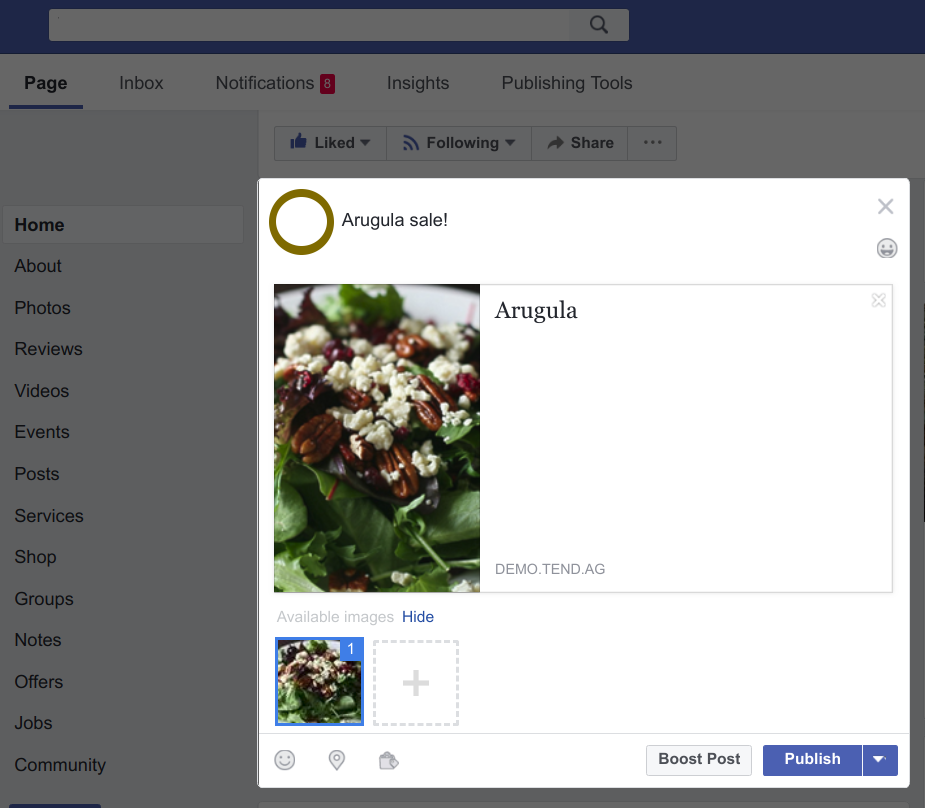
The Copy Button puts the link into your clipboard. This will be the full URL which would be valid even outside of Tend, such as in a newsletter or on social media platforms like Instagram and Facebook.

If you would prefer to view your page first, you can also click the Link Button and copy the URL directly from your browser.
Link to social media:
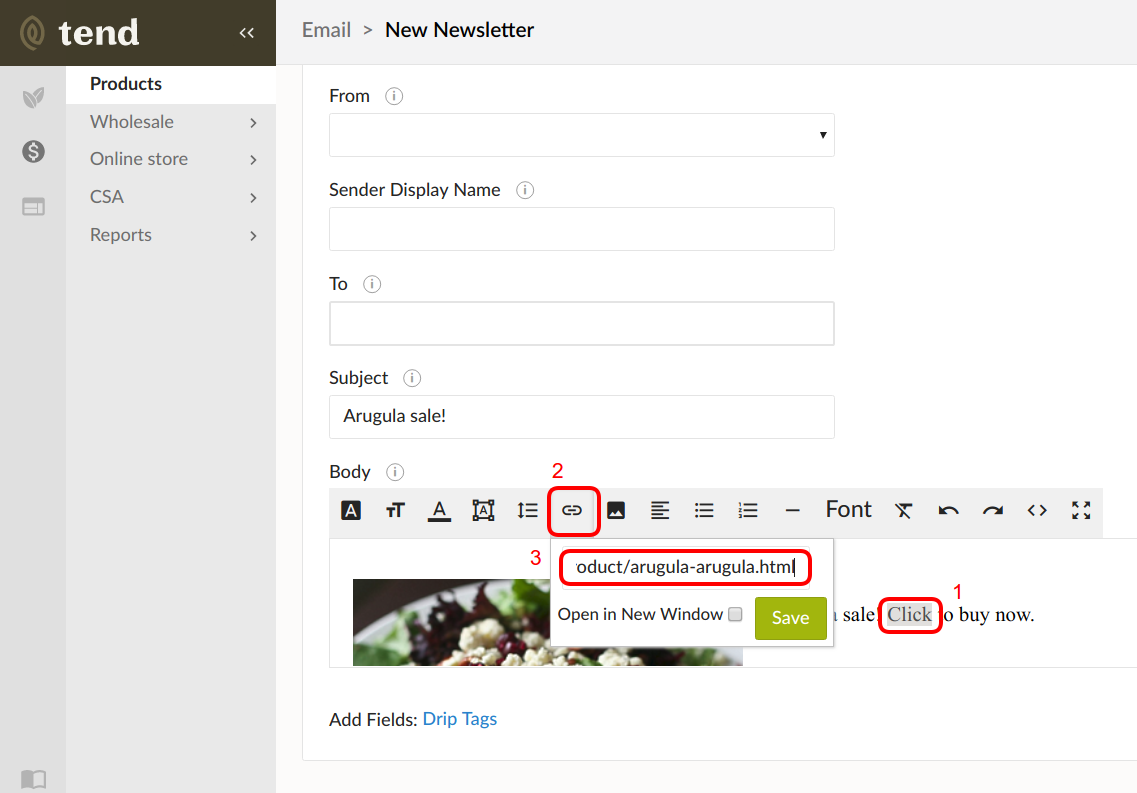
Link to your product in a newsletter:
Link in your blog: