*****
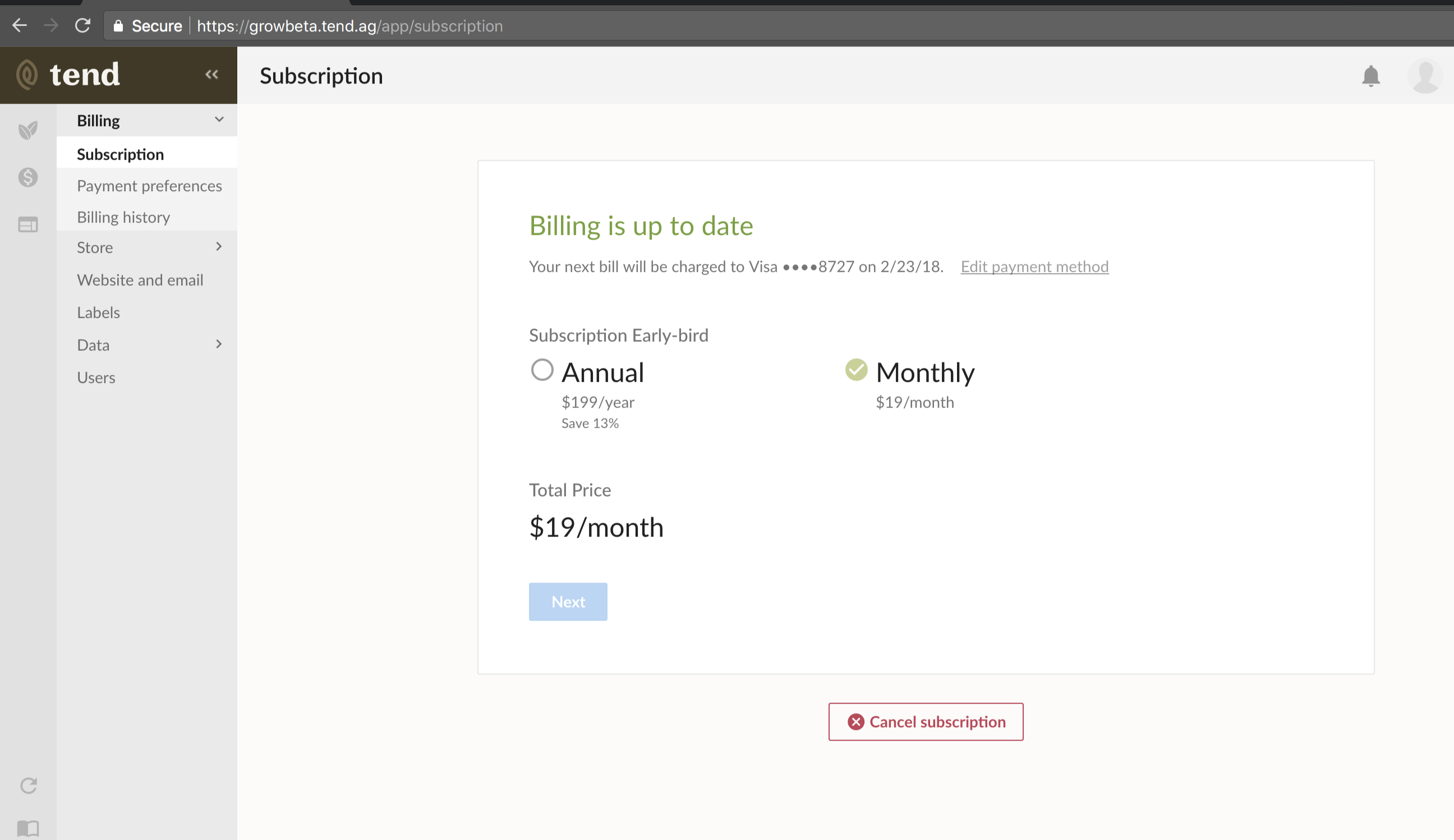
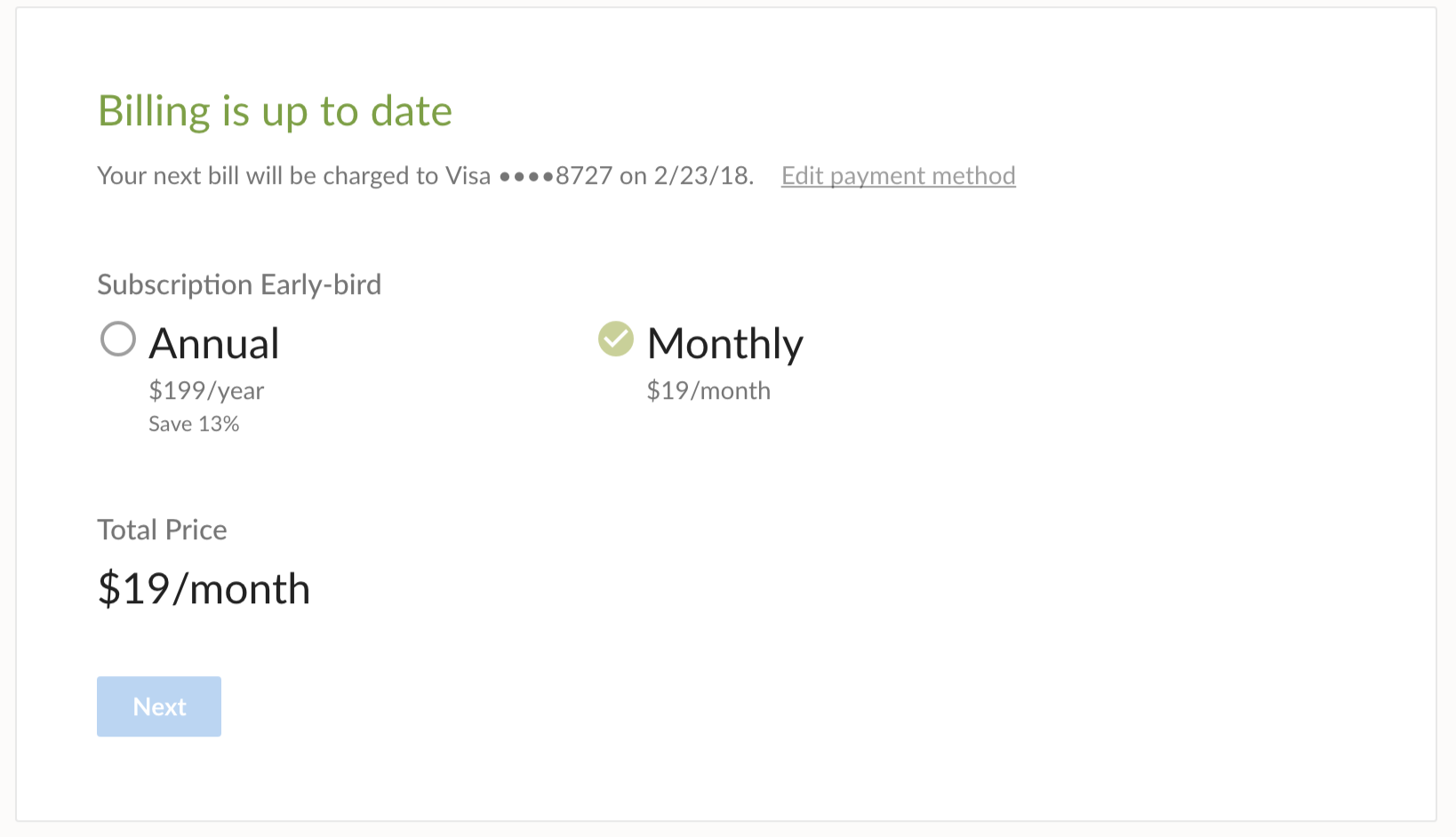
IMPORTANT NOTE: If you see "Billing is up to date" then you have paid, and you are all set to use Tend for the duration of your subscription.
*****
For subscription pricing information and FAQ, visit our Pricing page.
—
Here's how to subscribe to Tend
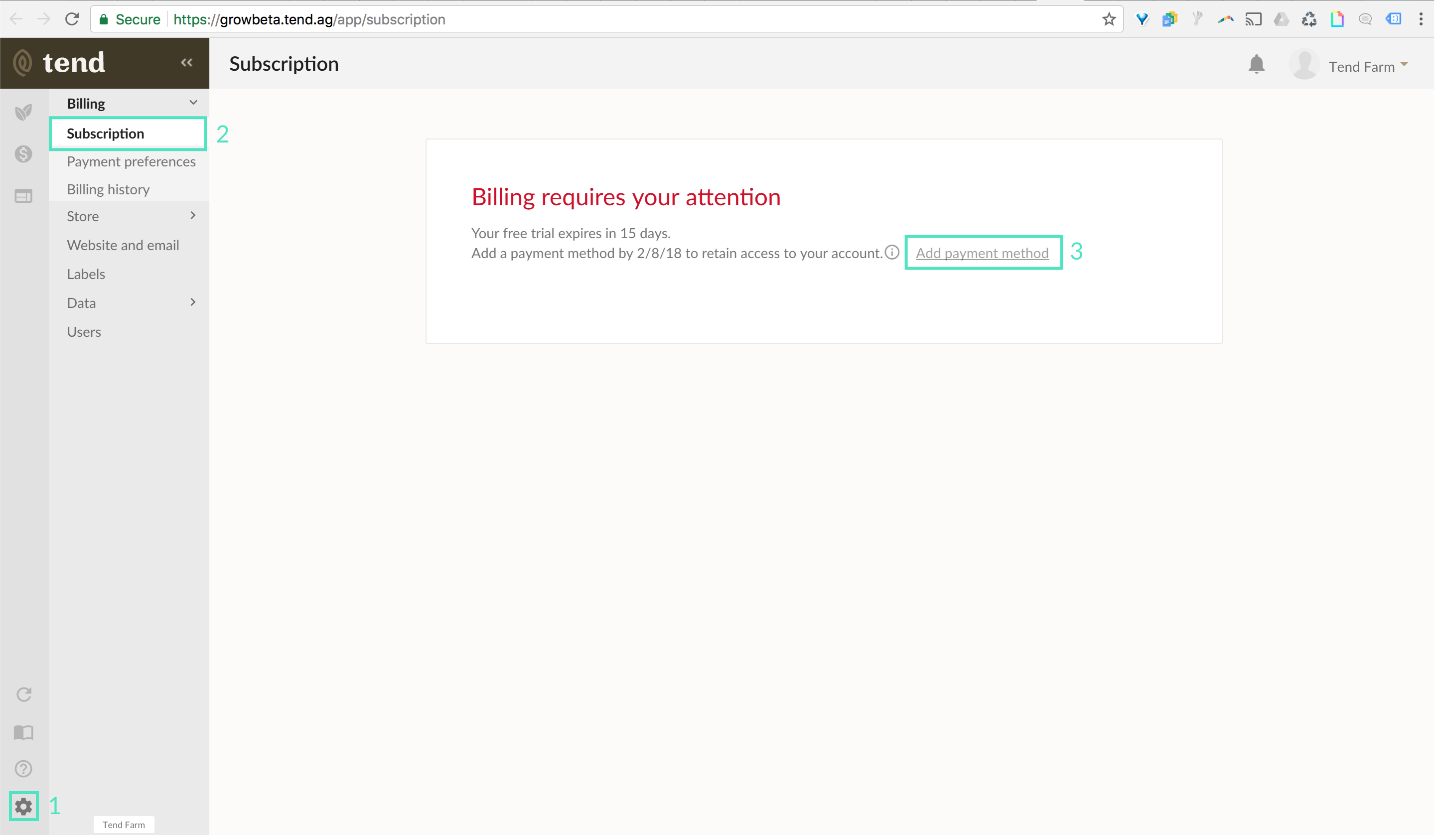
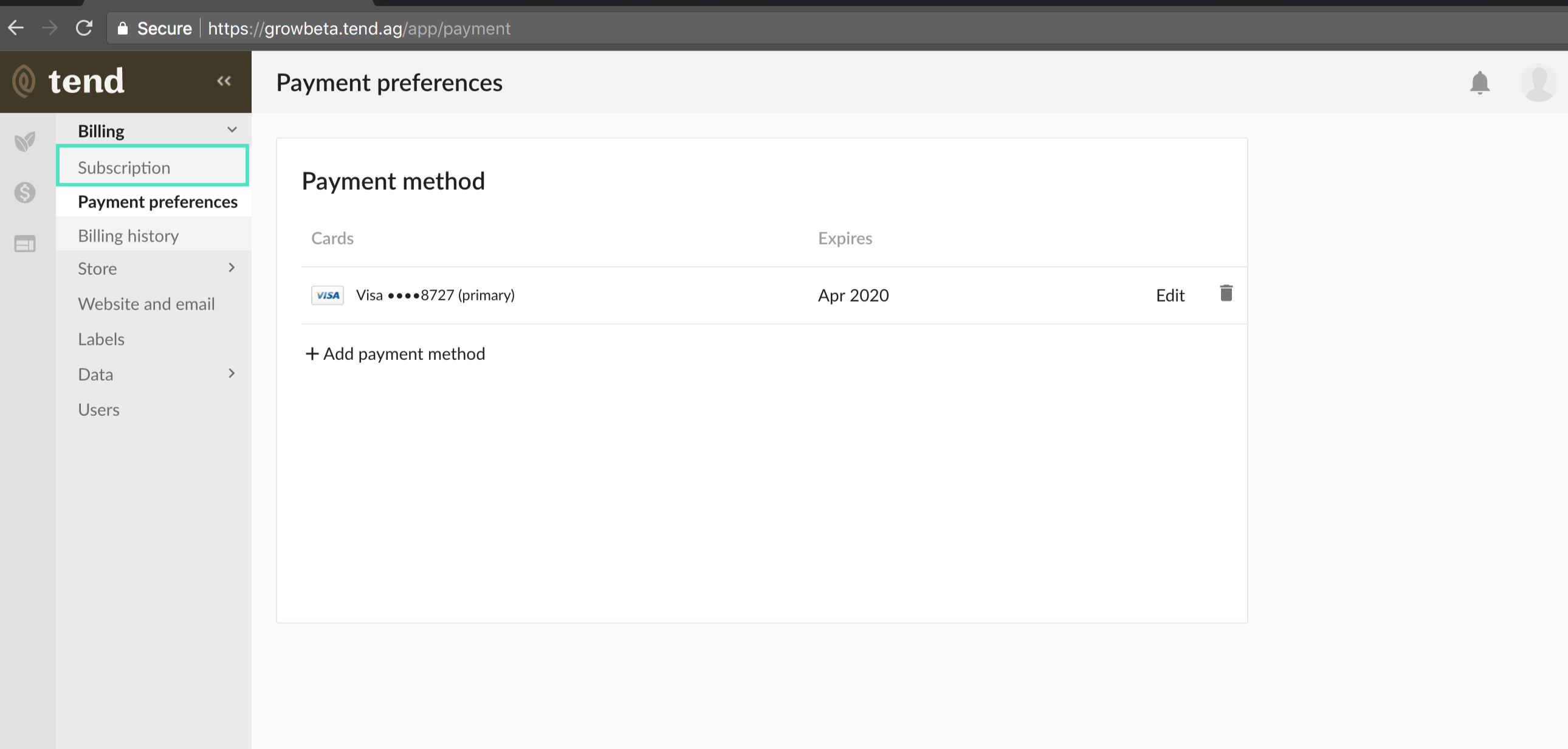
A. Navigate to the Subscription page and click "Add payment method"
1. Click the "Settings" icon
2. Click the "Subscriptions" navigation item (or click here)
3 .Click "Add Payment Method
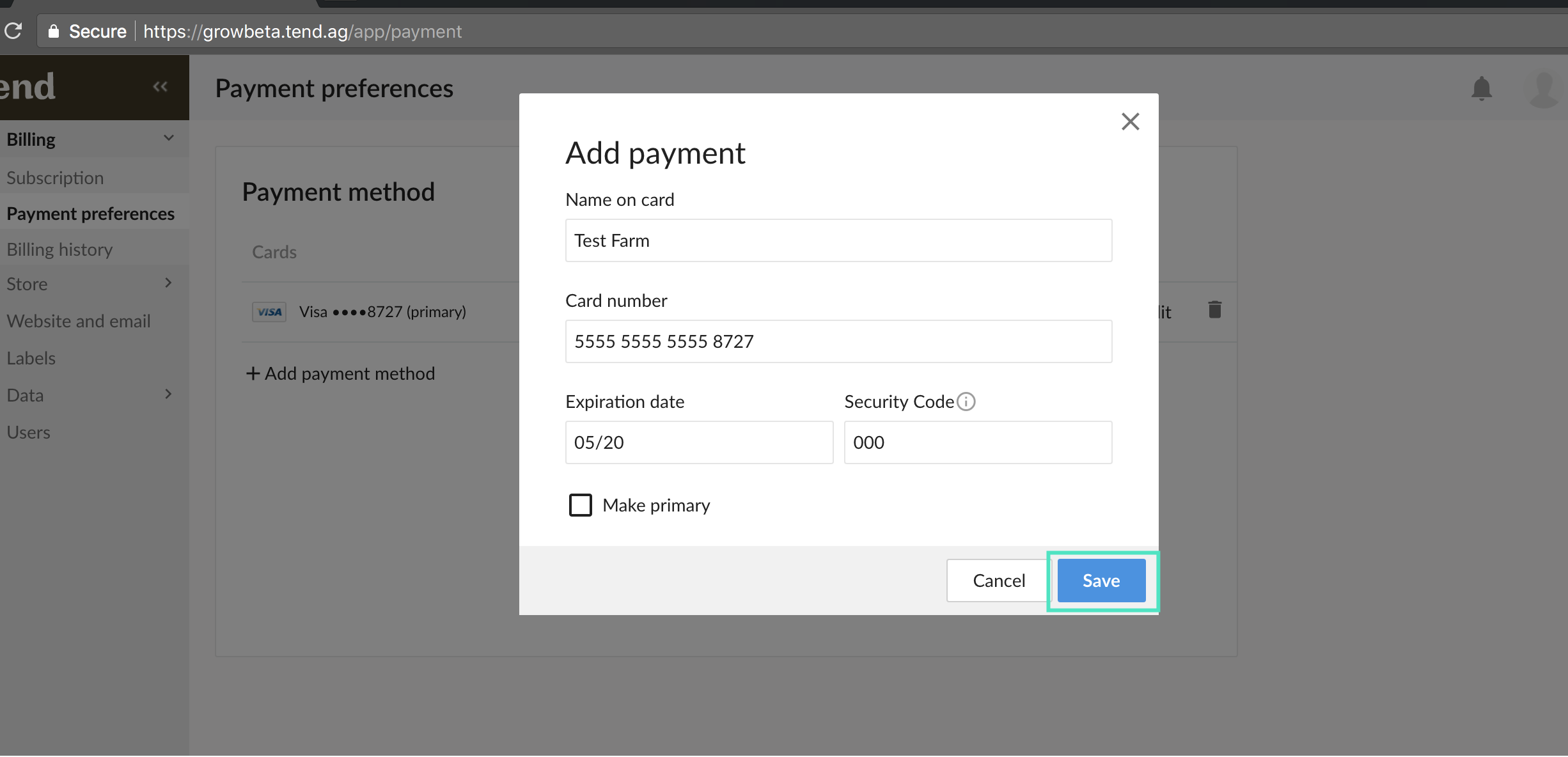
B. Add your card and click "Save"
C. Click "Subscription"
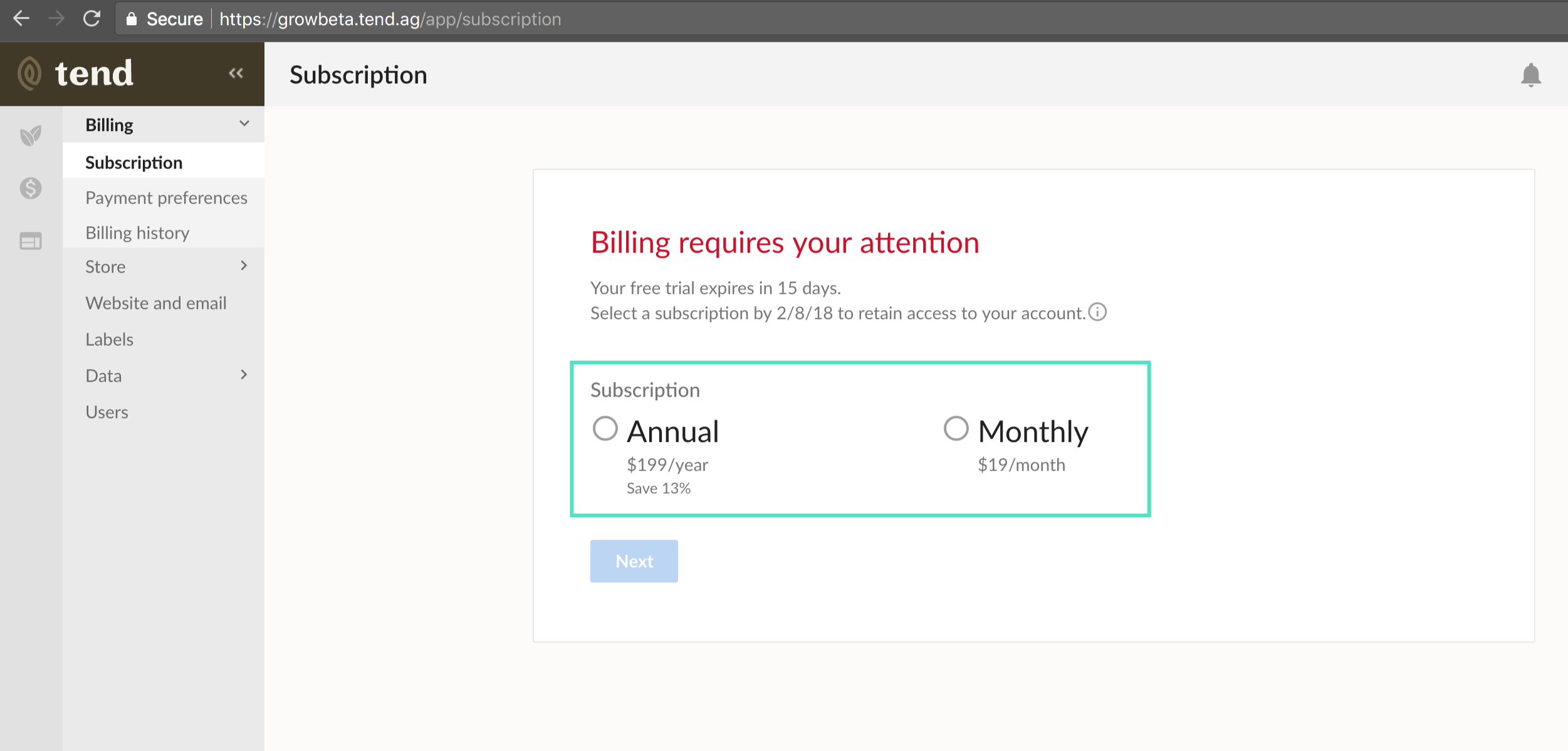
D. Select Annual or Monthly plan
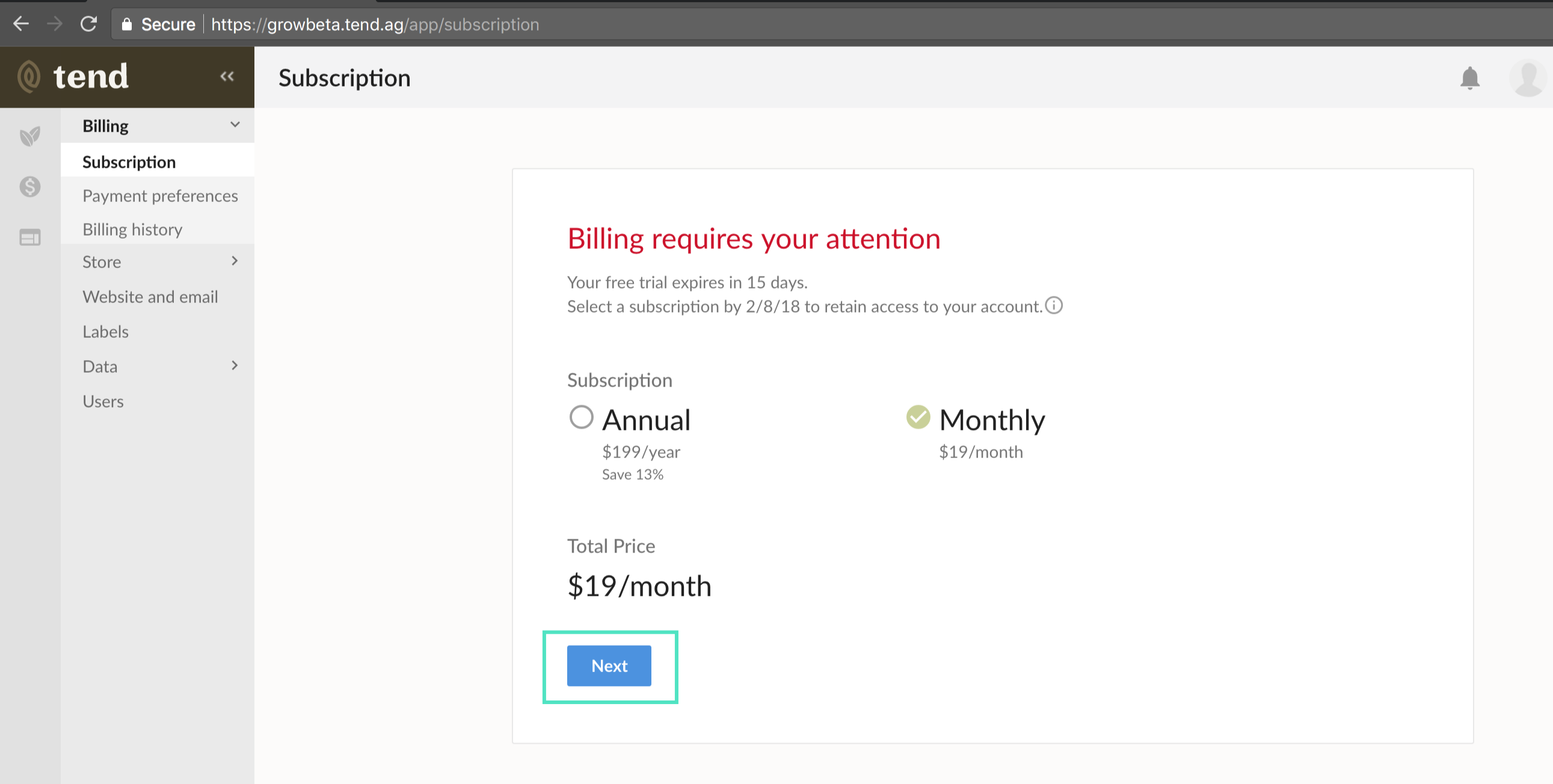
E. Click "Next"
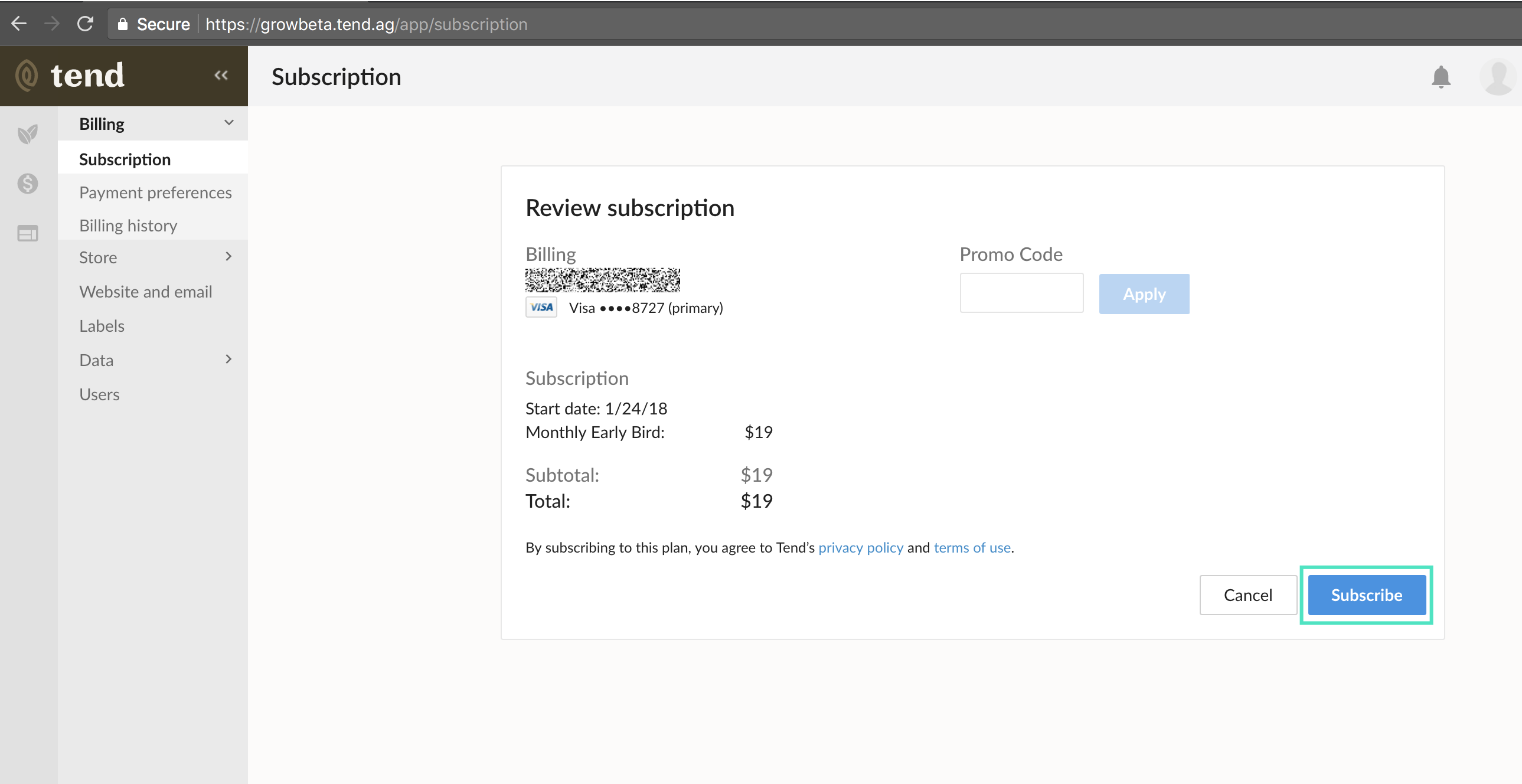
F.Click "Subscribe
G. When you see "Billing is up to date", then you know you've subscribed! We will send a confirmation of transaction email within 2 business days.