You can add Youtube videos to your blog articles, content pages, or even product pages. To start, you'll need to upload your video to Youtube. Here are instructions on how to do that. Once your video is uploaded to Youtube, here's what you'll need to do:
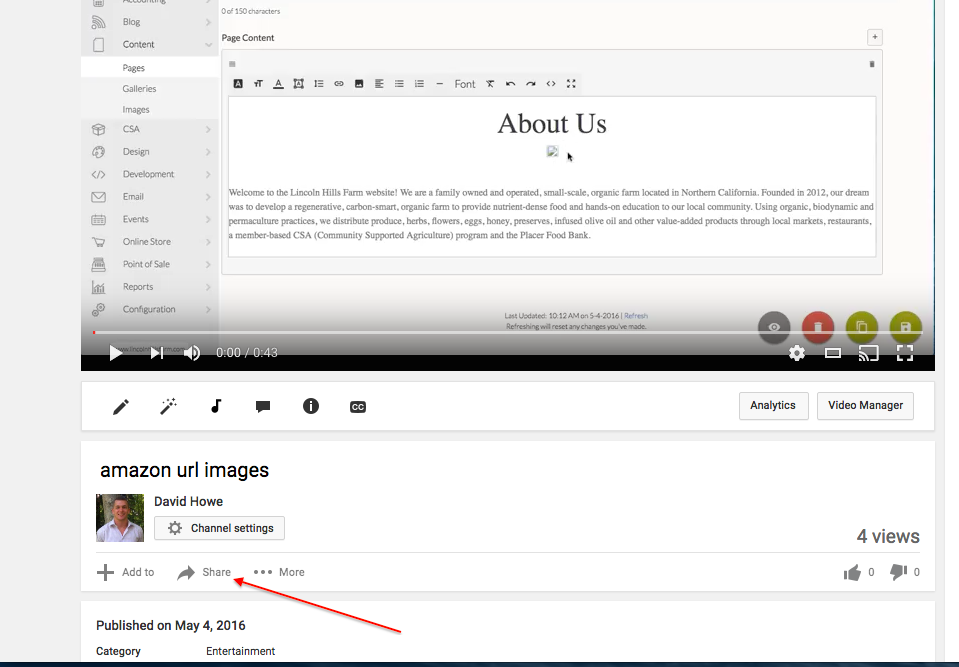
1. On the page where your Youtube video is, click on the "Share" button
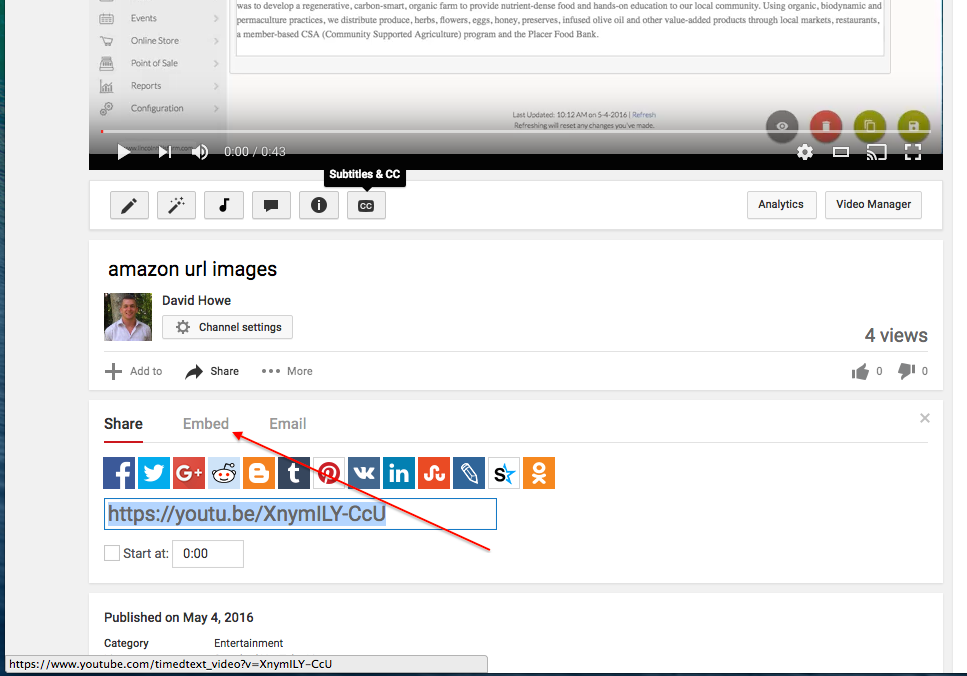
2. Click "Embed"
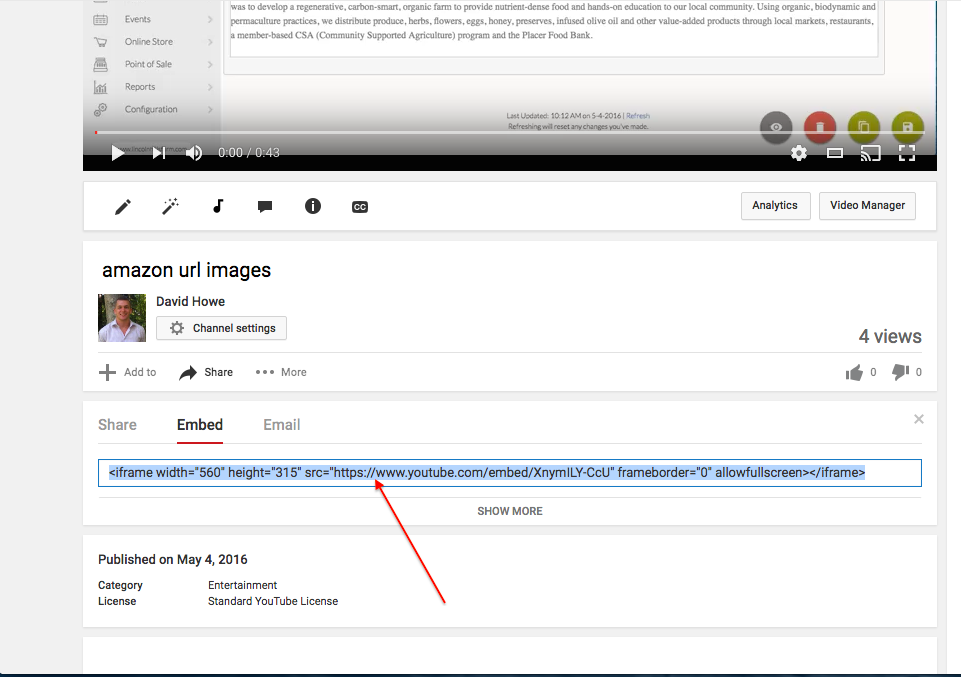
3. Copy the code that appears below "Embed"
4. Go to your website's admin and visit the content page, blog article, or product page you want to embed the video on.
5. In the rich text editor of your content page, blog article, or product page (where you're uploading your video), click on the "< > " sign (view source code)
5. Paste the text you copied from your Youtube video
6. Click the "< >" sign again
Your video should now in appear in the rich text editor. You can also add more content like text or pictures above or below the video. Remember that after you're finished adding content to click the "save" button.