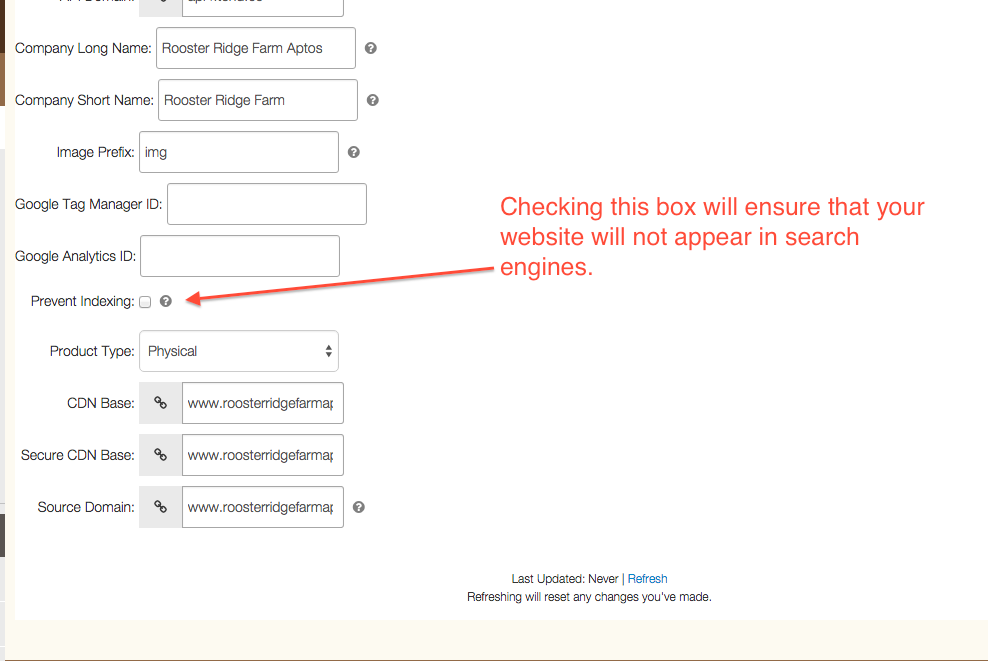
Search engines like Google and Bing "crawl" websites in order to rank them in their search engines. If you'd like to be hidden from these crawls you'll need to prevent indexing on your website. This is a simple process that you can complete inside your website's admin. First you'll need to click on the "Configuration" application and then click into "Settings" (screenshot #1).
Screenshot #1: Visit "Configuration" in your admin
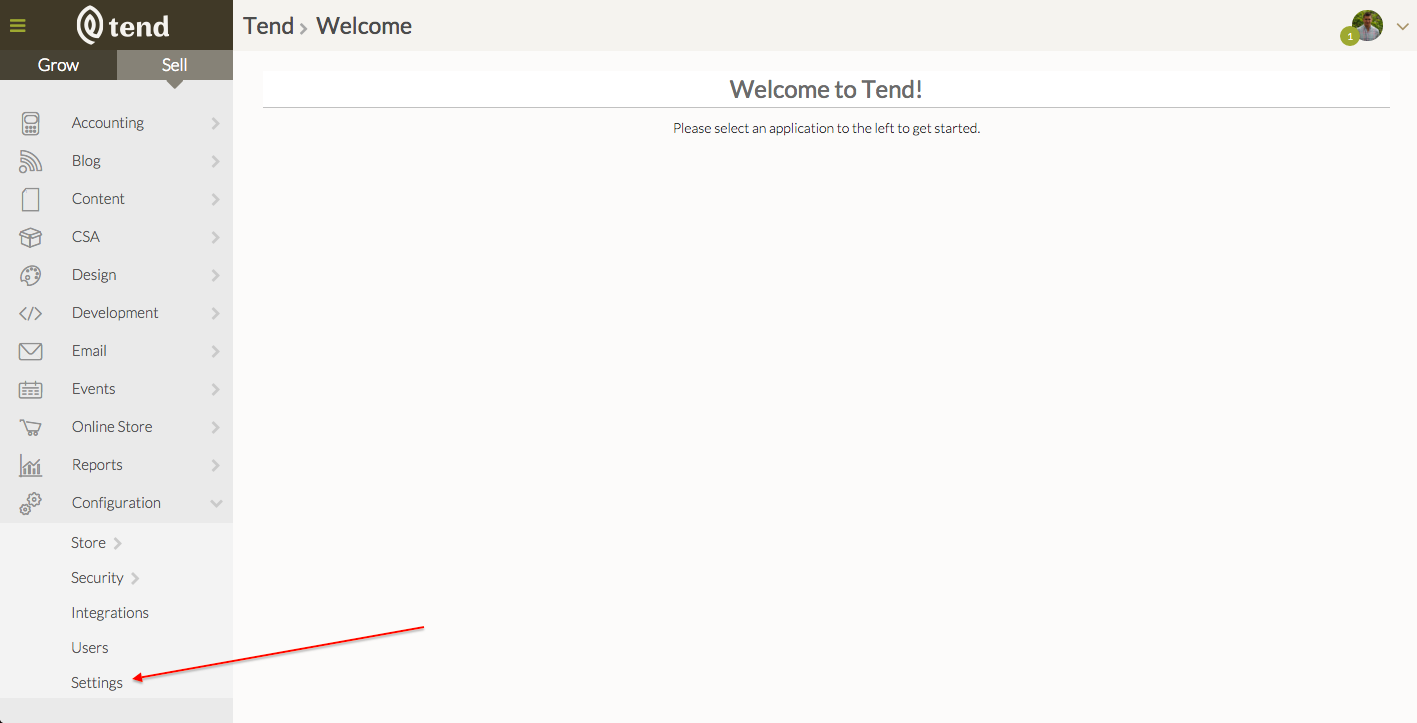
Inside Settings you'll need to scroll down to the last section of the page. Here you'll see a checkbox for "Prevent Indexing" (screenshot #2 ). Simply check this box and click the "Save" button in the bottom right hand corner. Checking this box means your site will no longer appear in search engines.
Screenshot #2: Check "Prevent Indexing"