Adding links to your email newsletters is easy. You can link to existing pages on your site like blog posts or products in your online store, or you can link to 3rd party websites.
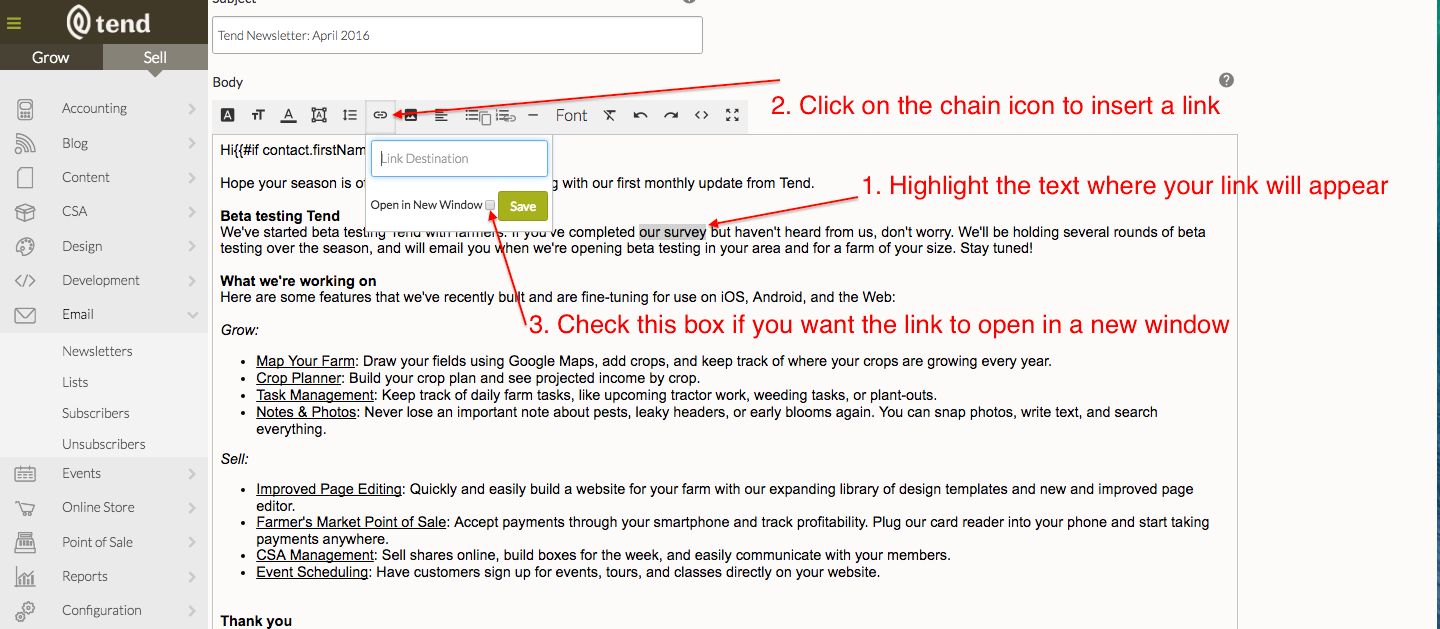
The first step in adding a link to your email newsletter is to highlight the text you want to link from. After your text is highlighted, click the chain icon at the top of the rich text editor. A box will appear where you will simply enter the link you desire. You can also select a checkbox if you'd like the link to open in a new window of your reader's web browser, otherwise, it will open the link in the same window. After adding your link, click the green save and you're all set!