If you (or a customer) needs to reset your password, here are the instructions:
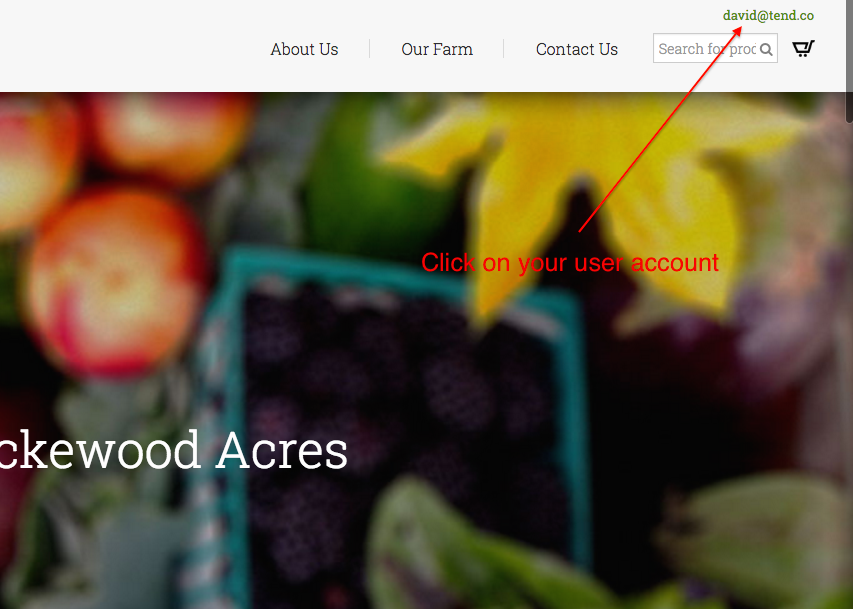
Visit your farm's website and click on your user account in the top right-hand corner (screenshot #1). If you're not already logged in, you may need to recover your last password, which we cover in this article.
Screenshot 1: Click on your user account
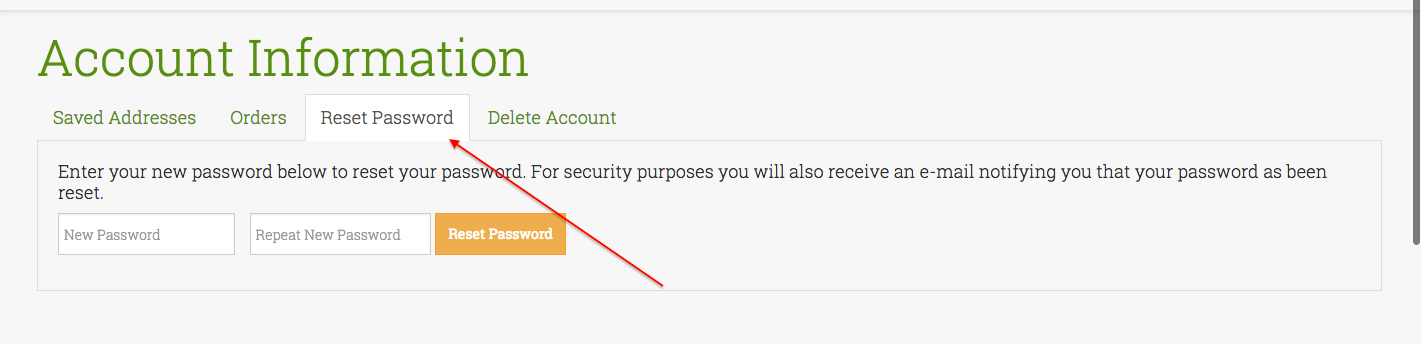
Once inside your user account, you'll need to click "reset password" (screenshot #2). Simply entered your desired password, click on "Reset Password" and you're set! You'll receive an email shortly after confirming your new password has been activated.
Screenshot 2: Reset Password