If you'd like to use Google Analytics on your site to track stats like website visitors, time spent on page and more, you can do so easily inside your admin. You'll first need to create a Google Analytics account. Please note that in order to create a Google Analytics account you'll need a Gmail email address.
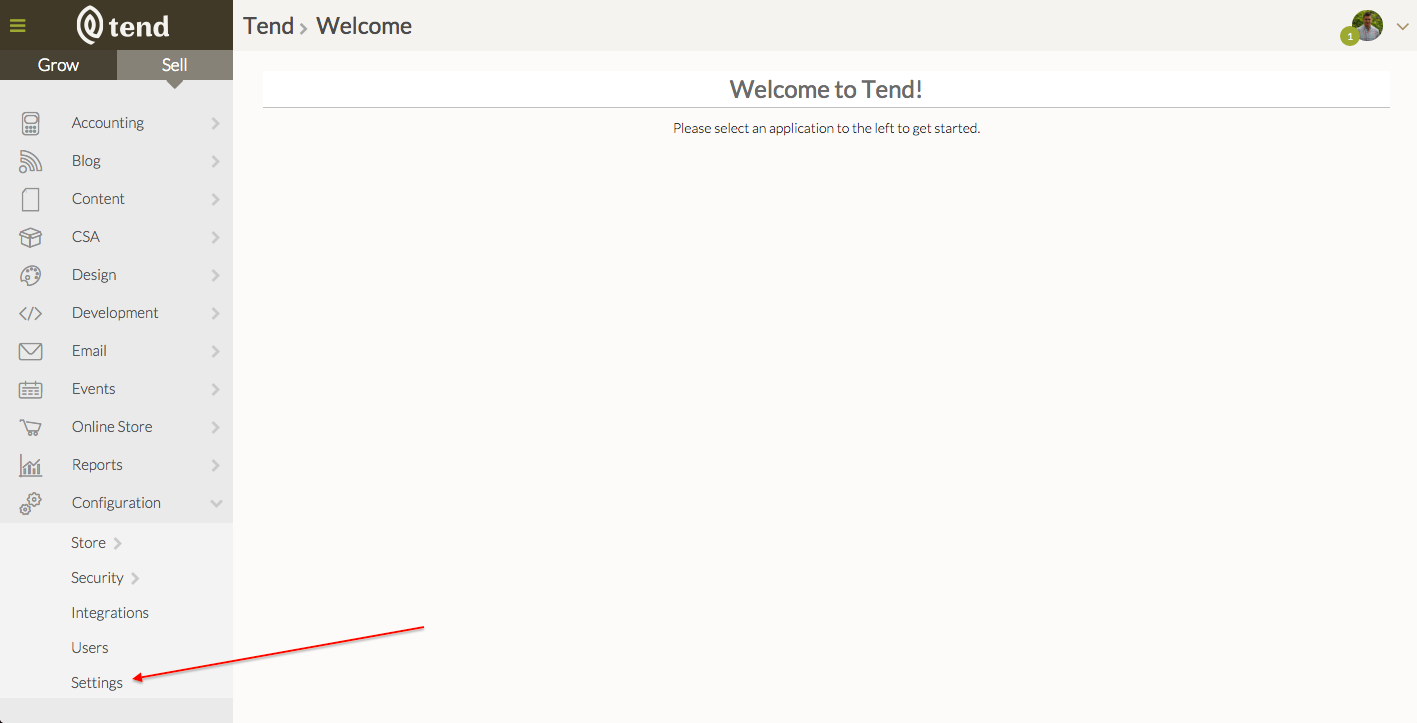
Once you've created your Google Analytics account you'll be given something called your "Google Analytics ID". Here are the instructions from Google on how to find this ID. Copy and paste this ID and head over to your websites admin. Once inside your admin you'll click on "Configuration" and then "Settings" from the drop-down menu (screenshot #1).
Screenshot #1: Click on settings in your website's admin
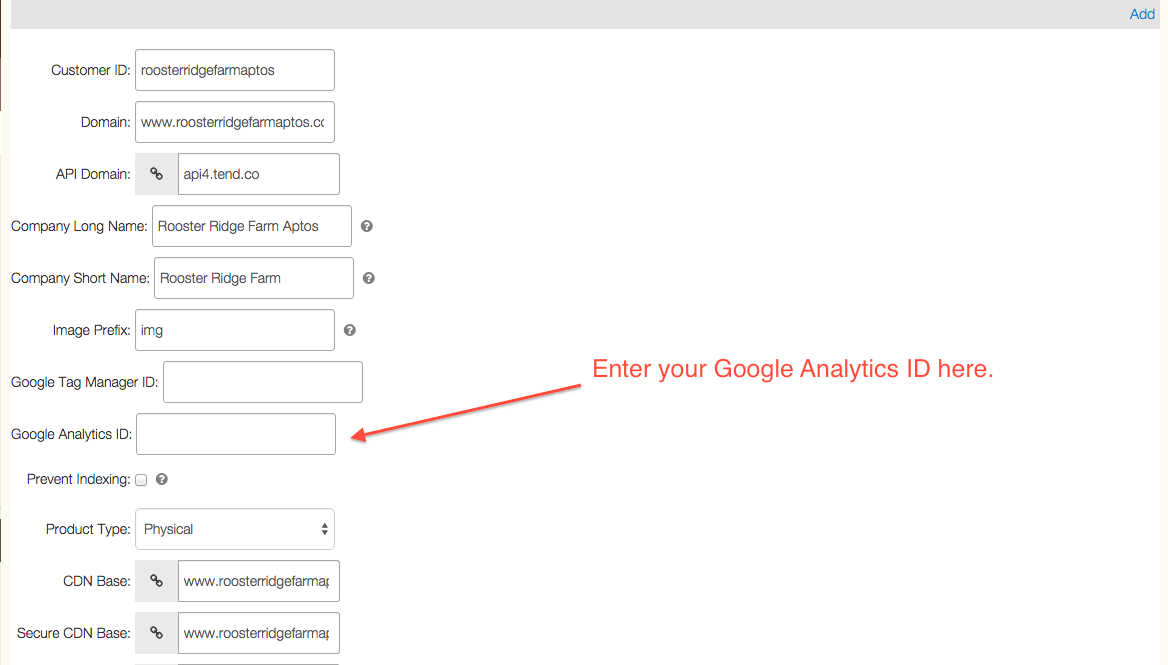
Once inside Settings you'll need to scroll down to the the last section of the page. Inside this section you'll find a field titled "Google Analytics ID" (screenshot #2). Enter your Google Analytics ID here. Once complete, click "Save" in the bottom right-hand corner and you're set!
Screenshot #2: Enter your Google Analytics ID