Google Tag Manager is a free tool that makes it easy for marketers to add and update website tags -- including conversion tracking, site analytics, remarketing, and more—with just a few clicks, and without needing to edit your website code. You can sign up for Google Tag Manger here. Please note you'll need a Gmail email address to sign up for Google Tag Manager.
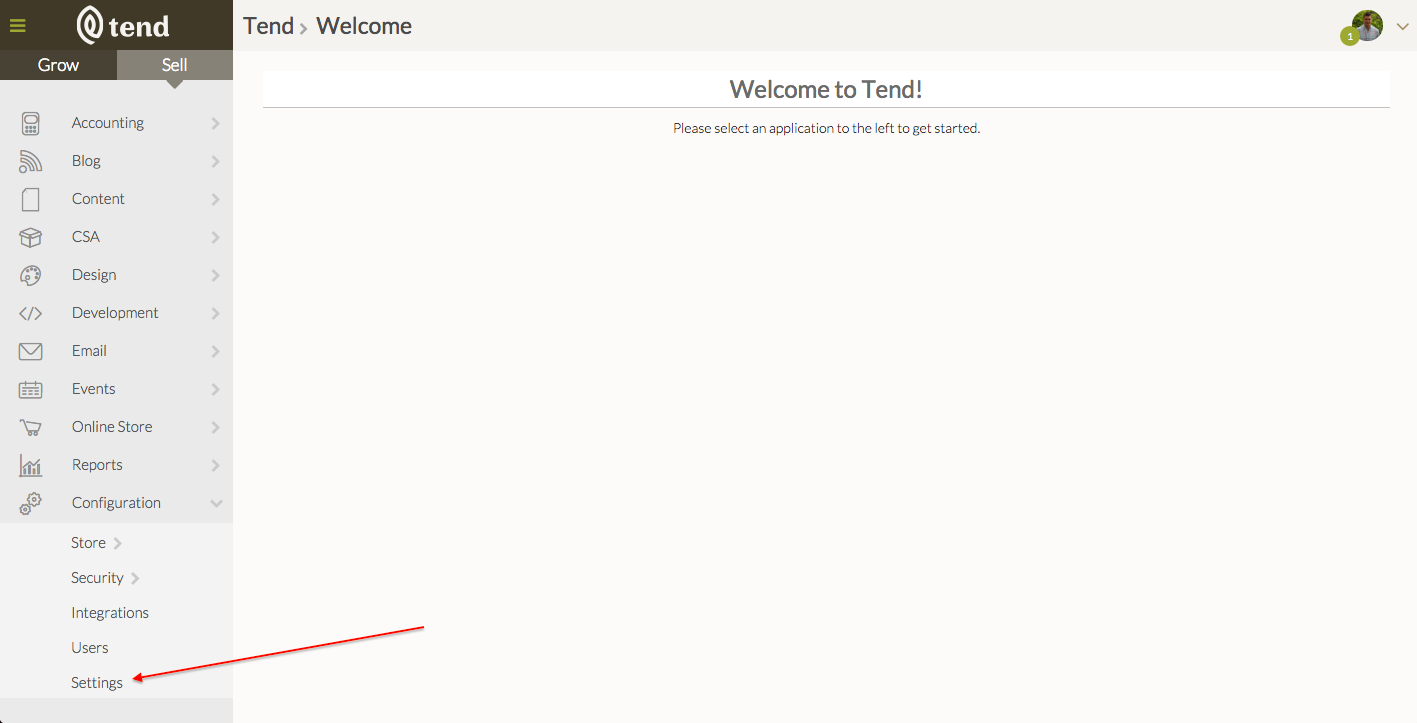
Once you sign up for Google Tag Manager you'll be given a "Google Tag Manager Container ID". Copy and paste this ID and then head over to your website's admin. Once inside your admin you'll need to click on the "Configuration" tool and then click on "Settings" from the drop-down (screenshot #1).
Screenshot #1: Visit "Settings" in your website's admin
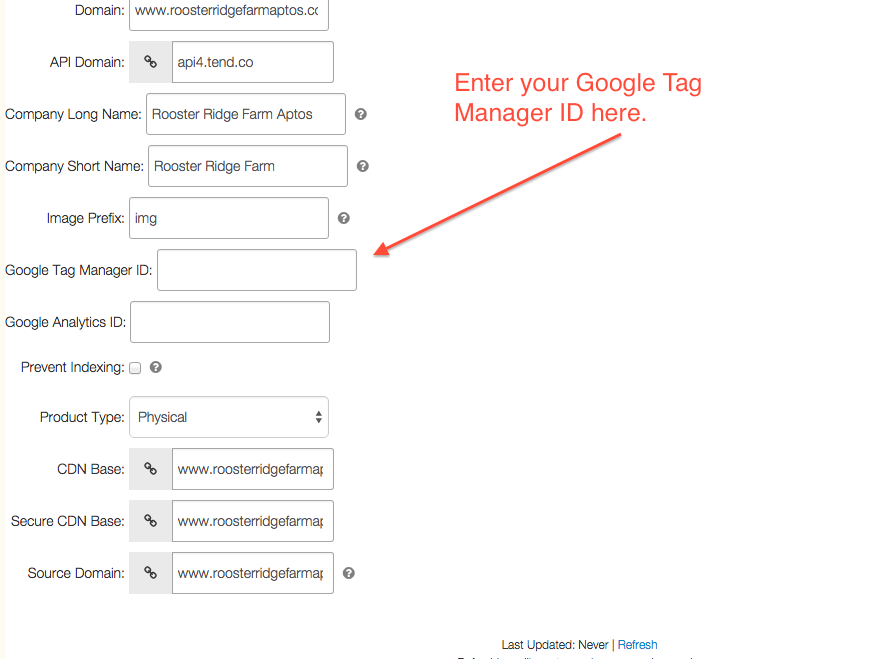
Once inside Settings you'll need to scroll down to the the last section of the page. Inside this section you'll find a field titled "Google Tag Manger ID" (screenshot #2). Enter your Google Tag Manager ID here. Once complete, click "Save" in the bottom right-hand corner and Google Analytics will be activated on your site.
Screenshot #2: Enter your Google Tag Manager ID