There are several automated emails you can receive and send while using Tend Sell, including:
Sender and recipient of "general emails"
Sender and recipient of order emails
Sender and recipient of support emails
General emails include any email that is not support or order related, including a new blog comment email, a new product email, and other miscellaneous emails.
Order emails are related to your online store, and include emails that are sent to customers after they make a purchase from your website.
Support emails are emails that customers will receive after they fill out your "contact" page.
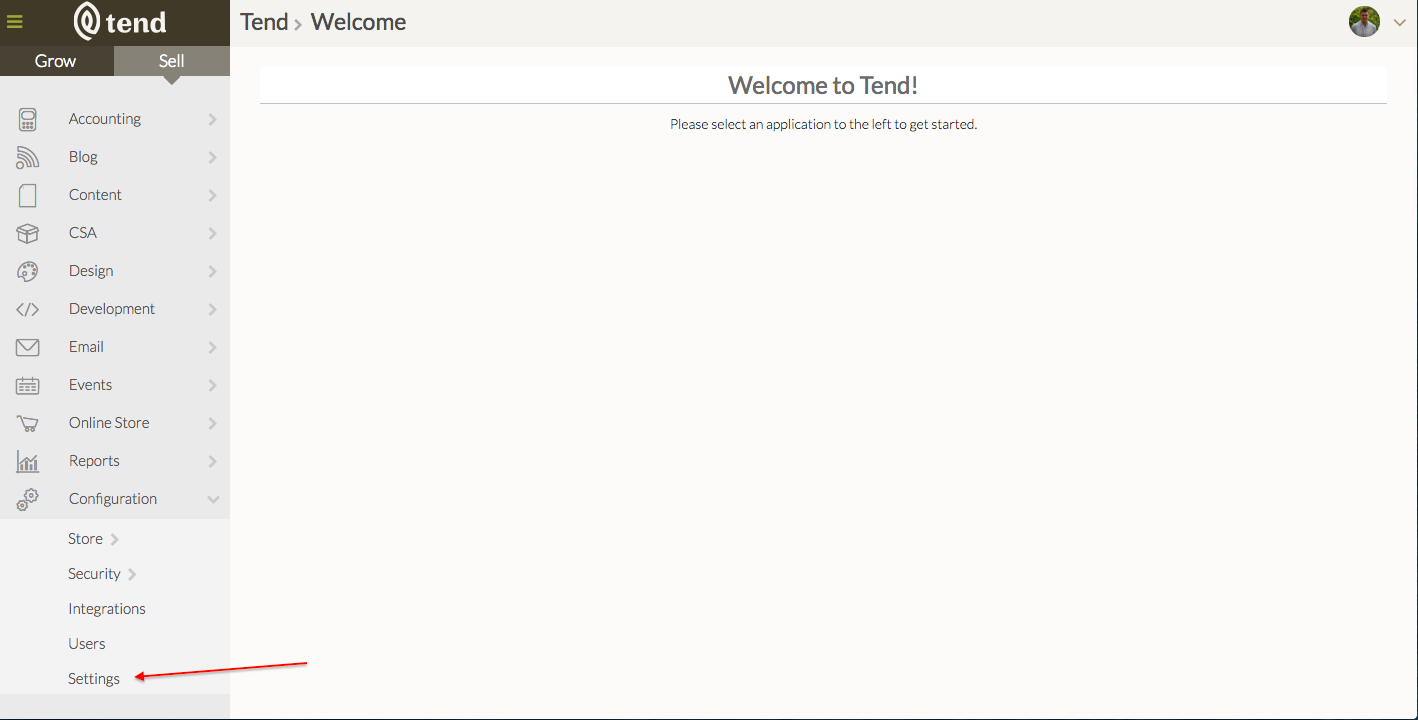
To add the appropriate email addresses to these types of emails, simply visit "Configuration" and then settings in your admin (screenshot #1).
Screenshot #1: Begin by clicking on "Settings"
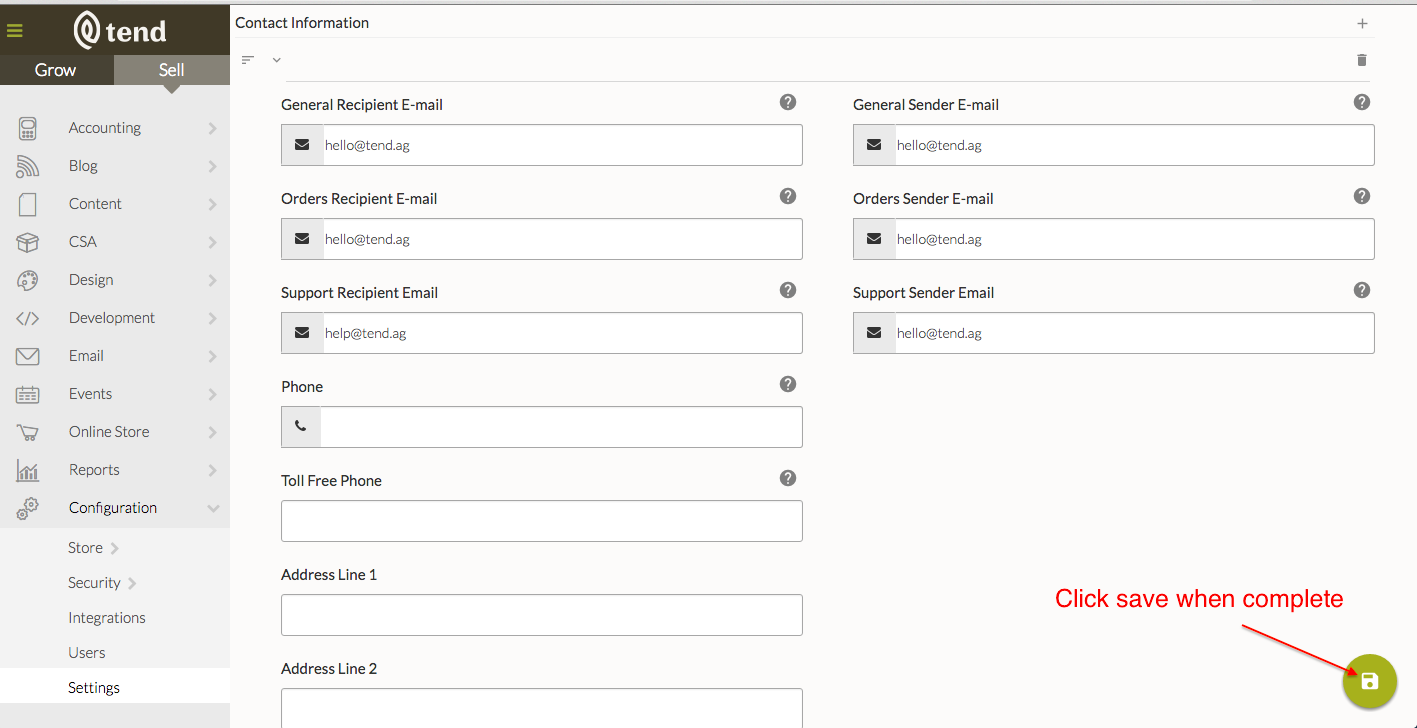
Inside settings you'll see 6 fields under "Contact Information" (screenshot #2). Enter the email addresses you would like to associate with these emails, click "Save" in the bottom right-hand corner, and you're all set!
Screenshot #2: Enter your email addresses