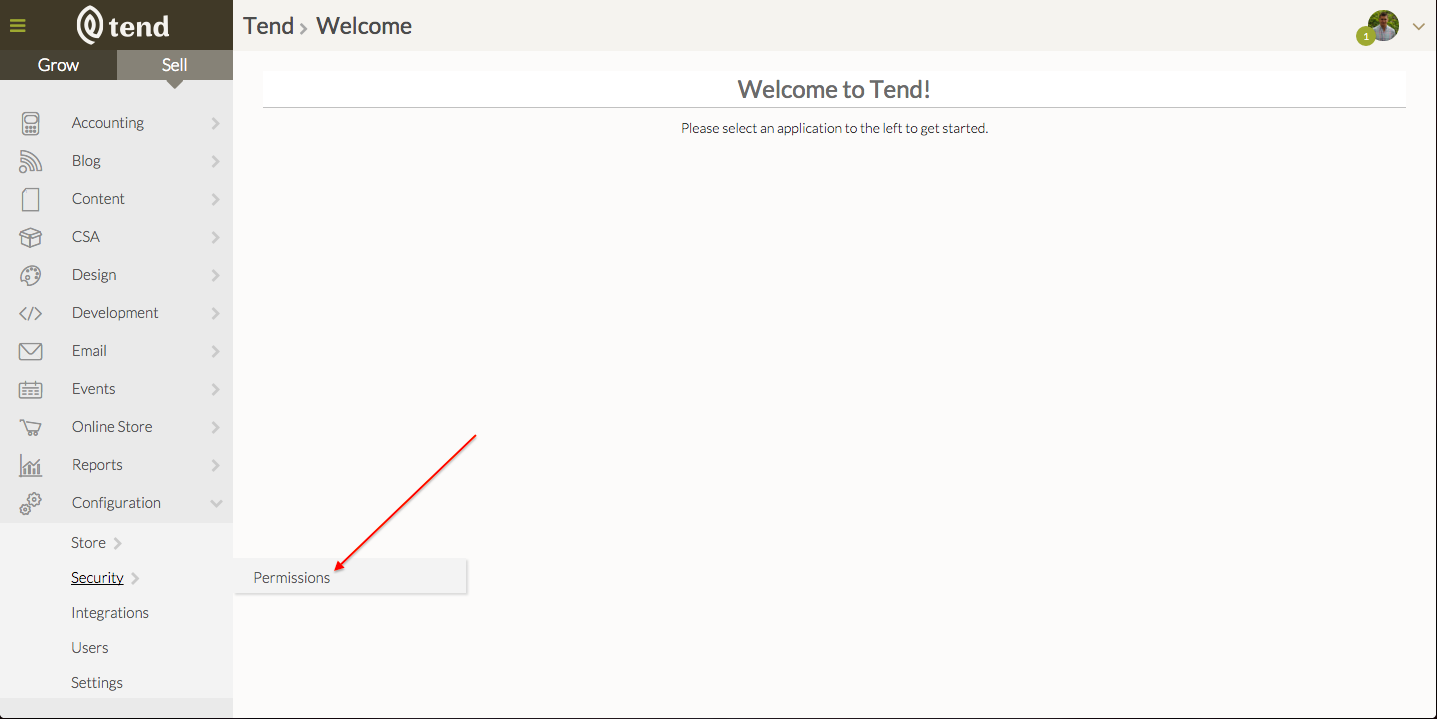
Just because someone has an account on your website doesn't mean they'll be able to access your website's admin. In order to access your admin, an email address (and created account) needs permission. You can set your permissions in your admin by visiting "Configuration", "Security" and then "Permissions" (screenshot #1).
Screenshot #1: Visit "Permissions" in your admin
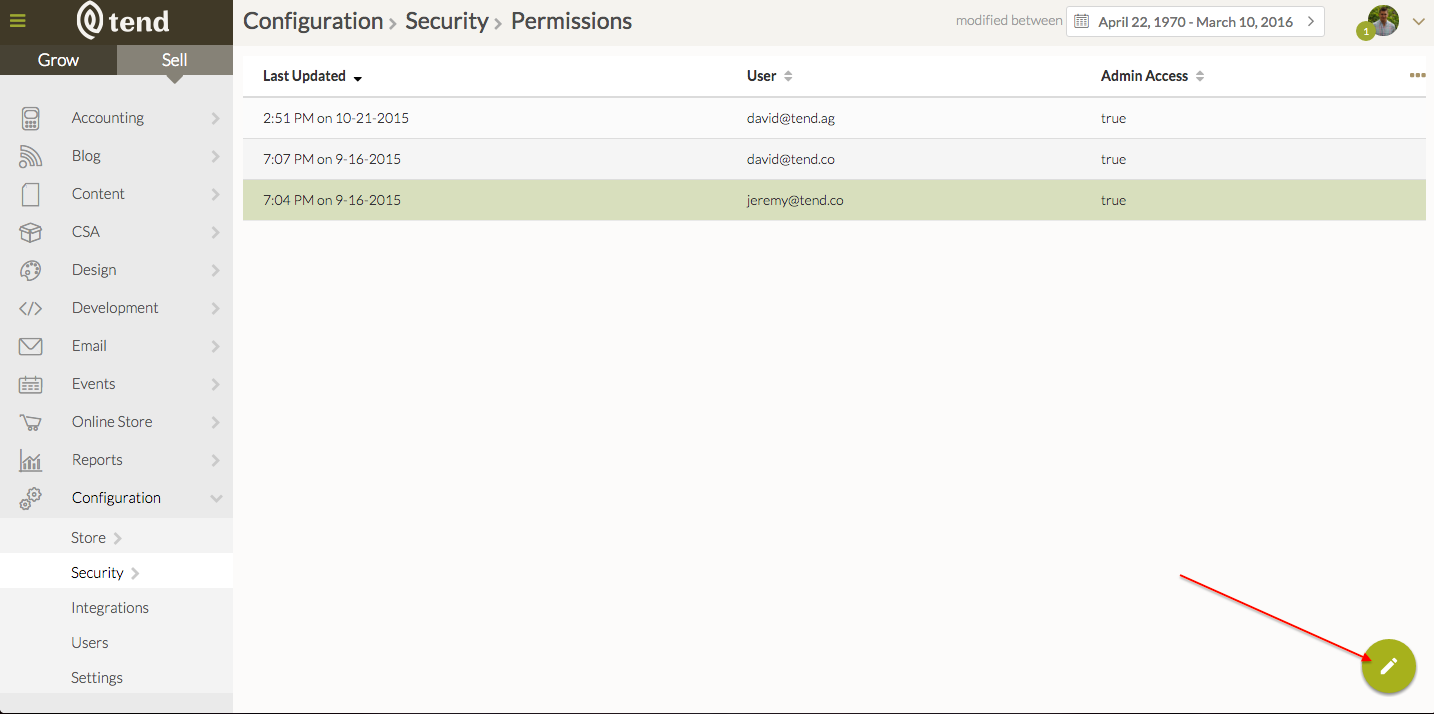
To add new permissions, click on the green "Add" button in the bottom right-hand corner (screenshot #2)
Screenshot #2: Add a new permission
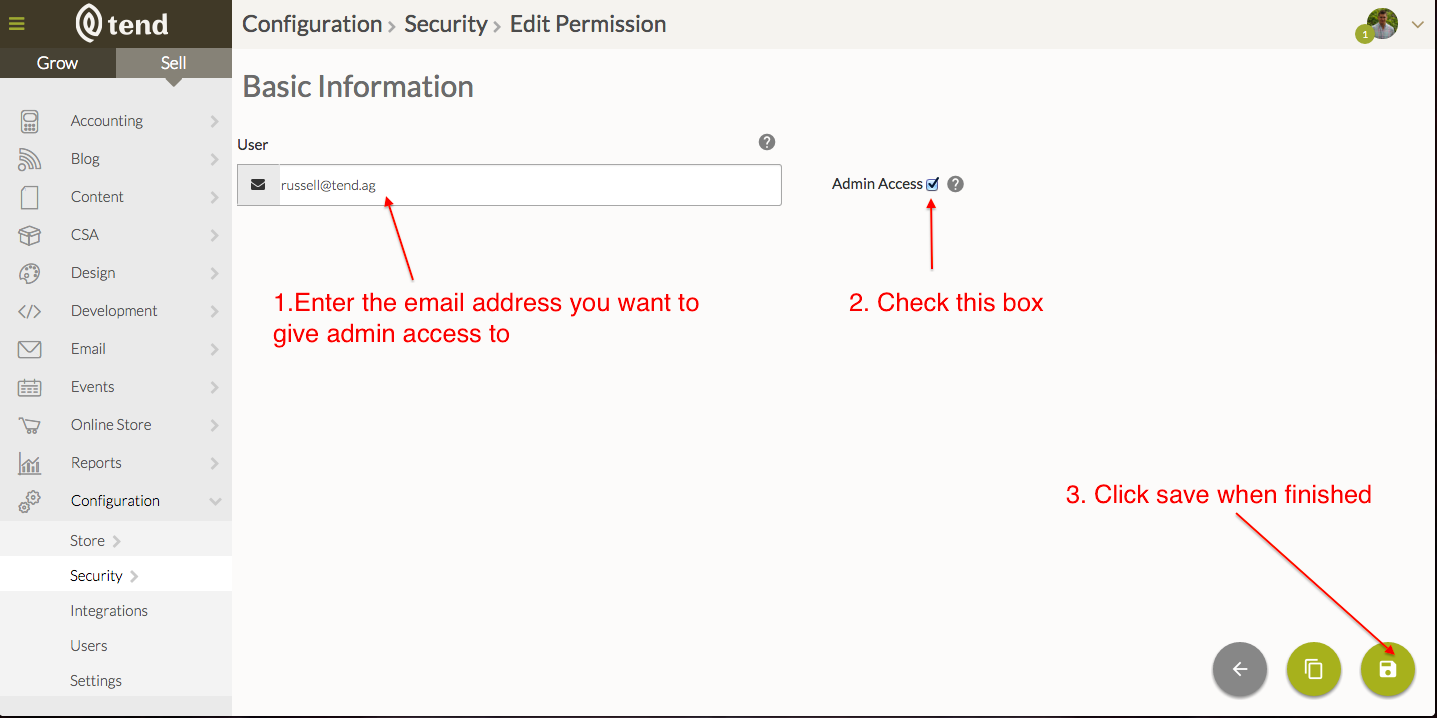
When adding a new permission, you simply need to enter the email address you'd like to give the permission to, check off the box that says "admin access" and then click the "Save" button in the bottom right-hand corner (screenshot #3). Once saved, this email address will now have full access to all applications in your website's admin.
Screenshot #3: Save your new permission