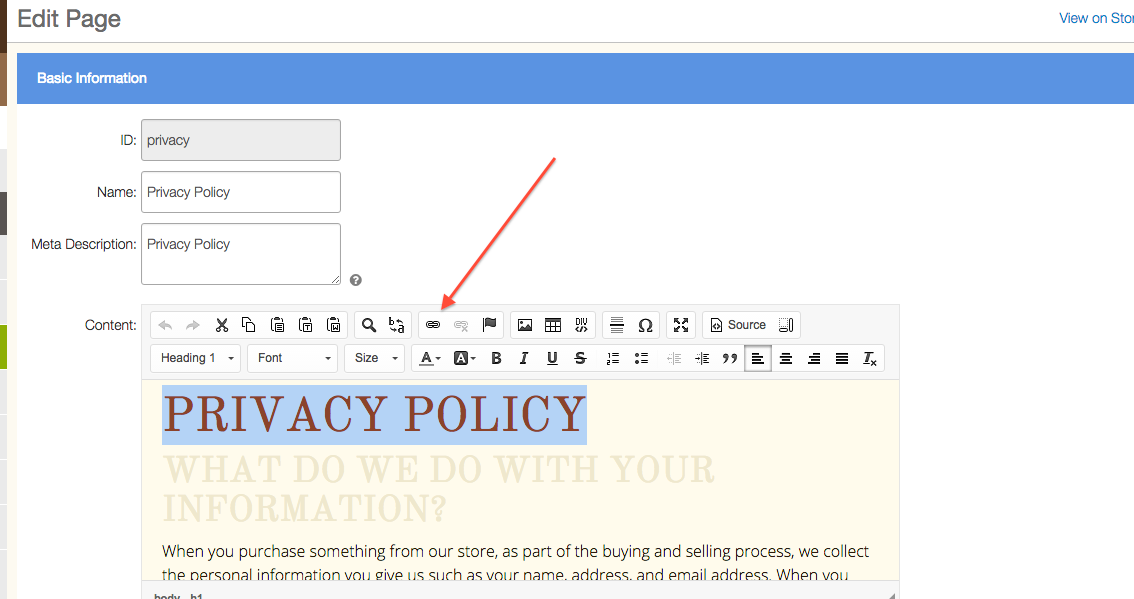
Creating a link inside one of your pages that links to an external site are different than creating an internal link. Here's how to do it:
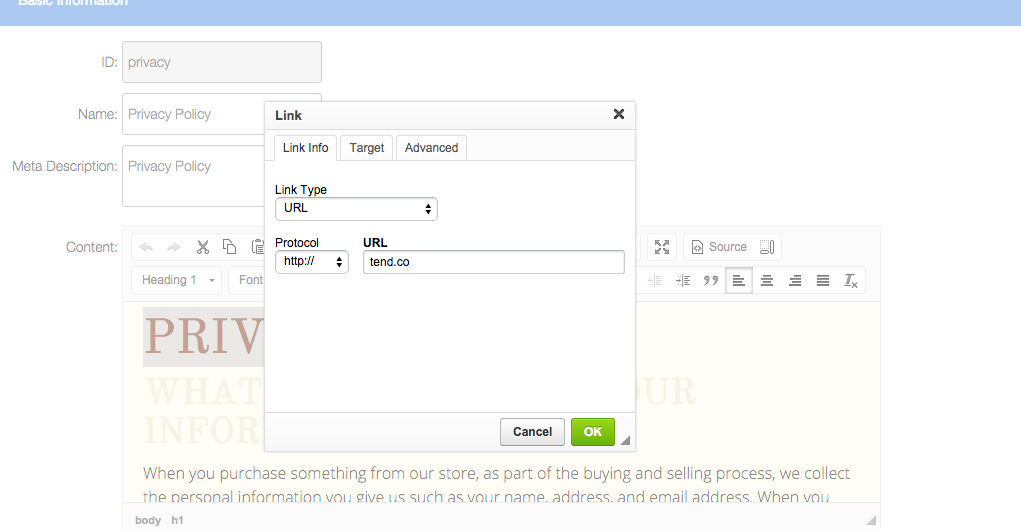
You'll first highlight the text you want to link and then select the small chain icon in the rich text editor. A small popup will appear where you will then enter the URL you'd like to link to. In this popup, you'll see 3 fields (link, protocol, and URL). When linking externally you'll enter the following information in these fields:
Link Type: URL
Protocol: "http://" or "https://"
URL: Enter everything in the URL after the "http://" or "https://", ie. "Tend.ag" or "Google.com"