Sending an email newsletter to your blog subscribers is just like sending a regular email newsletter, only with a slight twist. Everyone who signs up for your email list on your blog page (www.yourdomain.com/blog.html) will be given the tag "blog-subscriber". This tag lets you know that a particular subscriber is interested in receiving blog article updates from your farm.
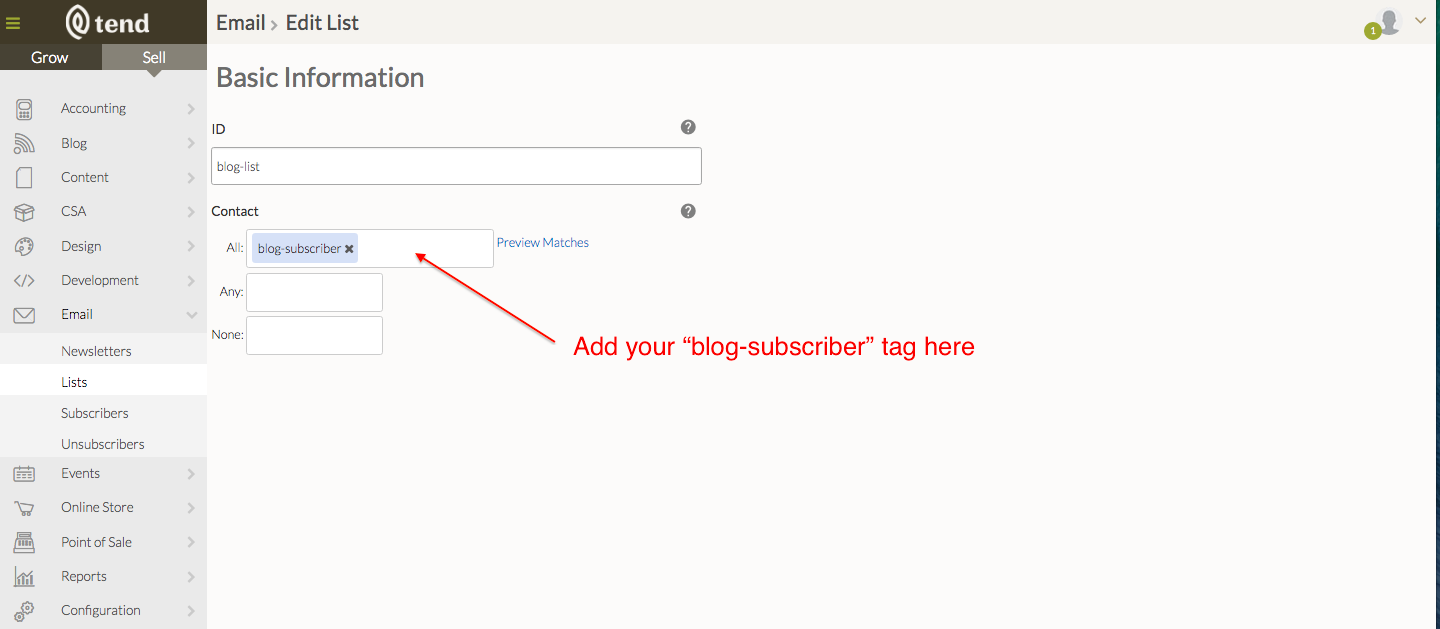
When creating a new email list that you'll use to send blog updates, you will simply need to include the tag "blog-subscriber" in the "all field" (screenshot #1). This way, only those interested in receiving blog updates will be included on the email newsletter that is sent to that particular list.
Screenshot #1: Adding the "blog-subscriber" tag: