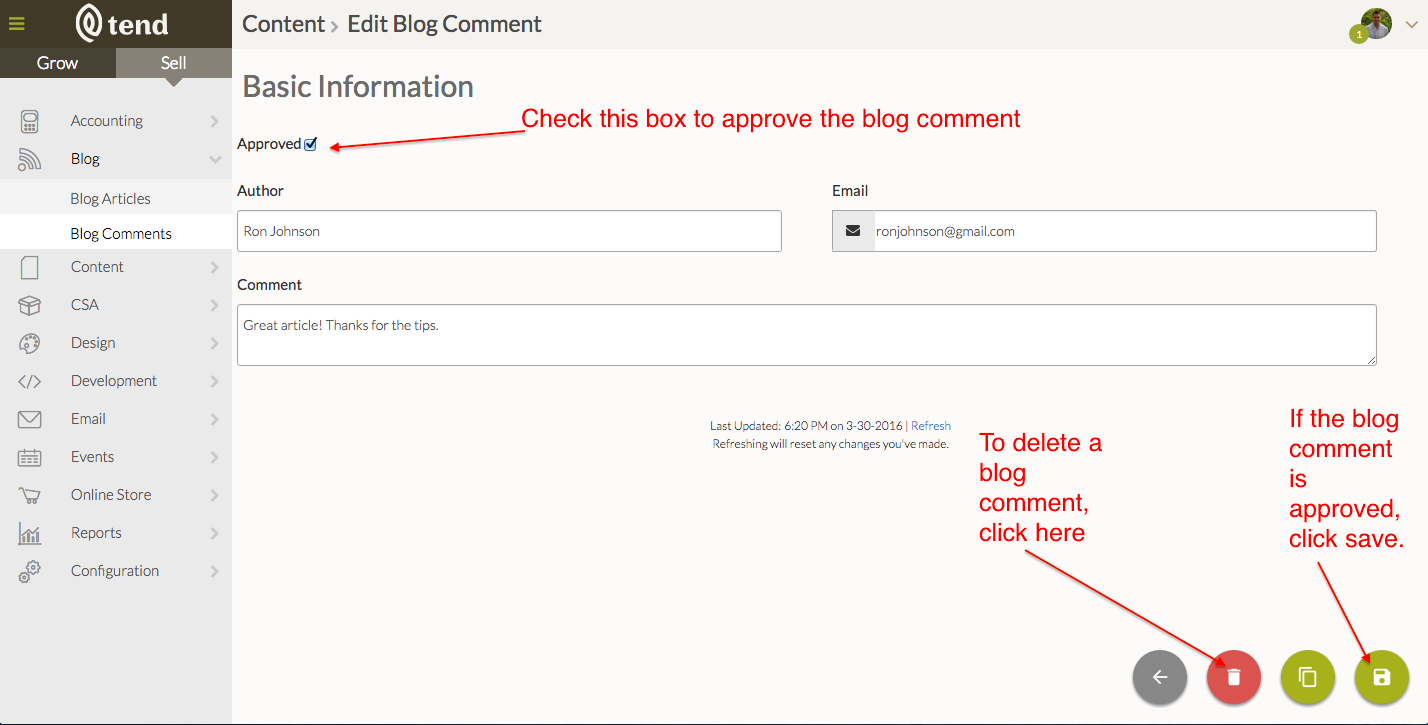
When a blog reader leaves a comment on your blog, that comment will not appear on your blog until you approve it. To approve a blog comment you'll first need to visit your websites admin and click on "Blog" and then "Blog Comments" (screenshot #1).
Screenshot #1: Click on "Blog Comments"
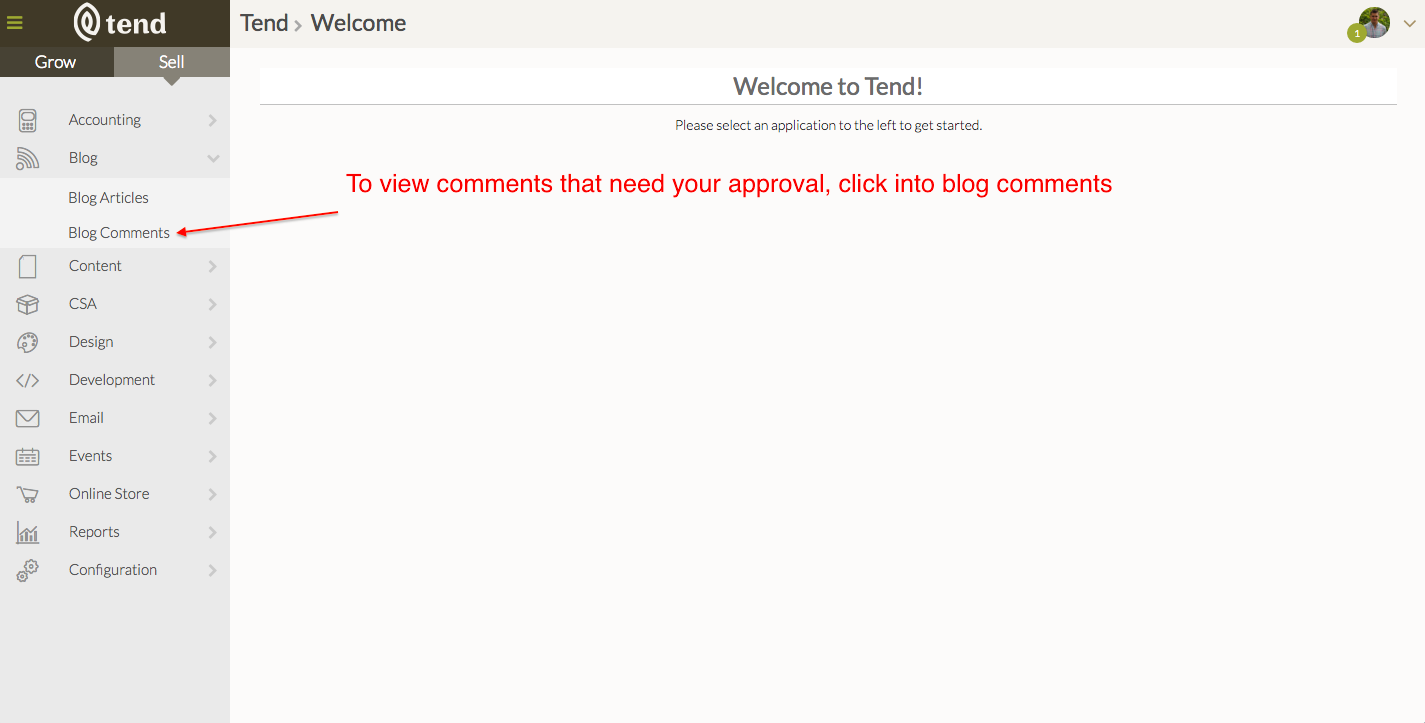
Inside "Blog Comments" you'll see a table of all the comments needing your approval. To approve (or delete) a blog comment, click on it from inside the table (screenshot #2).
Screenshot #2: Click on the blog comment you'd like to approve
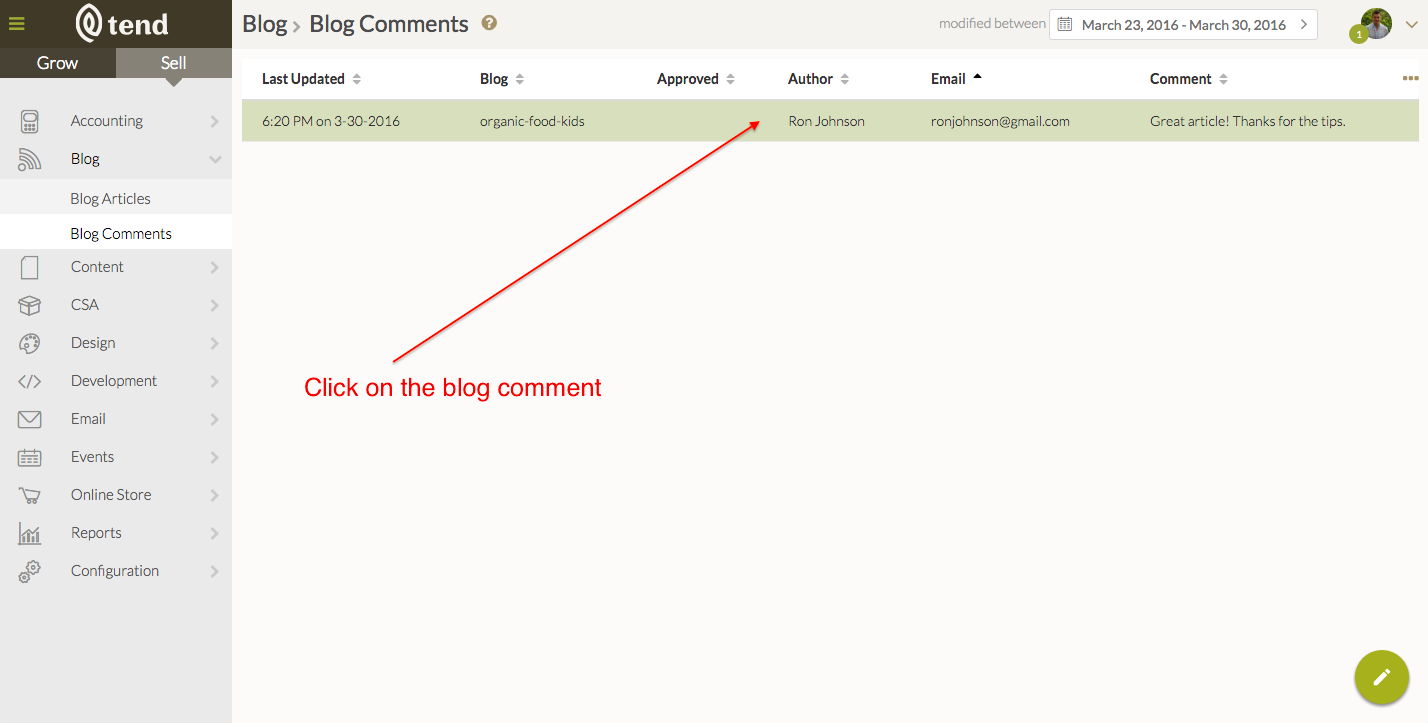
To approve the blog comment, check off the box next to "Approved" and then click "Save" in the bottom right-hand corner. To delete the comment, click on the red "Delete" button in the bottom right-hand corner (screenshot #3).
Screenshot #3: Approve or delete a blog comment