If you'd like to write a blog article, but not have it appear on your website until a future date, here's how:
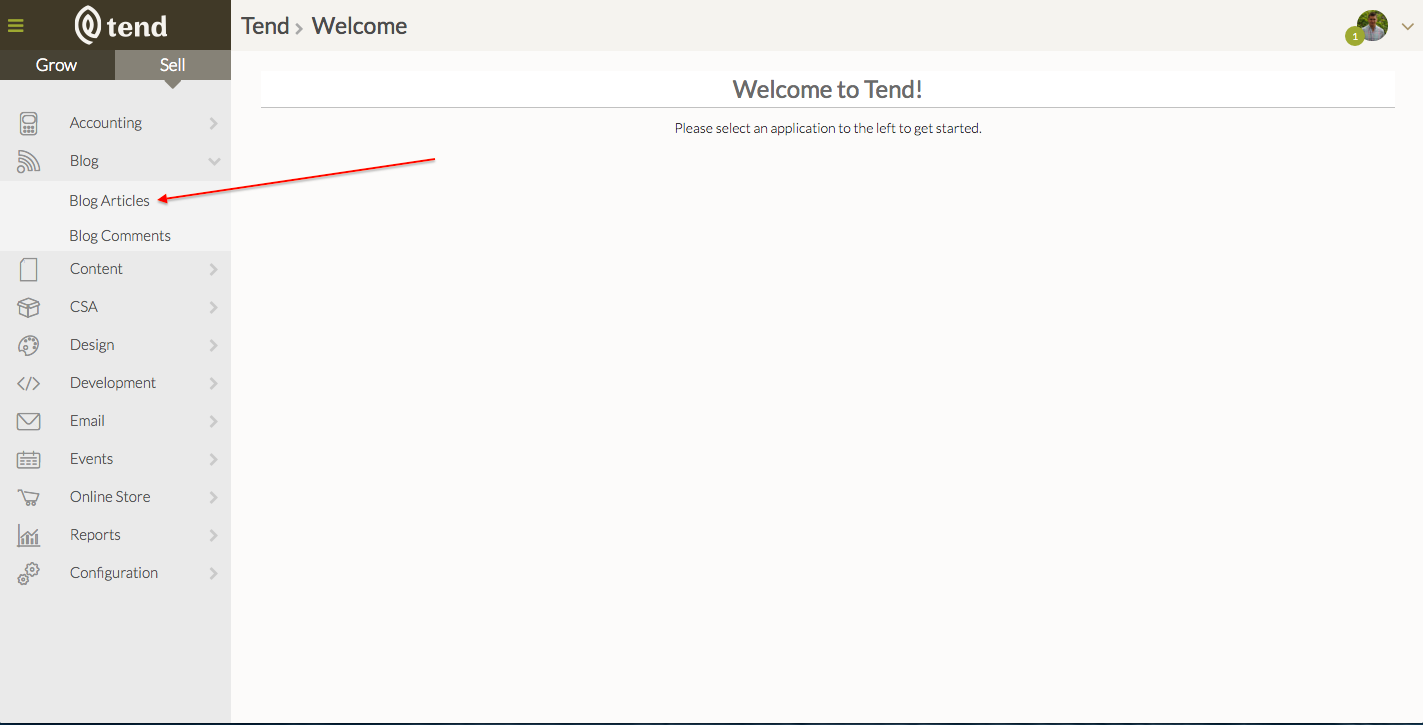
First, visit your websites admin and click on "Blog" and then "Blog Articles" in the left sidebar (screenshot #1).
Screenshot #1: Click on "Blog Articles"
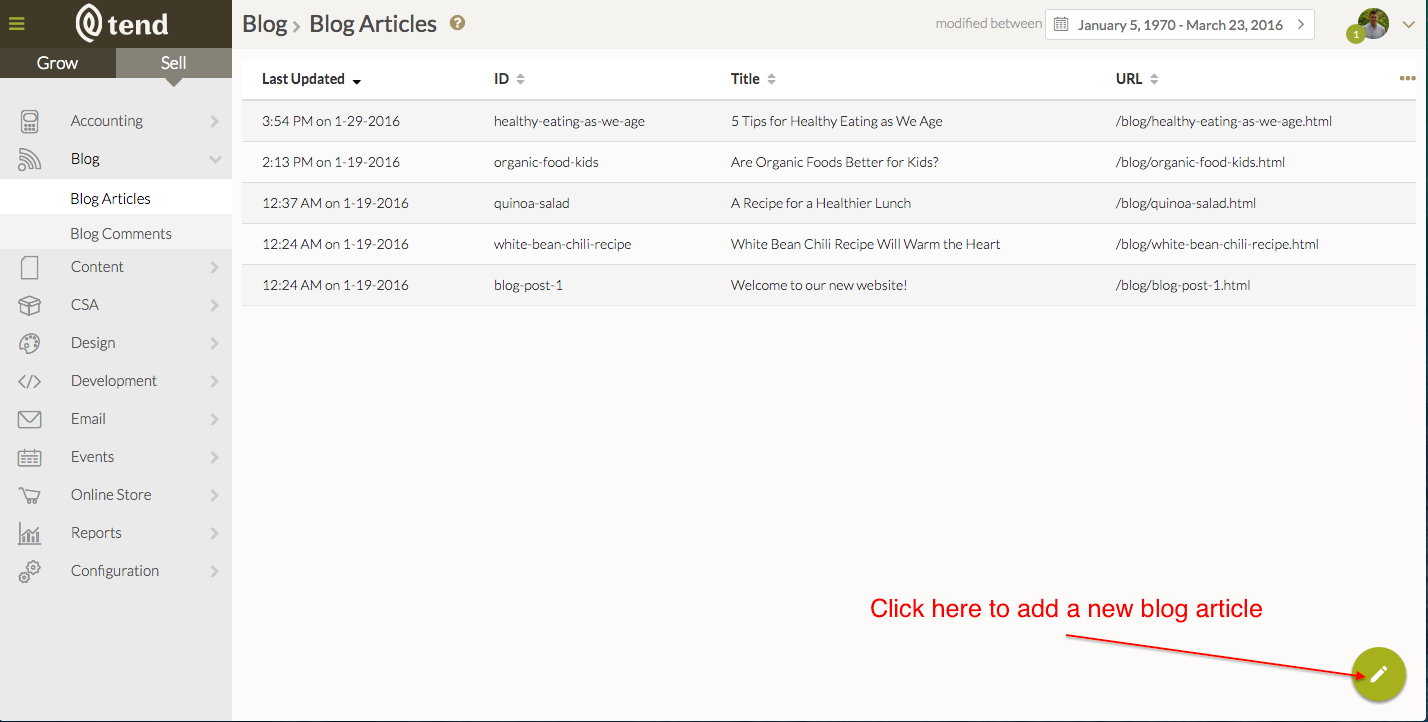
Inside "Blog Articles" you'll want to add a new blog article by clicking on the green "Add" button in the bottom right-hand corner (screenshot #2).
Screenshot #2: Add a blog article
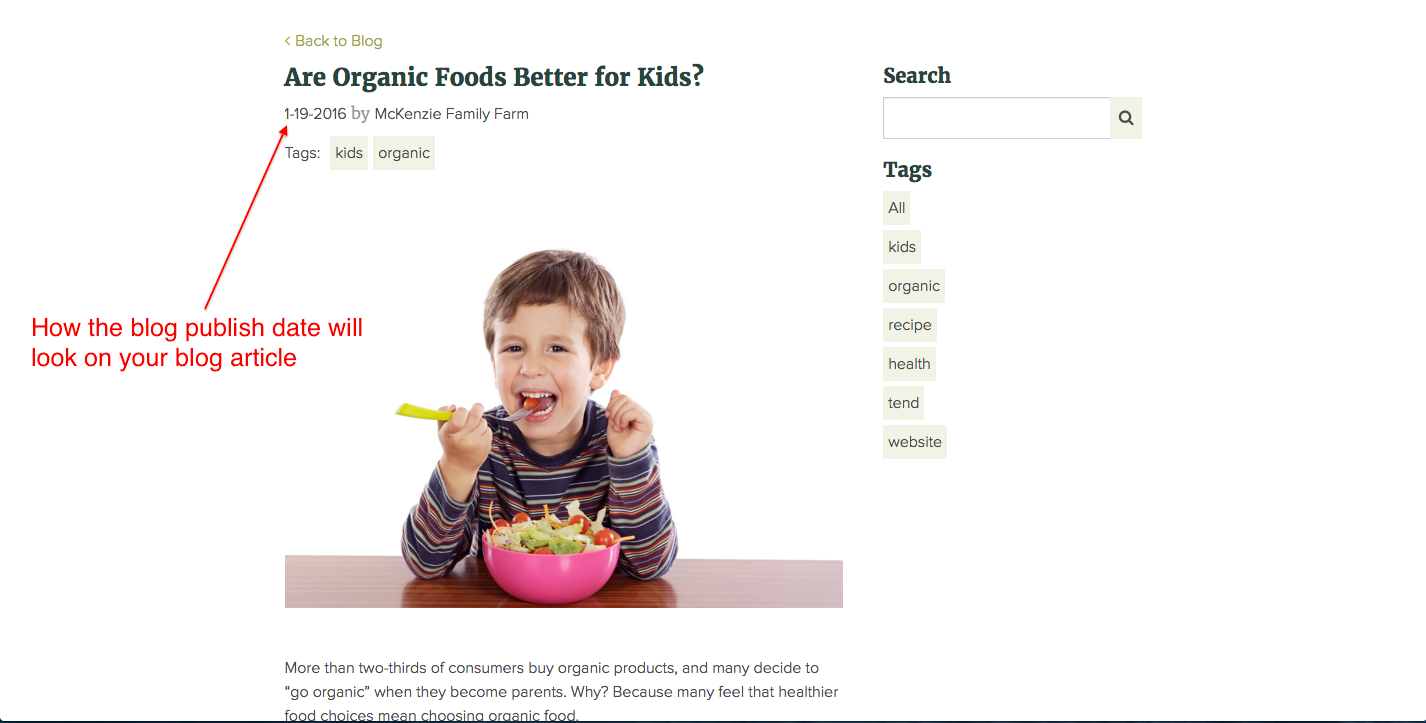
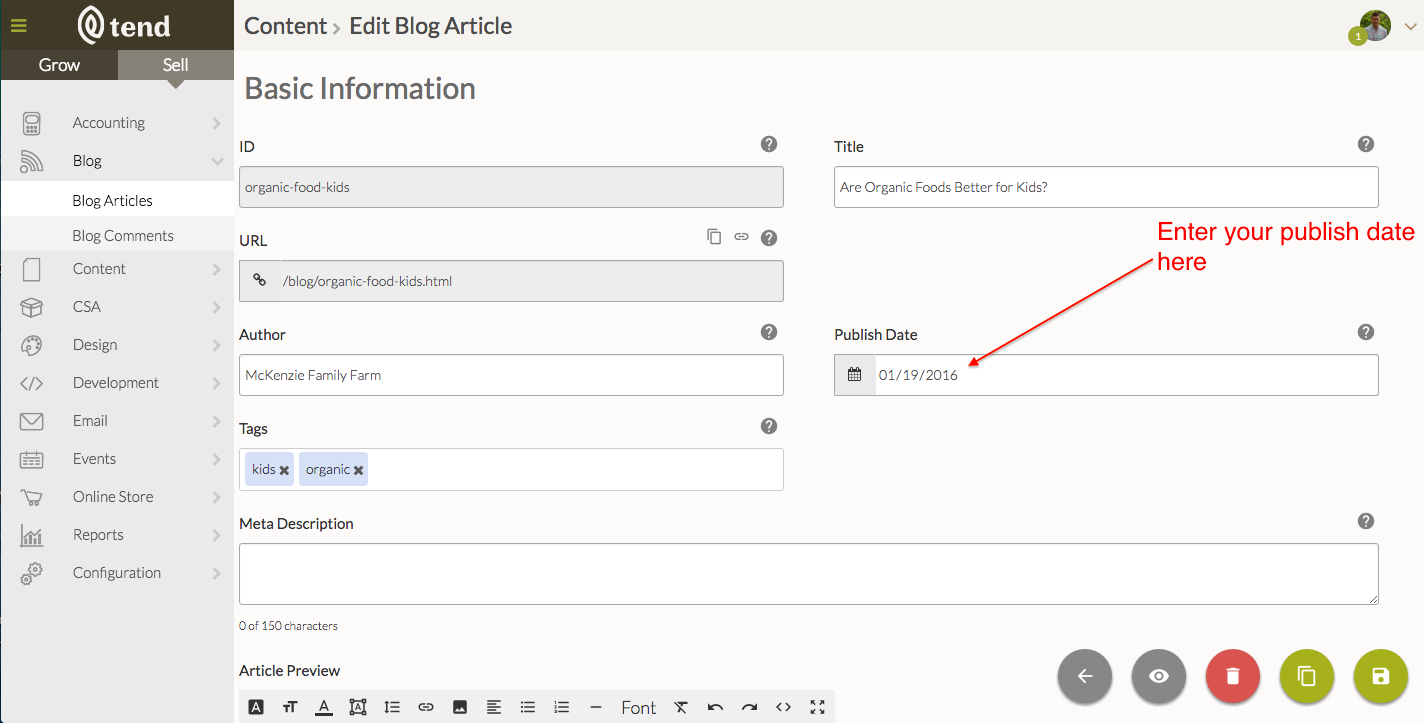
Once creating your blog article you'll need to fill in all the typical fields required, but you'll want to pay special attention to the "Publish Date" field (screenshot #3). This is where you'll enter the date you want your blog article to publish and appear on your website. It's important to note that by setting this date in the future, your blog article will not automatically publish. You still need to publish your website. Setting your publish date in the future will just ensure the it doesn't appear on your site before then (even if publishing before your blog publish date), and that the publish date you entered will appear on the blog post (see screenshot #4 as an example).
Screenshot #3: Publish Date
Screenshot #4: Blog publish date on website