Every website has a separate email collection box on their blog home page. When someone enters their email in this collection box (your blog list), that subscriber will be tagged with "blog-subscriber" in your admin. This way, when you're creating you're a new email list, you can choose which subscribers you want to include on your lists and receive the email newsletters you send.
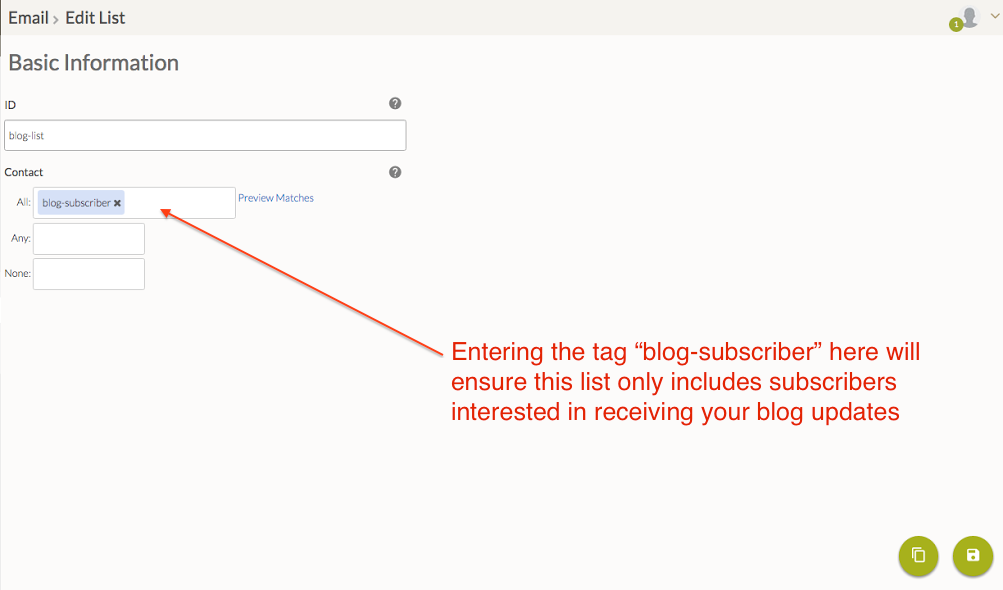
If you only want those subscribers with the tag "blog-subscriber" to receive a particular newsletter, you would only enter the tag "blog-subscriber" in the "all" field when creating a new list (screenshot #1).
Screenshot #1: Creating your blog email list
We don't automatically notify anyone who signs up for your blog list with new blog updates. We just offer the tag to let you know who is interested in receiving those updates. To learn more about creating an email list, click here. To learn how to send an email newsletter, click here. To learn more about tagging for email lists, click here.