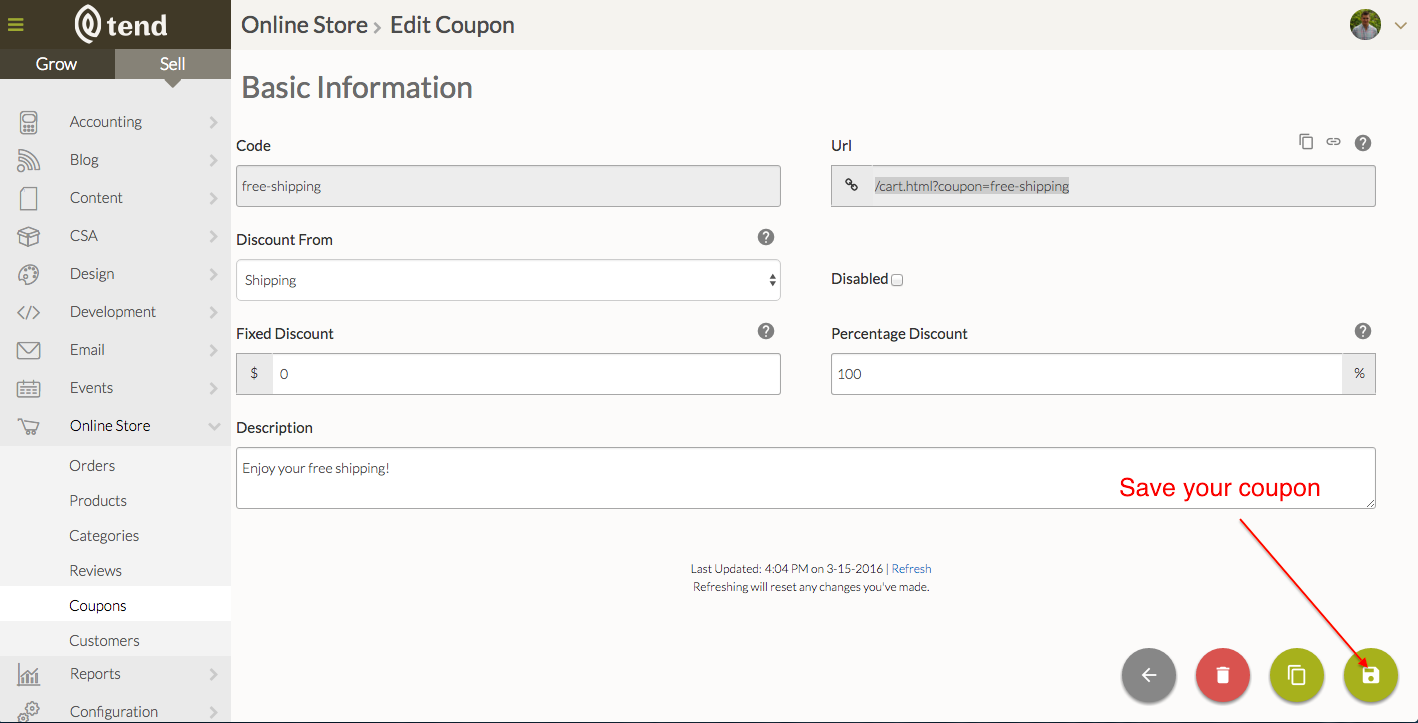
You can create coupons to offer discounts on the products you sell, including your CSA shares. To create a coupon visit "Online Store" and then "Coupons" inside your websites admin (screenshot #1).
Screenshot #1: Click on "Coupons" in your website's admin
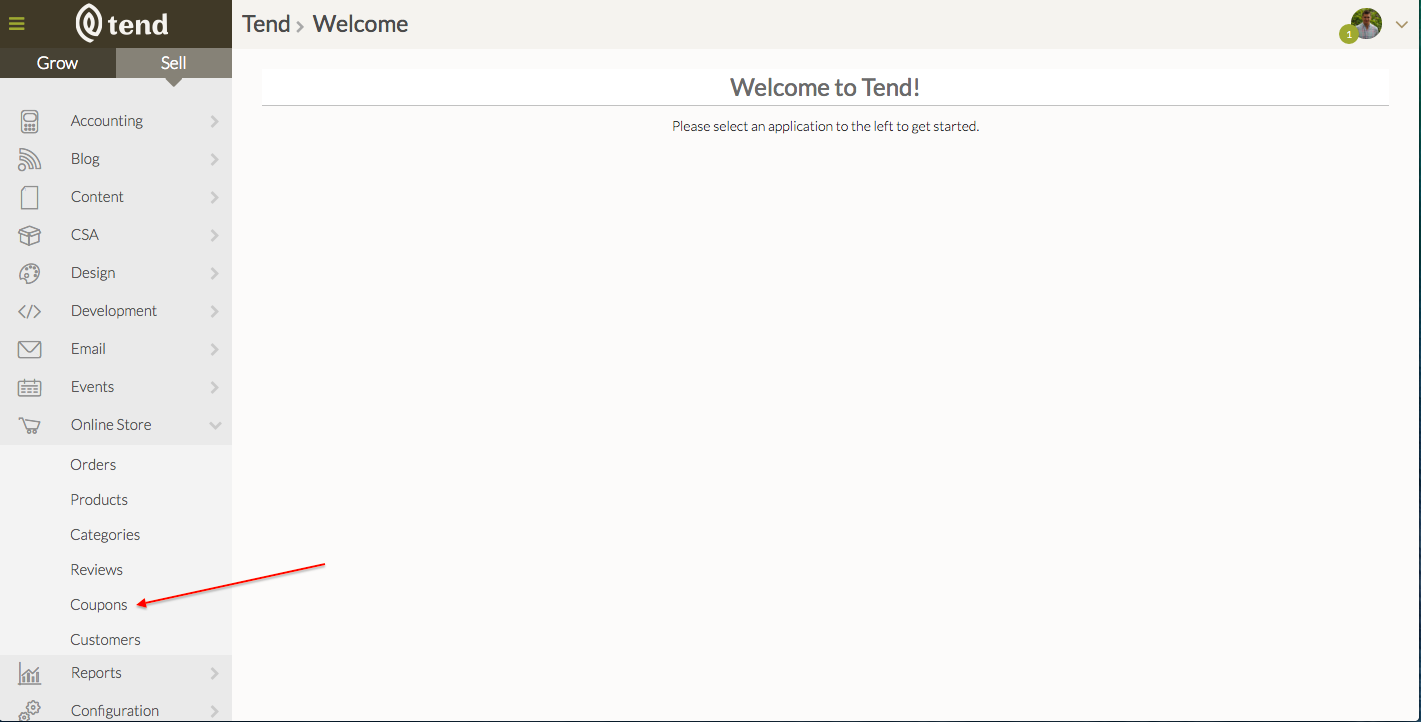
Inside coupons you'll see a table of the coupons you've already created, as well as the option to create a new coupon. To create a new coupon simply click on the green "Add" button in the bottom right-hand corner (screenshot #2).
Screenshot #2: Create a new coupon
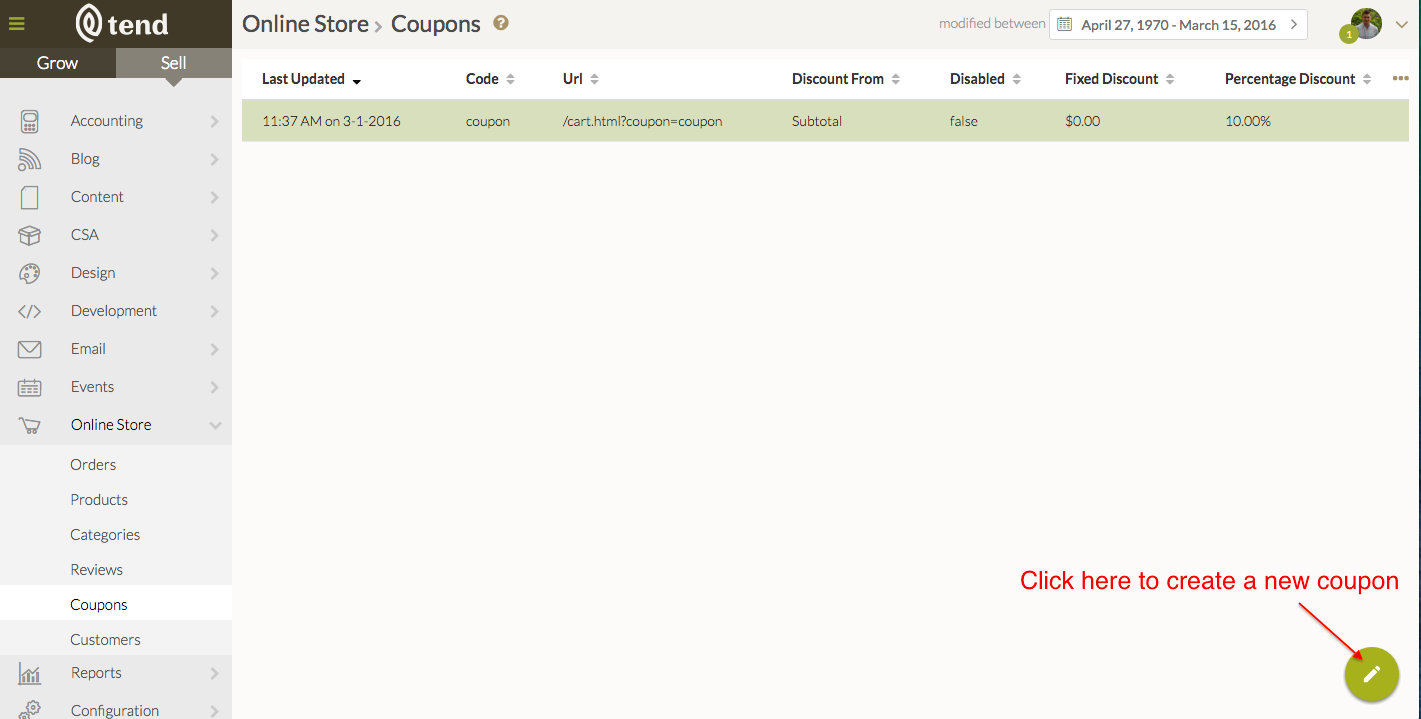
When creating a new coupon you'll see 5 fields. Below is an explanation of each:
1. Code: this is the unique code for your coupon. For example, you could enter "free-shipping" or "10-percent-off". Please note that only numbers, letters, underscores and dashes are allowed to be used in this field.
2. URL: the URL of your coupon code. This is automatically created for you based on your code.
3. Discount From: this is a dropdown field where you'll select where the coupon will apply, either "shipping" or "subtotal".
4. Fixed Discount: If offering a fixed amount discount, enter it here. This number will be deducted from a customer's shipping total or their subtotal, depending on what you entered in the "Discount From" field. If going with a percentage discount, leave this field blank.
5. Percentage Discount: If offering a percentage discount, enter it here. This percentage will be deducted from a customer's shipping total or their subtotal, depending on what you entered in the "Discount From" field. If going with a fixed discount, leave this field blank.
You'll also see a "Disabled" checkbox. If you want to create a coupon yet keep it inactive, simply check this box (screenshot #3)
Screenshot #3: If you'd like, you can disable your coupon
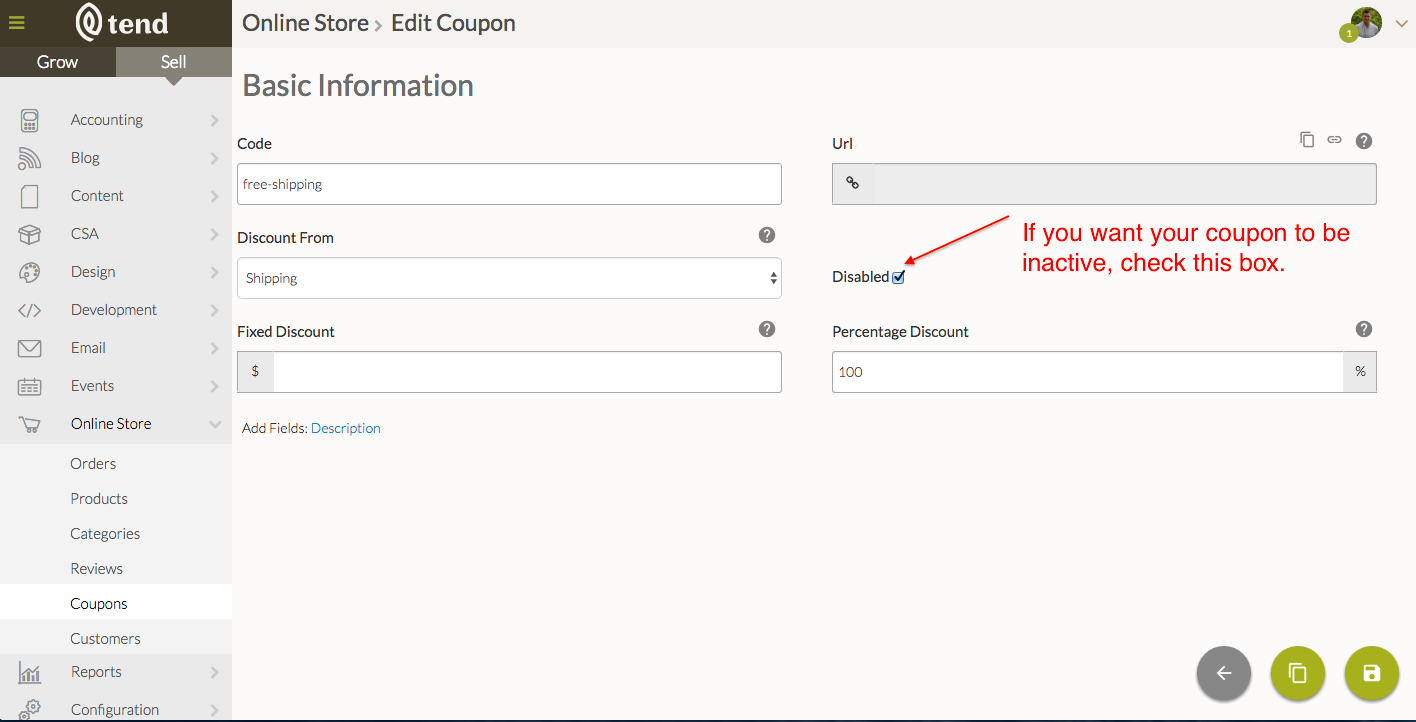
When your coupon is complete, click the "Save" button in the bottom right-hand corner (screenshot #4). Share your coupons URL with your customers via email newsletters or your blog and they'll automatically receive the coupons discount in their shopping cart when clicking the URL.
Screenshot #4: Save your coupon when finished