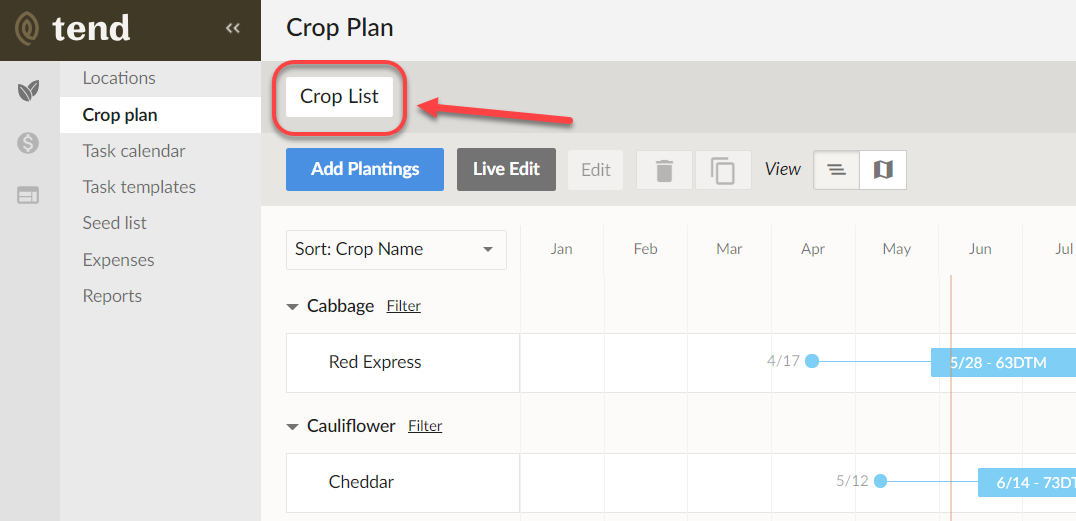
1. Click on "Crop List" button in the crop planner
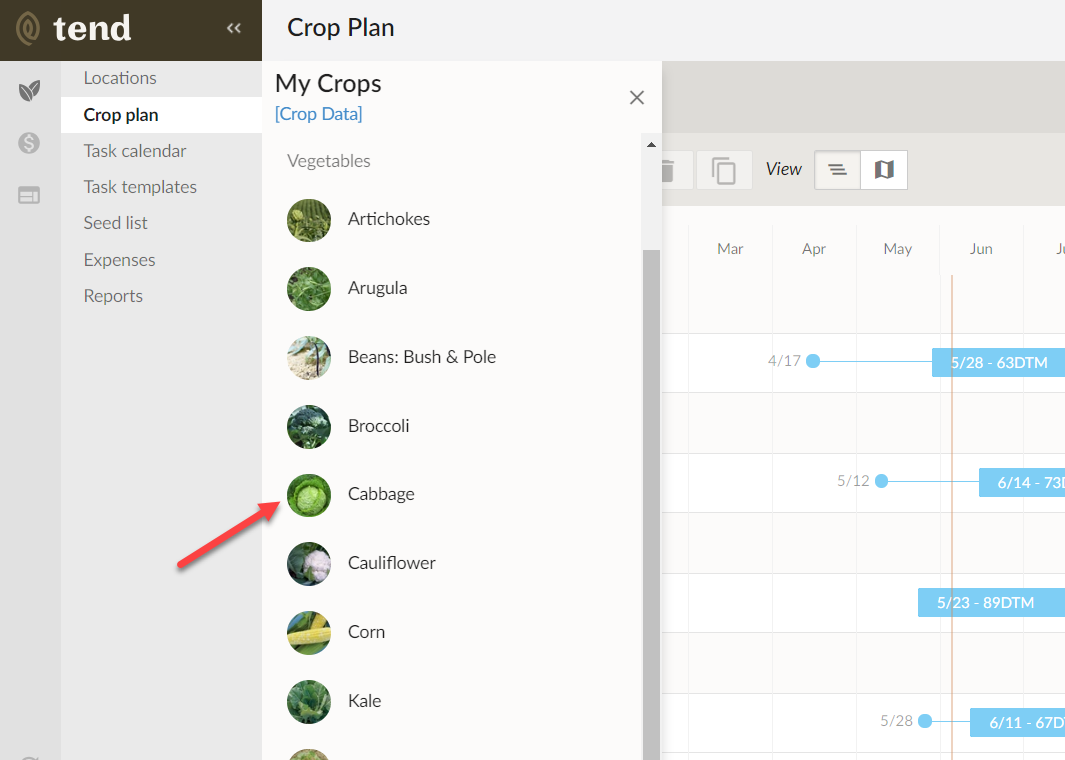
2. Select the crop from the list
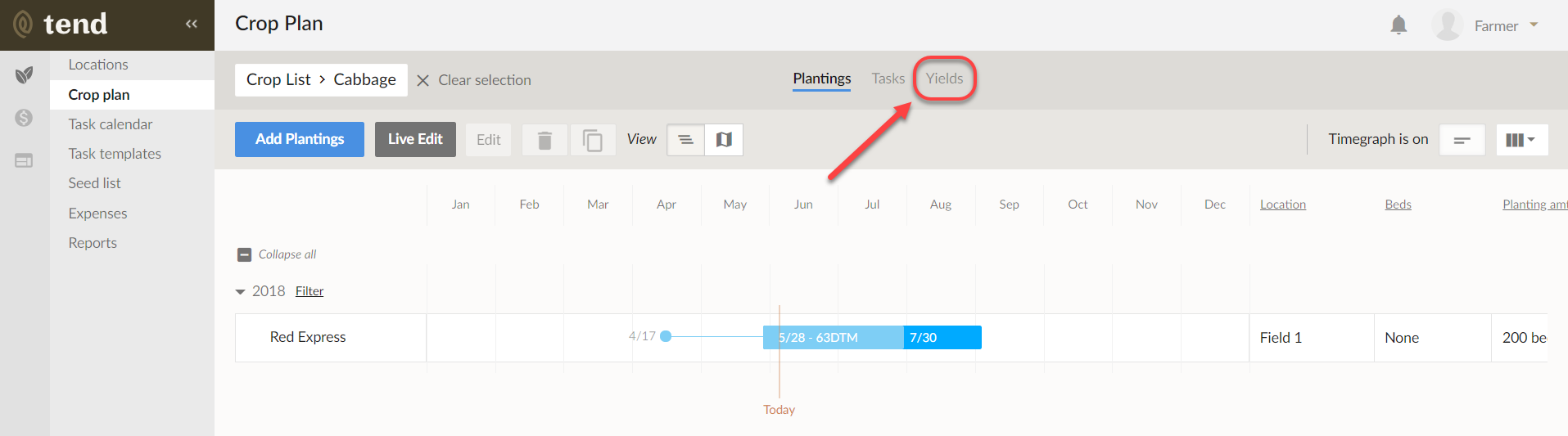
3. Click the "Yields" button in the top-center of the screen
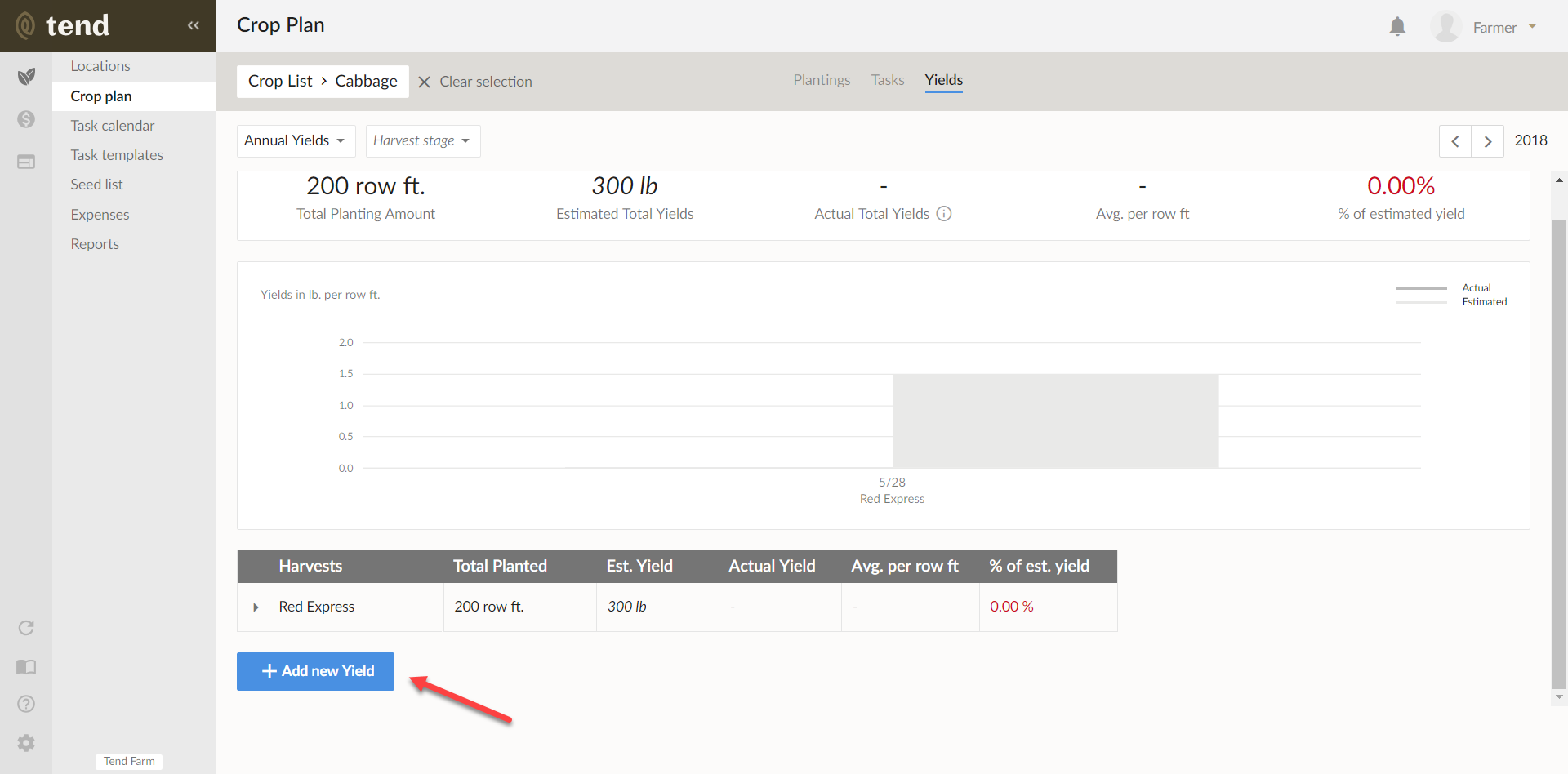
4. Click the blue "Add New Yield" button at the bottom left-hand corner of the page
5. Select the planting, enter the harvest date, amount, unit, and sales channel, then click the blue "Add" button.
